
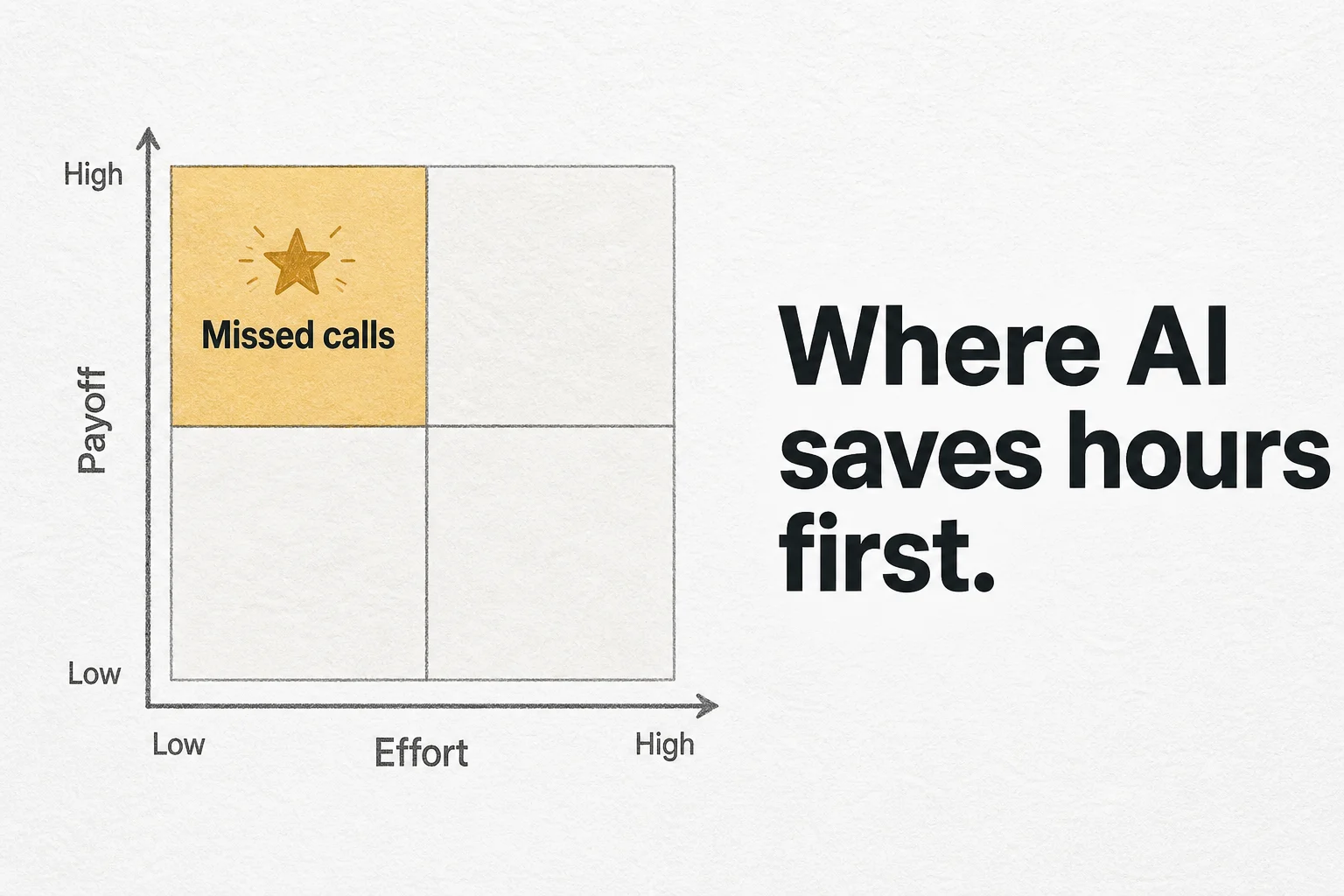
Most AI decks start with a platform. Operators need a queue. Which workflow gives hours back this month, and which one looks impressive in a demo but fights your CRM for six weeks?
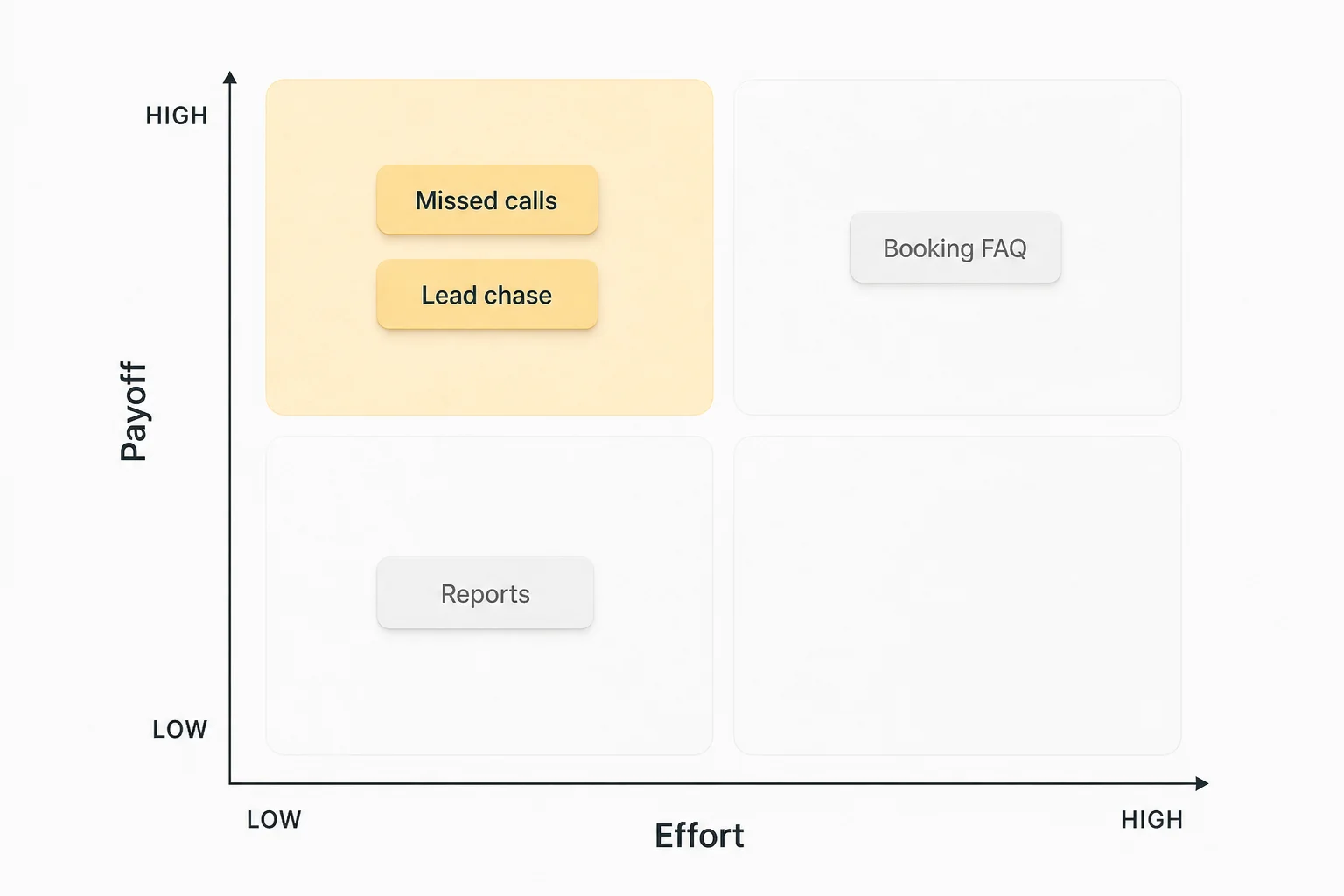
I use a simple ranking with founders: payoff (hours or booked revenue recovered per week) versus effort (integrations, exception rate, compliance fuss). High payoff and low effort goes first. High payoff and messy effort goes second with a tighter scope. Low payoff waits, no matter how trendy the model is.
This is not a clone of my ops automation audit checklist. That post helps you score the leaks. This one assumes you already feel the pain and need a build order. Run the audit if your numbers are fuzzy. Use this matrix when you are ready to pick workflow one.
The effort vs payoff matrix
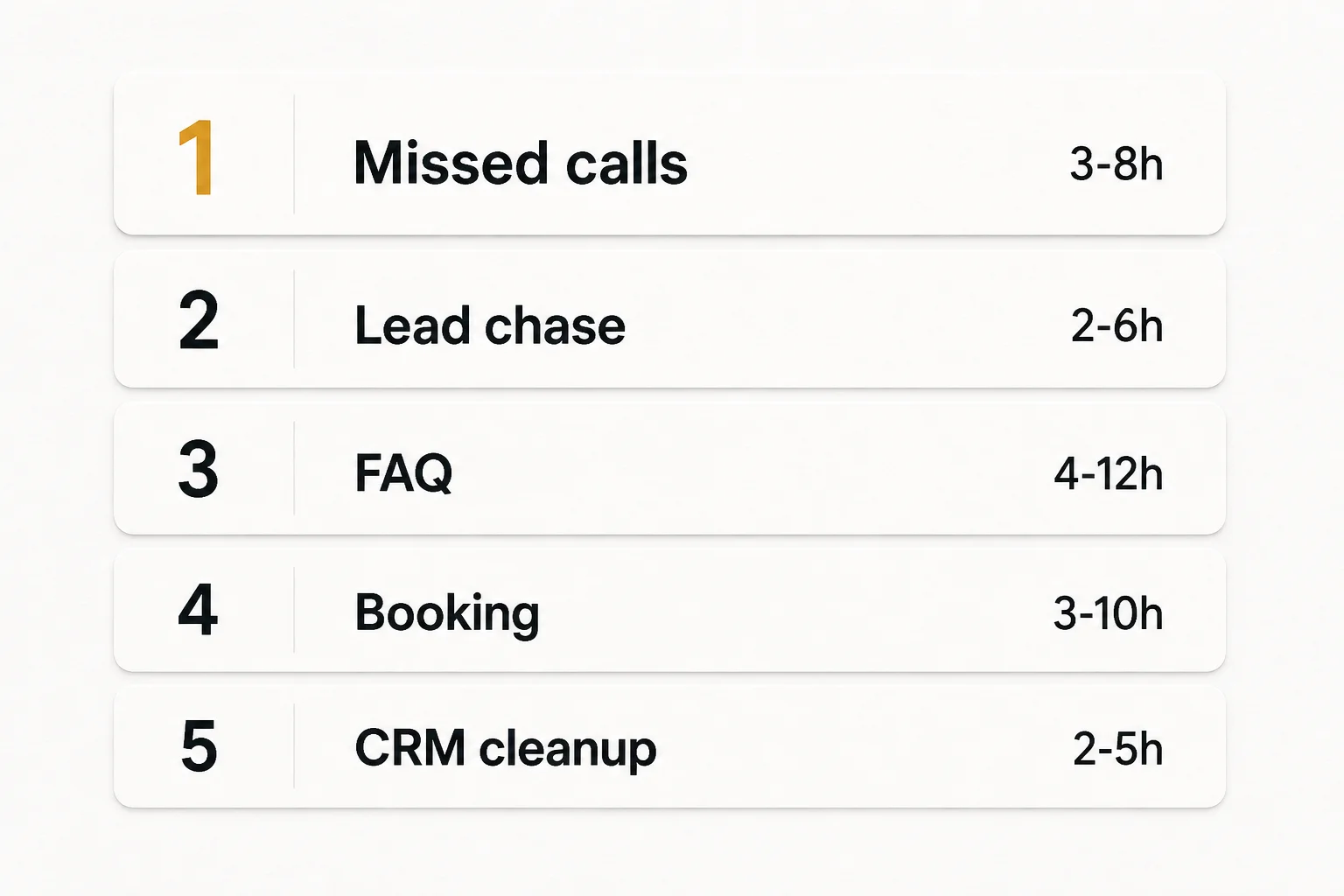
Direct answer: for most service SMBs I see, the first AI hours come from missed-call recovery, lead chase sequences, FAQ deflection, booking automation, and then CRM cleanup. Invoice OCR and report writing can wait unless those are literally your bottleneck.
| Rank | Workflow | Typical weekly hours back* | Effort | Why it ranks here |
|---|---|---|---|---|
| 1 | Missed-call / after-hours capture | 3 to 8+ (plus recovered leads) | Low–med | One trigger, clear success metric |
| 2 | Lead chase (Day 1 / 3 / 7) | 2 to 6 | Low | Native CRM sequences often enough |
| 3 | FAQ deflection (web / WhatsApp) | 4 to 12 | Med | Needs grounded docs and escalation |
| 4 | Booking / reschedule against calendar | 3 to 10 | Med | Calendar truth + policy edge cases |
| 5 | CRM cleanup and auto-logging | 2 to 5 | Med–high | Pays forever; messy if fields are chaos |
| 6 | Meeting notes → tasks | 1 to 3 | Low–med | Nice; rarely the bleeding artery |
| 7 | Invoice / document extraction | Varies | Med–high | Great when volume is high; skip if not |
| 8 | Recurring report assembly | 1 to 2 | Med | End of the line for most SMBs |
*Hours are planning ranges for a busy local service team, not a promise. Your week of logging beats my table.
Plot each candidate on two axes before you buy anything:
- Payoff: hours/week × fully loaded cost, plus revenue from faster reply if you can estimate it
- Effort: number of systems to touch, % of cases that need a human, and whether a source of truth exists
First ship = top-right of "high payoff / low effort." If nothing sits there, shrink the highest-payoff idea until effort drops (messaging before voice, one channel before five).
Rank 1: Missed calls and after-hours capture
When someone rings and you are with a client, the lead is still warm for about a minute. SMS or WhatsApp text-back inside ~60 seconds, plus a CRM task, recovers a chunk of that without a full voice agent.
Voice AI is the upgrade when call volume stays high after messaging exists. Clinics lean on that path in AI receptionist for clinics and dentists. Salons often win first on Instagram and WhatsApp; see AI receptionist for salons and spas.
Why first: one webhook or phone trigger, obvious before/after (missed calls contacted vs not), and it attacks paid demand you already bought.
Rank 2: Lead chase that actually fires
Your team is not lazy. They are interrupt-driven. Day 1 / 3 / 7 follow-ups die in personal reminders. A dumb sequence with stop conditions when they book beats a clever agent that nobody maintains.
I usually ship this inside GoHighLevel or HubSpot before inventing custom agents. Custom comes later when branching logic outgrows the CRM. Tool trade-offs live in n8n vs Make vs custom automation.
Measure: % of unbooked leads that get touch 2 and touch 3. If that is under 50%, you found free pipeline.
Rank 3: FAQ deflection
Same forty questions. Hours, parking, pricing ranges, what to bring, do you serve my area. A grounded bot on WhatsApp or the site absorbs the repeats and hands hard cases to humans with context.
Effort jumps because you need a source of truth and an escalation path. Skip vendors who cannot show grounding. Hallucinated prices create refunds, not hours saved.
Useful starting points:
- WhatsApp Business Platform docs
- OpenAI retrieval guidance (pattern, not a vendor mandate)
Rank 4: Booking without three humans
If every appointment needs a DM, a phone tag, and a calendar rewrite, you are paying a coordination tax. Self-serve booking or a bot that writes the calendar removes that tax for the routine 80%.
Edge cases (VIP, allergies, custom quotes) stay human. That is fine. Automate the default path.
Pair this with on-site CRO so the Book button is findable: CRO for service lead sites. A perfect bot behind a slow WordPress form still loses mobile visitors (WordPress to Next.js for lead sites).
Rank 5: CRM cleanup and auto-logging
Salespeople hate typing. Pipelines lie. Automation that creates contacts from forms, WhatsApp, and ads, and logs outcomes, recovers hours and makes every later AI feature less stupid.
Effort is higher when your fields are a junk drawer. Clean the required properties first. Then auto-write. Do not train a model to perpetuate "Notes: asdf".
n8n, Make, and native CRM workflows all work here. Pick based on volume and who maintains it.
What I deliberately rank lower (for most SMBs)
Meeting notes to tasks is delightful and usually not the reason you are underwater. Ship it after the phone and follow-up leaks close.
Invoice and document extraction is a star when you process hundreds of documents a month. It is a distraction when your real leak is 9pm WhatsApp leads.
Weekly report assembly saves a Friday afternoon. It rarely funds the first build. Do it when the connective tissue (CRM truth, clean fields) already exists.
Ecommerce-style inventory alerts and social reply bots can matter for retail. For service operators selling appointments and projects, I keep them off the first page of the roadmap unless those channels are the business.
A two-week scoreboard (so this stays honest)
Before build:
- Pick one workflow from ranks 1 to 3.
- Log volume and minutes per manual touch for five business days.
- Note systems involved (phone, WhatsApp, CRM, calendar).
After build (two weeks parallel or cutover):
| Metric | Baseline | After |
|---|---|---|
| Manual minutes on that workflow / week | ||
| Median first response (minutes) | ||
| Leads contacted after miss / after-hours | ||
| Exception rate needing a human (%) |
If hours do not move, you automated the wrong step or the process was broken before AI touched it. Fix process, then retry. The audit checklist exists for that diagnosis: ops automation audit checklist.
Buy demos after you can fill the baseline column. Otherwise you are shopping for vibes.
How this maps to stack choices
- CRM-native first for chase sequences and simple text-back
- Messaging receptionist when FAQ + booking share one knowledge base
- n8n / Make when you glue three-plus tools and need visibility
- Custom code when latency, permissions, or logic outgrow no-code
I would rather you have one boring workflow with a scoreboard than five half-wired agents. Hours compound. Demoware does not.
Product docs worth keeping open:
- n8n docs
- Make help center
- GoHighLevel help
- web.dev Web Vitals (when the site is part of the funnel)
Bottom line
AI saves ops hours first where delay is expensive and rules are clear: catch the miss, chase the lead, deflect the FAQ, book the slot, then clean the CRM. Rank by payoff over effort. Measure a week. Ship one workflow. Reinvest the hours into the next cell on the matrix.
If you want help picking rank one from your actual volumes, book a free discovery call on cal.com/saifyxpro. Bring a rough count of missed calls, unbooked leads, and where FAQs land. We will leave with a build order, not a platform tour.