
Most founders hear "AI agent" and picture ChatGPT with a job title. That is half right and half dangerous.
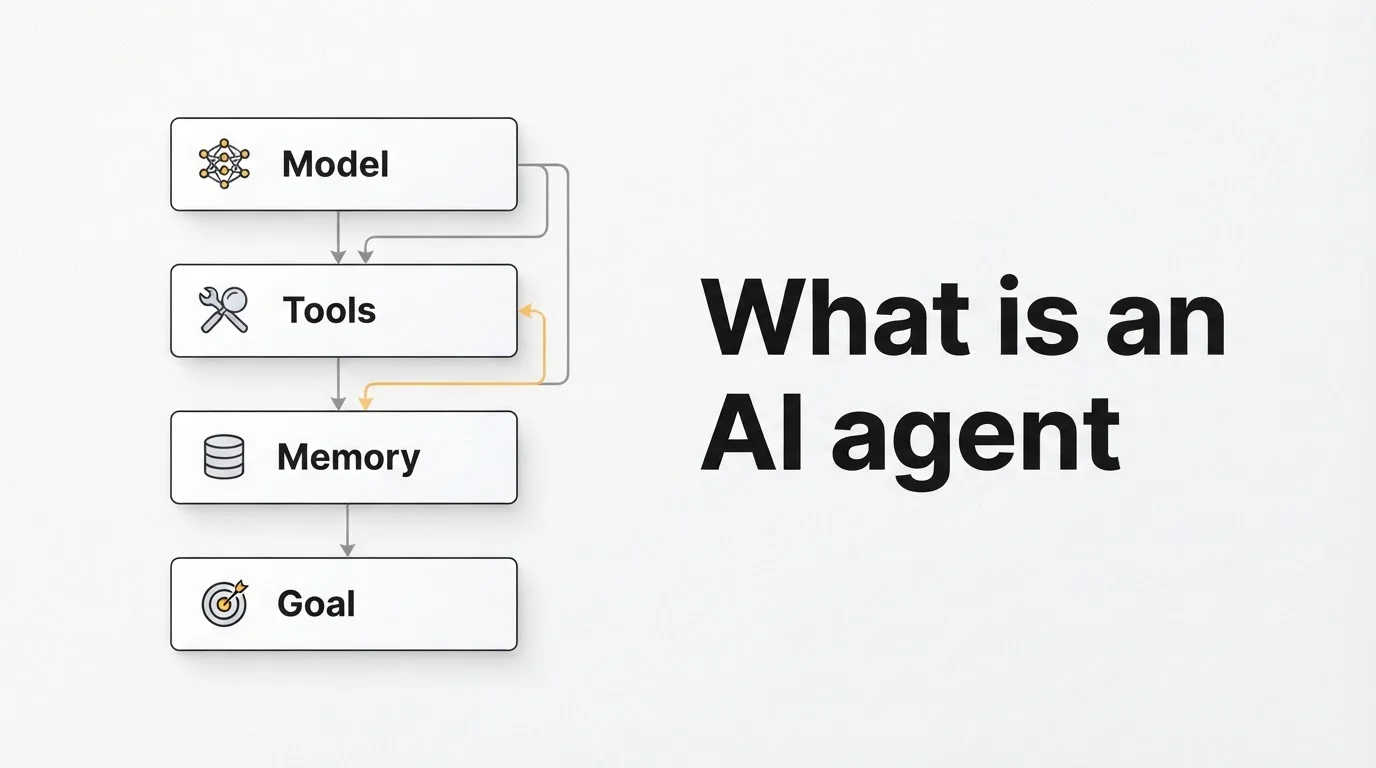
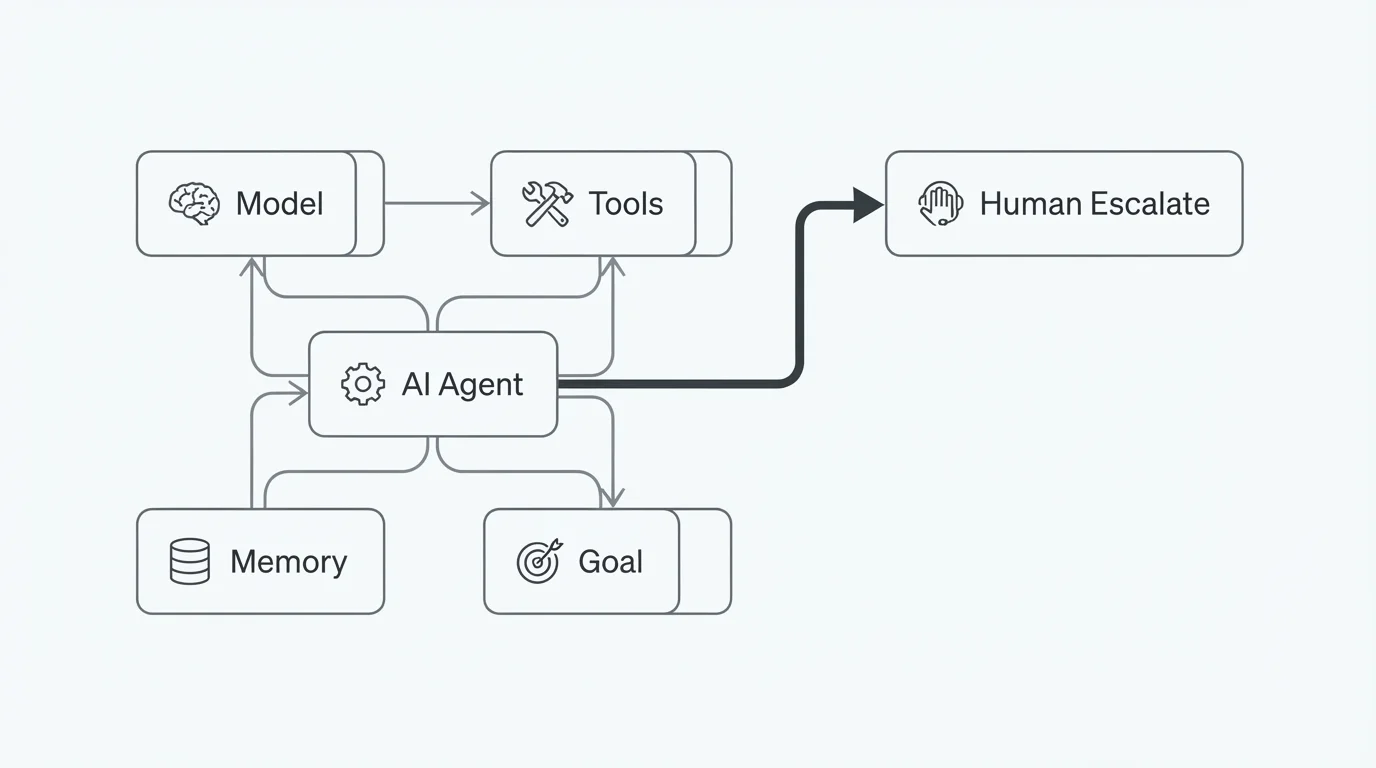
An AI agent is software that pursues a goal by taking actions in your systems. It does not only reply. It checks the calendar, updates the CRM, sends the confirmation, and escalates when something looks weird. The model is the brain. Tools are the hands. Memory keeps context. Goals and guardrails decide what it is allowed to touch.
I wire these for operators who live in GoHighLevel, n8n, WhatsApp, and voice. The pattern below is what I explain on discovery calls when someone asks for "an agent" and really needs a scoped first workflow.
The four parts that make an agent
Direct answer: treat an agent as model + tools + memory + goal. Drop any one piece and you either get a chat toy or a brittle script.
| Part | What it does | Business failure mode if weak |
|---|---|---|
| Model | Reads intent, plans steps, drafts replies | Confident nonsense; ignores your policies |
| Tools | Acts in calendar, CRM, inbox, booking, payments | Talks forever, never books or updates |
| Memory | Customer history, prior turns, retrieved docs | Repeats questions; quotes stale prices |
| Goal + guardrails | Success criteria and hard stop rules | Loops, over-promises, or silent wrong writes |
A useful mental model from the research side is the agent loop: observe, plan, act, check. Anthropic's own write-up on building effective agents is blunt about keeping that loop small and observable. Same advice applies to SMEs. Fancy multi-agent graphs are not your first purchase.
Agent vs chatbot vs ChatGPT vs classic automation
People mash these words together. Separating them saves money.
| ChatGPT-style chat | Grounded chatbot | AI agent | Classic automation (n8n / GHL) | |
|---|---|---|---|---|
| Knows your business | No | Yes (docs / FAQ) | Yes | Rules you wrote |
| Can act in systems | No | Rarely | Yes | Yes, if triggered |
| Handles messy language | Yes | Yes | Yes | Poorly |
| Best first use | Internal drafts | After-hours FAQ | Book, update, chase | Form → CRM, reminders |
A chatbot answers "do you have Thursday at 3?" An agent checks the real calendar, offers open slots, books one, writes the contact in GHL, and queues a reminder. Same chat. Different ending.
Classic automation still wins when the path is clean: form submitted → create contact → assign owner. Put AI where inputs are messy (rambling SMS, invoice PDF, voice transcript) and keep rails for money, permissions, and record shape. Hybrid beats "agent for everything."
Useful docs when you evaluate stacks:
How the loop runs in a real business
Every production agent I ship follows roughly this sequence:
- Receive a goal. Inbound SMS, missed-call text-back, new GHL opportunity, or a nightly "chase unpaid invoices" job.
- Gather context. Pull the contact, last three messages, open appointments, and the policy snippets that match the question.
- Plan steps. Reschedule means find booking → check availability → confirm → update calendar → notify customer → log note.
- Act through tools. Each step hits a real API, not a pretend "I booked it" sentence.
- Verify and escalate. Confirm the write succeeded. Hand off with full context when confidence drops, the customer asks for a human, or the action is high stakes.
Quality shows up at every step. Weak grounding → wrong answers. Weak tools → chat with no outcome. Weak escalation → customers stuck in loops. When a vendor demos, ask how each step works in plain language.
Where agents pay for themselves
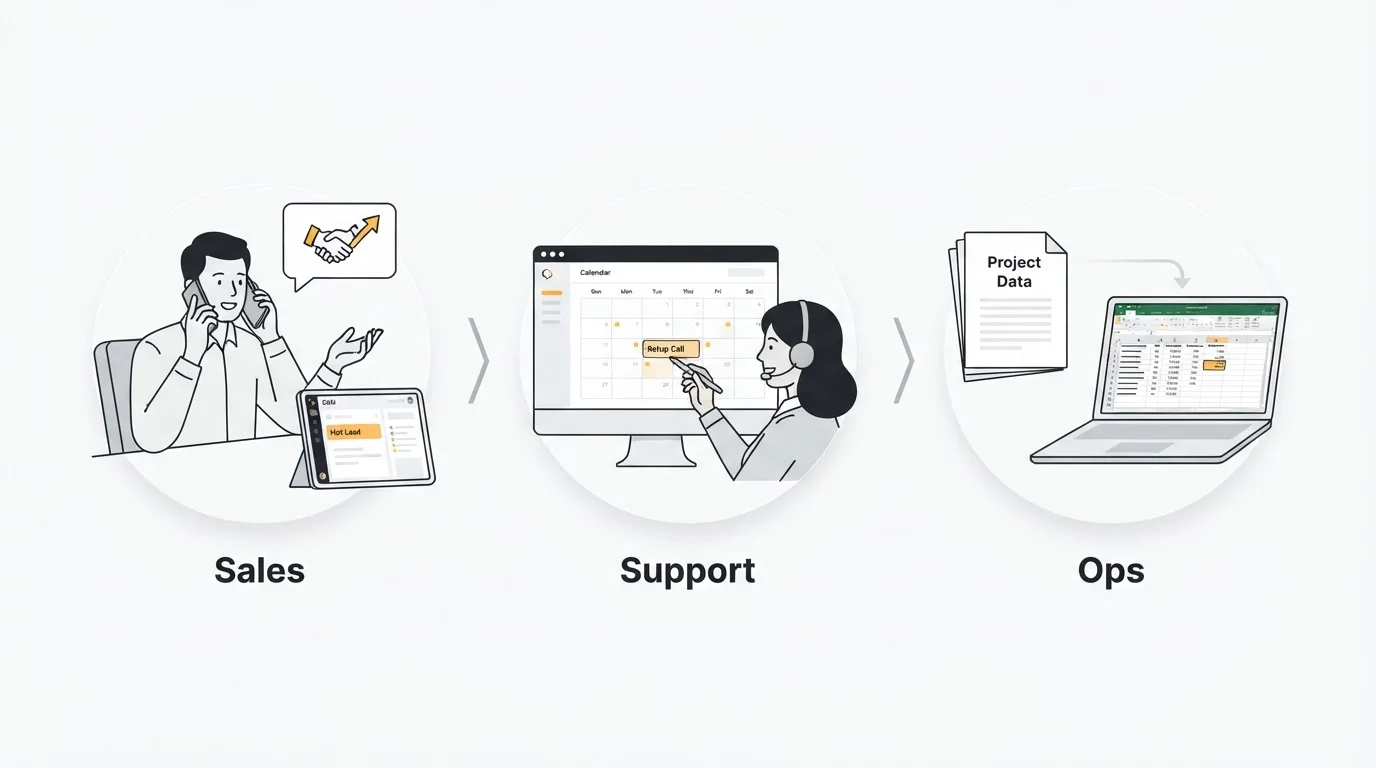
I see the same three clusters work for US and global operators, not only Gulf markets.
Sales and lead chase
After-hours web or WhatsApp leads die in phone inboxes. An agent qualifies with two or three questions, scores intent, books a slot or creates a GHL opportunity, and texts the closer only when the lead is hot. Teams that were sitting on 40% overnight leakage usually care more about first-response minutes than about "AI strategy."
Support and front desk
"Where is my order?", "Can I move my cleaning?", "Do you take walk-ins?" These are high volume and low judgment. An agent grounded in your FAQ and connected to order status or calendar closes most of them. Voice is the same idea with a phone number: see how clinics use that pattern in my post on AI receptionists for clinics.
Ops and paperwork
Invoice PDFs into accounting fields. Document packs for onboarding. Weekly sales summaries pulled from CRM + Stripe. Here the agent (or AI step inside n8n) reads unstructured input; the workflow still owns the deterministic writes.
Limits worth saying out loud
Three honest constraints:
Garbage in, confident garbage out. Connect an agent to three conflicting price lists and it will sell the wrong one with a smile. Fix the source of truth before you give it write access.
Wrong actions cost more than wrong answers. A chatbot that invents a refund policy is annoying. An agent that double-books or overwrites a deal stage is expensive. Scope permissions. Confirm consequential writes. Log everything.
Judgment stays human. Negotiations, angry VIP complaints, and novel edge cases belong with your team. A good agent knows when to stop.
Two-column test: do you need an agent yet?
List your ten most common customer conversations and admin loops. Mark each one: ends with information or with an action?
- Mostly information → start with a grounded chatbot. Cheaper, safer, still useful after hours.
- Mostly actions (book, update, send, process) → shop for an agent with real tool access.
- Mix → ship chat first, measure where conversations stall because the system cannot act, then add tools only there.
That staged path is how most of my clients avoid rebuilding six months later.
Five questions before you buy
- Which systems can it write to, and which actions exactly? "Integrates with everything" is not an answer. "Read Google Calendar, create GHL contacts, send WhatsApp templates A/B" is.
- What needs human confirmation? Refunds, discounts over a threshold, and deleting records should not be fully autonomous on day one.
- What is it grounded in, and what happens when it does not know? You want retrieval from your docs plus honest escalation, not improvisation.
- Can I see logs of a live run for another client? Real deployments leave trails.
- Who owns monitoring after launch? Someone has to review failed conversations weekly or the system rots.
Getting started without boiling the ocean
Pick one leak: unanswered after-hours leads, manual CRM entry, or appointment no-shows. Define success in numbers before build (first response under 2 minutes, 80% of FAQ resolved without a human, no-show rate down X points). Run the agent beside the human process for two weeks. Expand only what the metrics justify.
If you want a second pair of eyes on scope, book a free call. Bring one workflow and the tools it already touches. We can usually tell in 30 minutes whether you need a chatbot, an agent, or just a cleaner n8n rail.
Keep the definition as your compass when vendors get loud: an AI agent completes tasks on your behalf, inside your systems, within boundaries you set. Everything else is implementation detail.