
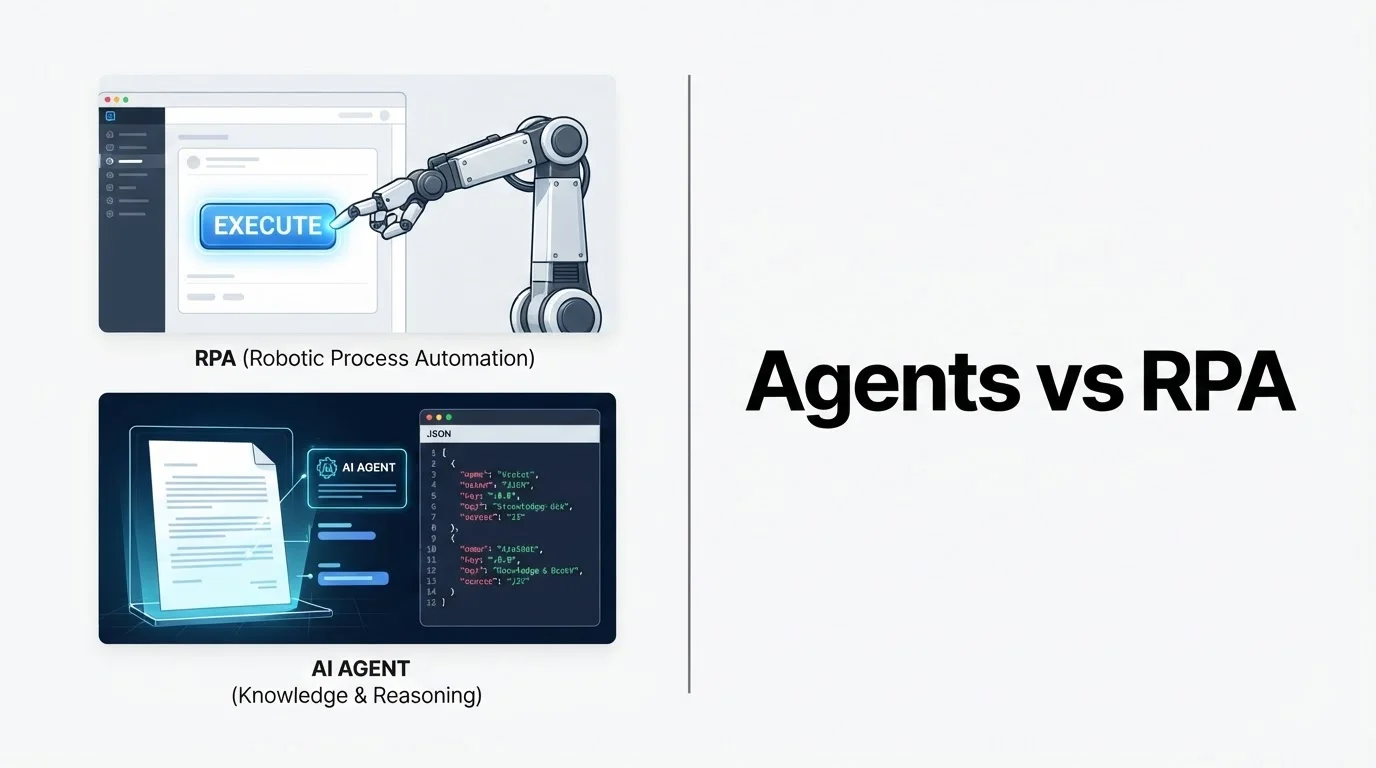
Vendors love one word: "automation." That word hides two different machines. One is a scripted clicker. The other is a language model that guesses what to do next. Pick the wrong one and you either rebuild bots every UI update, or you ship a confident hallucination into your CRM.
I build the hybrid kind for operators who live in inboxes, invoices, and CRMs. Here is the mental model I use on every scoping call.
The short comparison
| Classic RPA | AI agents | |
|---|---|---|
| Core idea | Replay an exact sequence | Interpret input, then choose actions |
| Same input twice | Same output every time | Can drift; needs validation |
| Best input | Stable screens, fixed schemas, clean files | Free text, scans, mixed layouts, messy email |
| Breaks when | UI moves, template changes, column shifts | Guardrails are missing or prompts are vague |
| Cost shape | License + maintenance on every change | Token cost + engineering of checks |
| Trust model | Predictable, but blind | Useful, but must not be the last line of defense |
If a human doing the job never thinks, only clicks, start with rules. If a human has to read, weigh, or classify, start with an agent wrapped in deterministic code.
What RPA still wins at
Dismissing RPA as "legacy" is lazy. Tools in the UiPath and Automation Anywhere family exist because some work is genuinely mechanical.
RPA earns its seat when:
- Input shape is stable (known API fields, a screen that does not change weekly)
- Volume is high and variation is low (ten thousand identical records overnight)
- Audit needs perfect repeatability (finance and compliance teams love "same in, same out")
- No judgment is required beyond "if field X then do Y"
Reaching for an LLM there is over-engineering. A model is slower per run, costs money per token, and can invent a value that was never in the file. For a nightly sync between two systems with public APIs, I would rather write a small n8n workflow or a boring TypeScript job than "agentify" copy-paste.
Official primers worth a skim: UiPath on what RPA is and n8n docs if your "RPA" is really API orchestration without screen scraping.
Why UI bots keep breaking
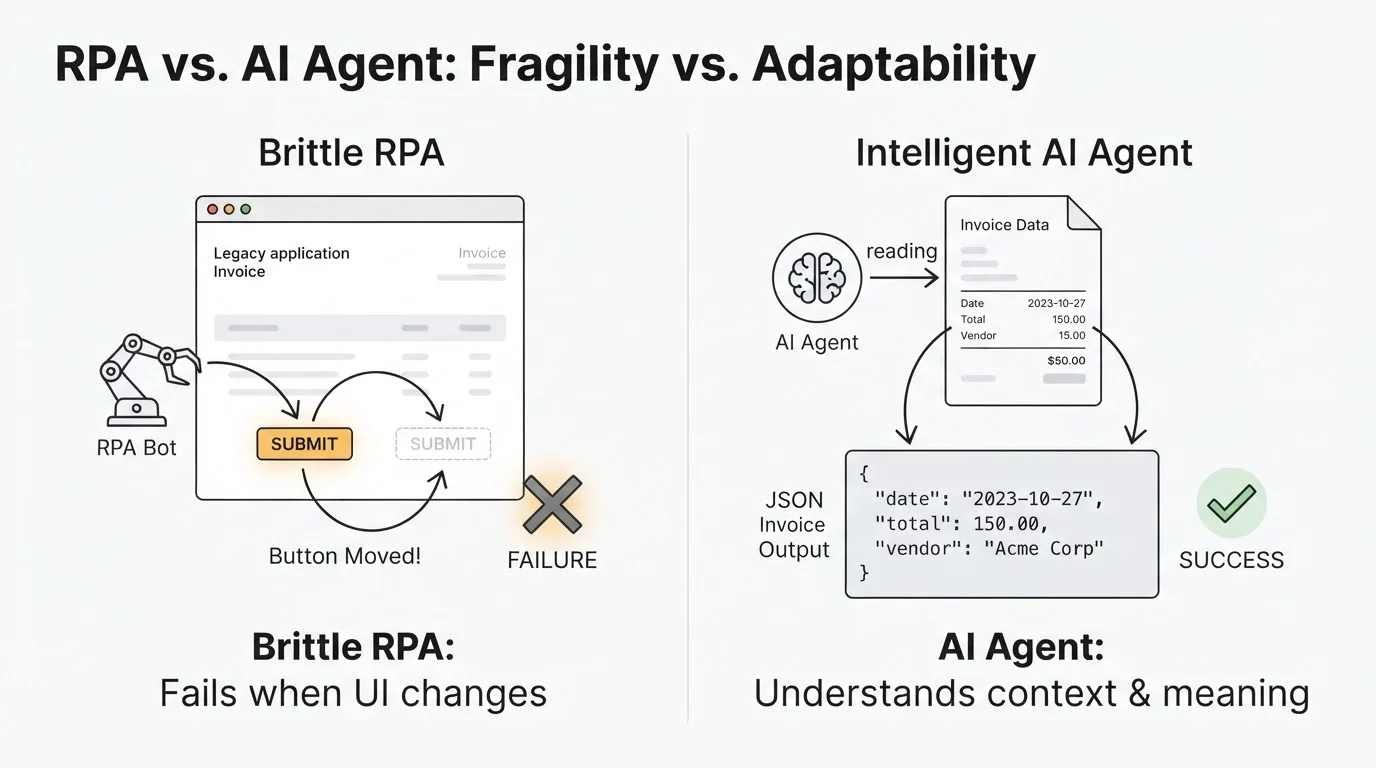
The same rigidity that makes RPA trustworthy makes it brittle. The bot does not understand a screen. It matches coordinates, selectors, or fixed positions.
Screens move
A portal redesign, a new mandatory field, or a vendor "accessibility update" moves the button. The bot clicks the wrong thing or fails. You notice the crash. Worse, you do not notice a silent wrong click.
Formats drift
Template invoice extraction is the classic trap. Total lives in the bottom-right box for Supplier A. Supplier B redesigns the PDF. Your rule extracts garbage into the ledger. Every new layout is another template to maintain.
Silent failure is the expensive mode
Crashes get tickets. Quiet wrong data gets month-end pain. Rule-based extractors have no sense of "this invoice looks weird." They do exactly what you scripted against input that no longer matches.
If your estate is mostly brittle desktop UIs with no API, classic RPA may still be the only option. Budget for monitoring and rebuilds. That maintenance tax is real.
What agents do differently
An AI agent swaps "match this pixel" for "read this content." A language model can take an email, a PDF, or a WhatsApp photo and work from meaning instead of layout.
Agents fit when you need:
- Variable documents (dozens of invoice layouts, not one template)
- Unstructured channels (email, chat, voicemail transcripts)
- Classification and drafting (intent, priority, reply sketch)
- Judgment inside a bounded action space (route, tag, ask for missing fields)
They fail when you treat the model as a database. Same prompt, slightly different answer. Confident wrong totals. Invented PO numbers. That is why production agents look boring: structured output, validators, and humans on the exceptions.
If you want the model side of the stack without the marketing fog, start with OpenAI structured outputs or Anthropic structured outputs, then add your own checks.
Where LLM extraction beats template RPA
The clearest win is variable document intake. Accounts payable, intake forms, insurance cards, quote PDFs. Layouts differ. Scans are crooked. Language mixes.
Template RPA needs a rule per layout and breaks on anything new. An LLM can extract supplier, dates, totals, and line items across formats because it knows what an invoice is, not where the boxes sit.
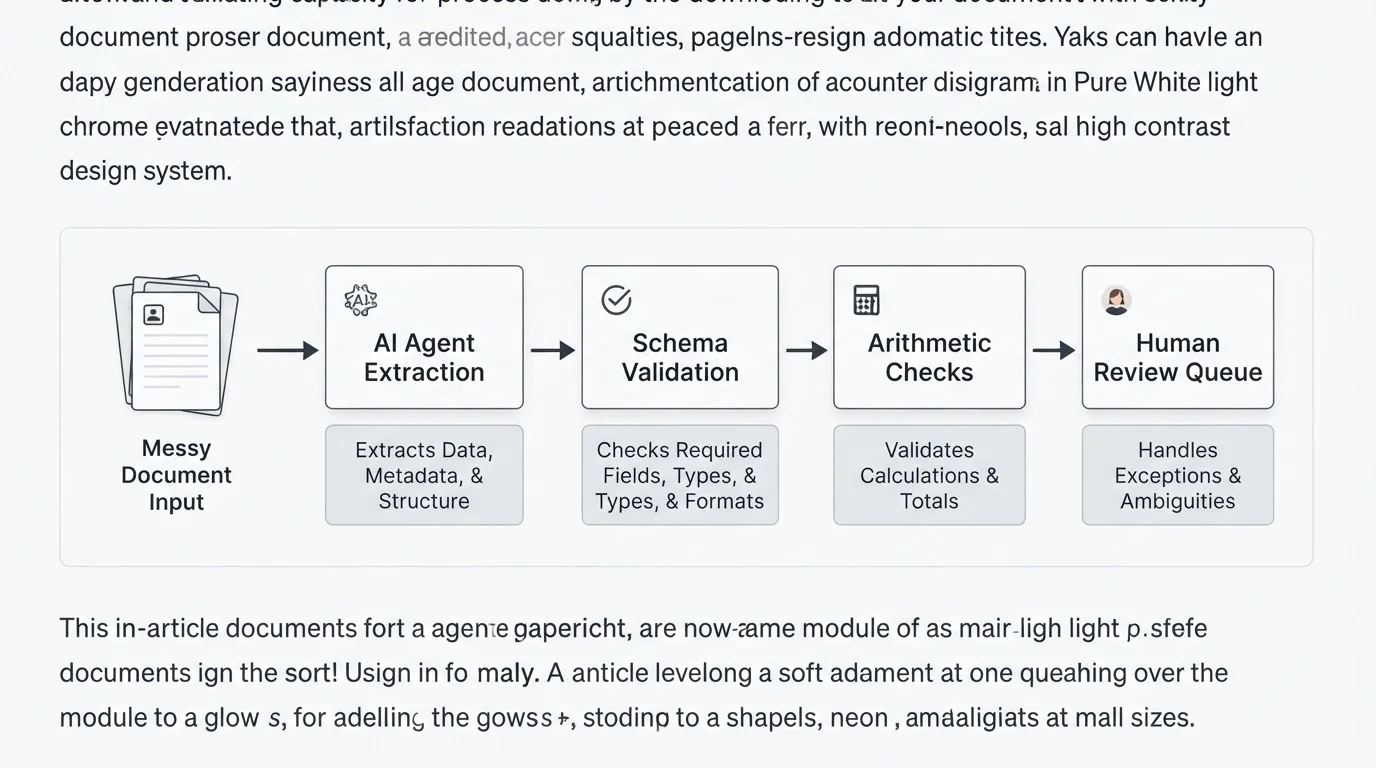
That alone is not enough for production. Arithmetic still belongs to code: do line items sum? Does tax math match your jurisdiction? Does the PO exist in your system of record? The model proposes fields. Deterministic code disposes.
Guardrails: the model proposes, code disposes
Most "AI agent" demos skip this. It is the part that decides whether you get a demo or a system you can run payroll next to.
Schema validation
Force JSON (or a typed schema). Reject missing required fields, wrong types, or out-of-range values before anything downstream runs.
Content verification
Shape is not substance. Check totals, match vendor masters, compare against purchase orders, enforce allowlists for actions the agent may take.
Confidence and human-in-the-loop
Low confidence, failed matches, or amounts above a threshold go to a queue. High confidence, fully validated, low-risk items can auto-flow. That split is a design choice, not a failure mode.
Constrained tools
Give the agent a small set of functions (create draft, update CRM field, open ticket). Do not give "do whatever" access to production write APIs. Least privilege applies.
If a vendor says you can drop a raw chat model into finance with no validators, you are buying a future incident, not a product.
Hybrid patterns I actually ship
Once you classify steps instead of shopping for a single logo, the "versus" fades. A typical payables or lead-ops flow looks like this:
- Ingest (email webhook, form, WhatsApp) with boring deterministic routing
- Agent step for reading messy content into structured fields
- Rules for validation, dedupe, VAT or tax math, CRM write
- Human queue for exceptions only
- Orchestrator (n8n, Make, or custom) for retries, schedules, and logging
Where systems expose APIs, prefer API calls over screen scraping. Classic desktop RPA is a last resort for software that will never give you a webhook. For SMB lead chase I usually pair n8n with GoHighLevel or HubSpot so state lives in the CRM operators already open.
I wrote more on that stack choice in n8n vs Make vs custom automation.
A five-question decision pass
Run these on one process, not on "automation strategy."
- Is input structured and stable? Yes → rules. Variable docs, free text, scans → agent for the reading step.
- Does a human have to think? Pure steps → RPA or scripts. Read / classify / decide → agent.
- Is language the hard part? Summaries, bilingual replies, messy threads → agent territory.
- How consequential is the write? Ledger, money, customer message → validation and often a human gate, regardless of who proposed the action.
- How often does the world change? Stable high volume → rules. High variation or frequent format churn → agent so you are not rebuilding templates weekly.
Most real processes are mixed. Decompose the workflow. Assign each step. That is the whole job.
What this means for operators (not enterprise theater)
You do not need a six-month "intelligent automation center of excellence." You need a map of three messy workflows and an honest split: rules where the work is mechanical, agents where the input is ambiguous, checks between them so nothing consequential rides on an unchecked model.
Global service businesses hit the same failure modes UAE teams do: mixed-language docs, vendor portals that redesign without notice, CRMs full of half-updated leads. The framing is the same whether you are in Austin, Manchester, or Karachi.
If you want a second pair of eyes on one process, book a free discovery call on cal.com/saifyxpro. Bring one workflow, real sample inputs, and the system of record you trust. We will mark which steps are rules, which need an agent, and which need a human. No tool pitch before the task is clear.