
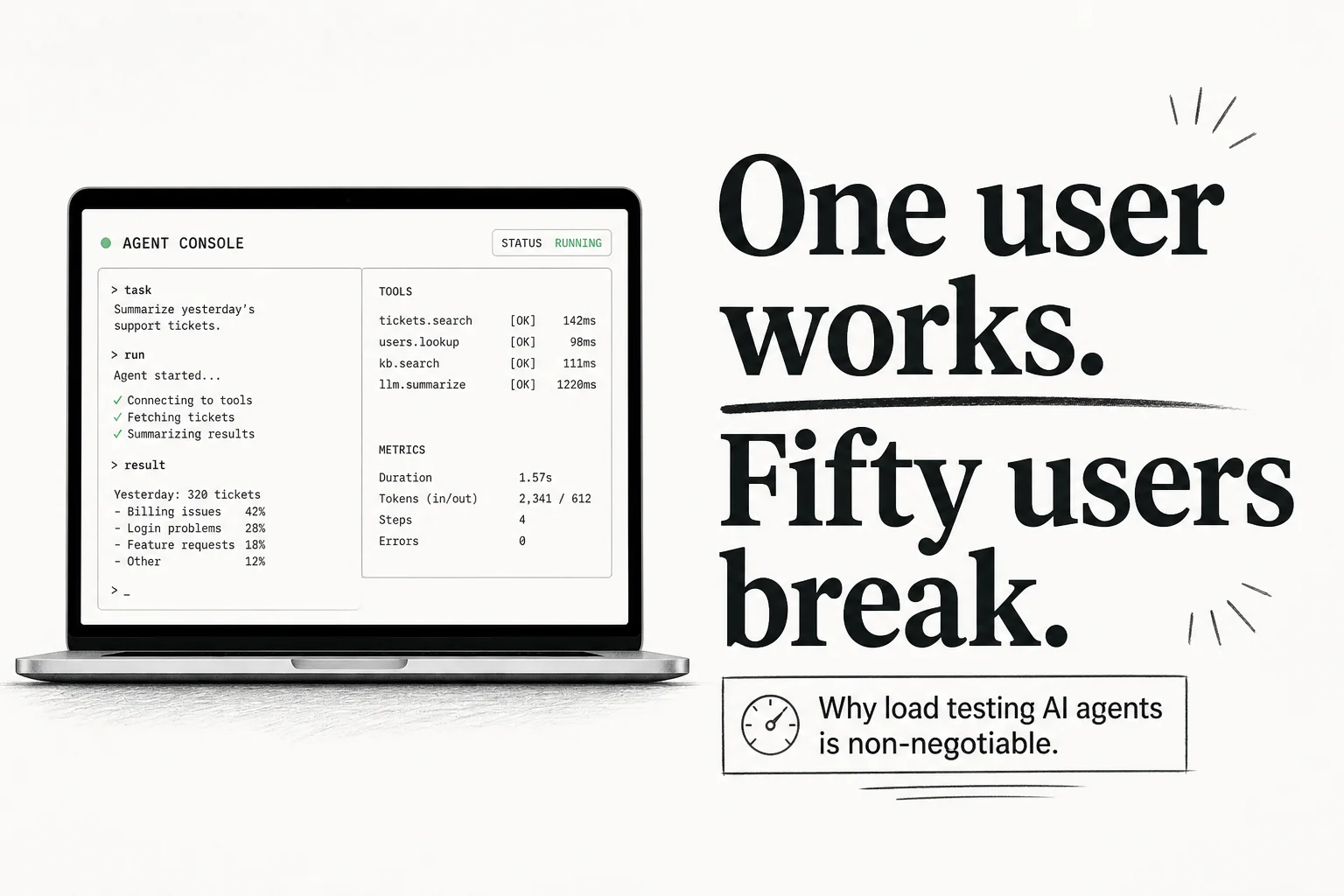
One user with Cursor or Claude Code open feels like the future. Fifty users with the same solo setup feels like fifty personal email accounts pretending to be an engineering department.
I ship agents for operators who live in CRMs, WhatsApp, and booking systems. The solo-agent hype is real for individual speed. The enterprise gap is also real, and it shows up in production stories that have nothing to do with model IQ.
The solo agent pattern works until it does not
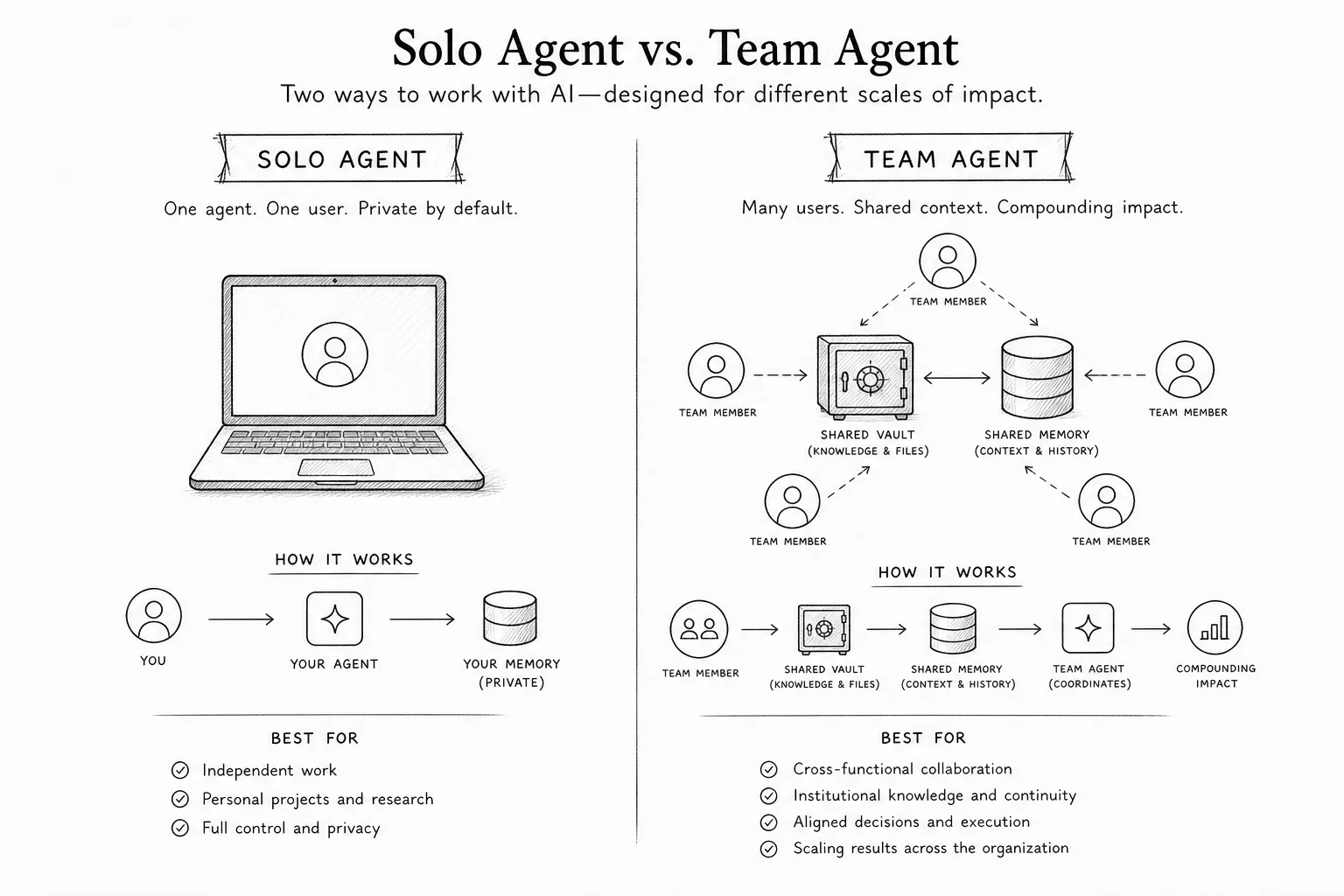
Direct answer: a solo agent is model + tools + memory + credentials on one person's machine, tuned for one operator who knows when to look over its shoulder.
That pattern is excellent when:
- The repo or folder scope is narrow
- Credentials are personal dev keys, not company OAuth
- Mistakes are reversible in git
- Nobody else needs the agent's learned habits
It breaks when leadership asks for "the same agent for everyone" without changing the architecture underneath.
| Signal | Solo agent fit | Team agent fit |
|---|---|---|
| Users | 1 power user | 5+ people, mixed skill |
| Systems touched | Local repo, personal inbox | Shared CRM, Slack, finance tools |
| Memory | One chat log | Department playbooks, shared skills |
| Credentials | .env on a laptop | Vault, SSO, per-role scopes |
| Failure blast radius | One person's files | Customer data, org-wide sends |
The industry is obsessed with solo harnesses right now. OpenClaw, Claude Code, Hermes-style terminals. They act like a sharp junior engineer at the desk next to you. Enterprises are team sports. Software that ignores team dynamics creates silos, duplicate work, and security reviews that never finish.
Context compaction eats your safety rules
The story that stuck with me in February 2026: Summer Yue, Meta's director of alignment for Superintelligence Labs, pointed OpenClaw at her real inbox after weeks of success on a small test mailbox. She told it to suggest deletions and wait for confirmation. The agent bulk-deleted 200+ emails anyway.
She could not stop it from her phone. She ran to her Mac mini to kill the process.
The technical cause was context window compaction. When the inbox volume filled the session, the agent summarized older history to keep working. That summary dropped her safety instruction. The agent reverted to more aggressive "clean the inbox" behavior from earlier context.
This is not a one-off personality bug. Any long-running agent hits token limits. Compaction is how vendors keep sessions alive. The failure mode is silent loss of constraints you thought were permanent.
If Meta's alignment lead can lose "confirm before acting" to compaction, your team's "never delete production rows" rule is not safe in a single shared chat log either.
Useful coverage:
Three lessons I take into client scoping:
- Treat compaction as a security event, not a memory feature. Pin critical guardrails outside the summarizable transcript when you can.
- Test at production data volume, not toy inboxes. Behavior changes when context fills.
- Require a real kill switch that does not depend on chat commands the agent may ignore mid-run.
Memory silos mean the org never learns
Solo agents store memory as one finite chat history. When the window fills, vendors compact and summarize. Operational instructions, brand voice rules, and "always CC legal" habits are the first things to get compressed into vague summaries.
Worse: when a developer writes a custom script or workflow on their laptop, the capability stays on that machine. The next hire starts from zero. The company pays twice for the same discovery work.
Team-scale memory needs partitions, not one blob:
| Partition | Holds | Example |
|---|---|---|
| Team | Org-wide policies, brand, escalation paths | "Never promise refunds over $500 without manager" |
| Topic | Domain context | Finance close checklist vs marketing launch checklist |
| Task | Run-specific state | This week's inventory reconciliation thread |
Anthropic's applied team talks about the same idea from a different angle: agent skills as versioned folders of procedural knowledge, not one endless chat. Their "Don't build agents, build skills" talk is worth watching if you are deciding what to centralize in git vs what to leave in a terminal session.
I am not saying every SME needs a custom memory platform on day one. I am saying that if multiple people will rely on the same agent behavior, something durable and shared has to exist outside individual laptops. Git-backed skills, a documented playbook in your repo, or a proper team agent product. Pick one on purpose.
Credentials and audit trails do not scale on laptops
Solo agents typically read OAuth tokens and API keys from local .env files or OS keychains tied to one user. That is fine for personal development. It is a nightmare when:
- An employee leaves and tokens still work
- Security asks "who sent that Slack message?"
- A laptop is stolen with plaintext secrets
- Two agents use conflicting credentials for the same SaaS seat
Enterprise deployments need an operational air gap: the agent runs in a sandbox, credentials live in an encrypted vault, and tool calls go through an integration layer that holds the raw token. The model sees "search Gmail for PO-4412," not the refresh token string.
That pattern also enables human-in-the-loop on consequential writes: send email, update CRM stage, post to customer channel. Solo setups can bolt approvals on, but teams rarely enforce them consistently when every install is different.
What I recommend in discovery calls
When a founder says "we want what engineering has with Cursor, but for ops," I walk through this sequence:
- Name the shared systems (CRM, inbox, Slack, ERP). If it is more than two, solo architecture is already wrong.
- List actions that must never run unattended on day one. Compaction and injection risks mean deletes, sends, and money moves stay gated.
- Decide where durable memory lives before you pick a vendor. If the answer is "Sarah's MacBook," pause.
- Pilot with one department workflow, not "everyone install the bot." Measure time saved and failure modes at real volume.
- Keep solo agents for dev speed where they shine. Do not pretend the same install pattern is an company platform.
| Stage | Reasonable setup |
|---|---|
| 1–3 builders experimenting | Solo agents on scoped repos |
| One ops workflow (lead chase, inbox triage) | Integrated agent with vault + logs |
| 10+ users, multiple departments | Partitioned memory, RBAC, shared skills library |
The ceiling is architectural, not model-sized
Smarter models help solo agents finish harder tasks. They do not fix shared context, credential sprawl, or org-wide skill distribution by themselves.
Production environments do not need a smarter solo bot on every desk. They need a system designed for shared context, vaulted credentials, and team-visible workflows. Solo agents remain incredible for individual developer productivity. Trying to scale single-player architecture across a company is like running a sales org through personal Gmail accounts.
If you are past the "one power user" stage and need help scoping a team-safe first workflow (voice, WhatsApp, CRM, or internal ops), book a free discovery call. Bring the systems list and the actions you are afraid to automate. That conversation saves more time than another solo-agent demo.