
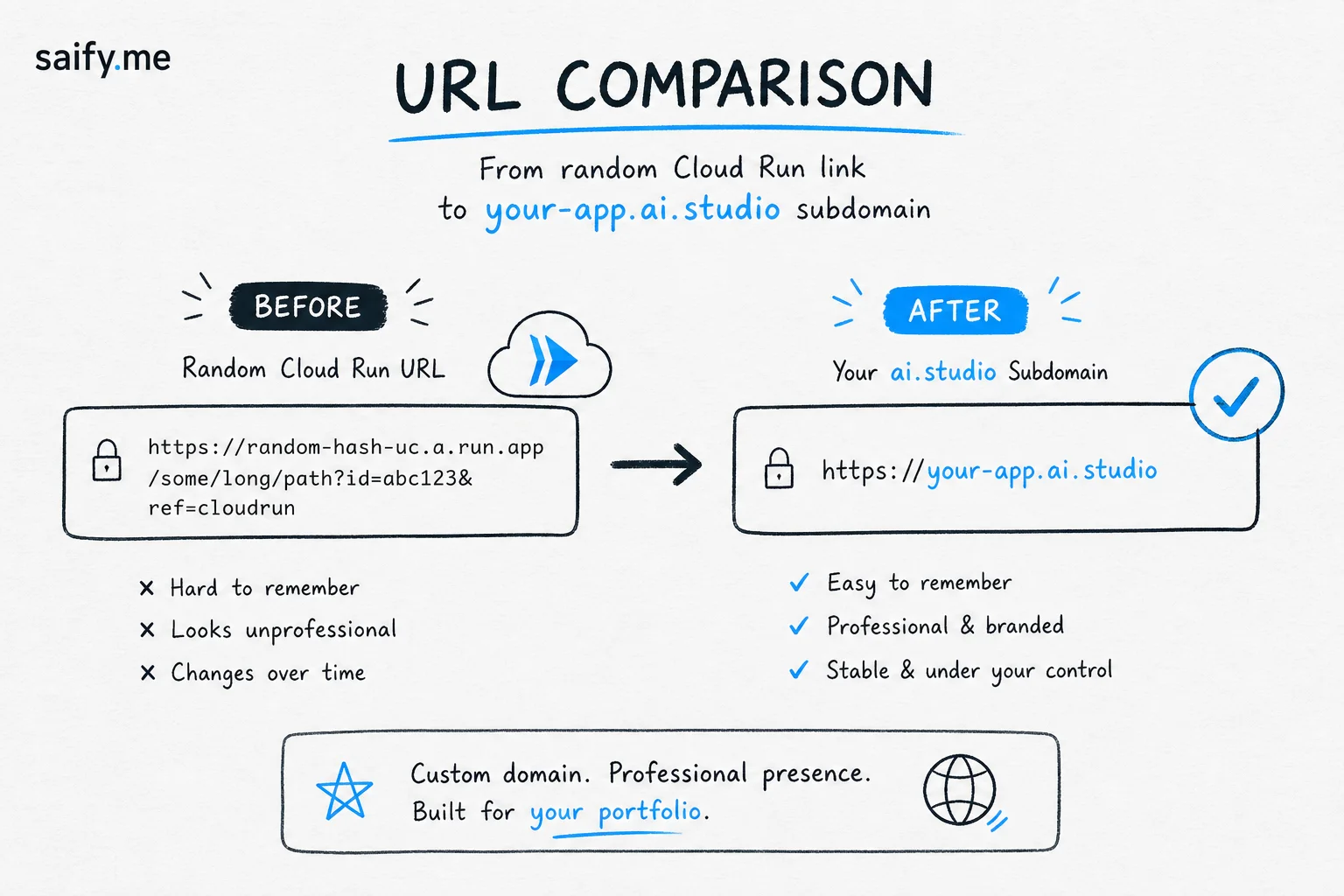
You built a demo in Google AI Studio. You hit deploy. The link looked like burning-man-animal-cuddle-614365371127.us-west1.run.app.
Try sending that to a client.
On July 10, 2026, Google fixed the last mile. AI Studio deploy docs now let you claim a custom subdomain under ai.studio, so your app lives at something like https://your-app-name.ai.studio instead of a random Cloud Run slug.
For lead sites and portfolio work, that is a real UX upgrade. It is not a replacement for a branded apex domain on a production product, but it closes the gap for demos, hackathons, and client previews.
How to claim your subdomain
Google's flow is short:
- Open your application in Build mode
- Click Publish (top right)
- Enter your preferred subdomain in Custom URL (or accept the suggestion)
- Click Publish App
Names are globally unique across all of AI Studio and assigned first-come, first-served. If mytool is taken, you pick another. Short handles will disappear fast, same as early *.vercel.app vanity wars.
Free ai.studio URL vs your own domain
| Factor | *.ai.studio subdomain | Your apex domain |
|---|---|---|
| Cost | Free on Starter Tier | Annual registration + DNS |
| Setup time | Minutes at publish | DNS + SSL configuration |
| Brand signal | Google-hosted, clean link | Fully owned professional brand |
| Best fit | Demos, portfolios, internal tools | Production customer-facing products |
Google's own docs frame ai.studio as the fast path. If you are pitching a prototype Friday and need a link that does not embarrass you in Slack, this is the right tool.
If you are launching a paid product with SEO equity, you still want yourbrand.com on Cloud Run or Vercel with proper schema and llms.txt. I wrote the broader playbook in WordPress to Next.js lead sites and our AI SEO skill patterns for extractable content.
Gotchas worth reading before you publish
Unpublish releases the name. If you unpublish or delete an app, its custom URL becomes available for anyone else to claim. Plan renames carefully.
Transfer requires releasing first. To move a vanity name to a different app, you must unpublish the app currently holding it, then publish the new app with that subdomain. There is no silent swap.
Starter Tier limits. Google's free tier caps published apps (commonly cited as two apps per Cloud Run region) and targets users without an active GCP billing account. Verify current limits in AI Studio before you plan a fleet of demos.
Trademark policy. Custom subdomains must comply with Google Terms of Service. Infringement reports go through the Google Legal Troubleshooter.
Updates vs URLs. Early community testing asked whether redeploying updates the app in place at the same URL. As of launch week, treat redeploy behavior as "verify in your project" rather than assumed. Pin the live URL after your first successful publish.
Where this fits Google's July sprint
The custom URL drop landed in a busy two-week window for AI Studio:
- Interactions API GA
- Design Variations for UI generation
- GitHub repo import into Build mode
- Chat-history sharing
- Free
ai.studiosubdomains
Individually, each is a minor feature. Together they push AI Studio from "model playground" toward a deployment surface that competes with lightweight Vercel-style flows for Gemini-native apps.
For applied AI consultants, that matters. Clients increasingly want a shippable demo, not a Loom of localhost. A clean name.ai.studio link is shareable in proposals, portfolio pages, and case study footers without provisioning DNS on day one.
SEO and AI citation notes
A subdomain on ai.studio is not your SEO moat. You do not control the apex, robots policy, or long-term URL stability beyond Google's product decisions.
Still, for AI search citation and portfolio credibility, a human-readable URL beats a hashy Cloud Run string. When I audit lead sites, the first pass is often: "Can a prospect understand what this link is without clicking?"
If you graduate a demo to production:
- Export to GitHub or Antigravity for fuller engineering
- Move to your domain with proper metadata, schema, and
llms.txt - Keep the AI Studio version as a sandbox, not the canonical prod URL
Practical checklist before you share
- Pick a subdomain that matches the demo (
clinic-triage-bot, nottest-final-v3) - Confirm availability at publish time (real-time check in UI)
- Screenshot the publish screen with the final URL for your portfolio asset folder
- Decide upfront whether this is demo or prod (domain strategy diverges)
- If unpublishing, assume the name is gone unless you reclaim it immediately
Google AI Studio finally gives vibe-coded apps a presentable front door. Use the free ai.studio link for speed. Use your own domain when the demo becomes a business.
If you want help turning AI Studio prototypes into lead-generating Next.js sites with proper SEO, book a free discovery call.