
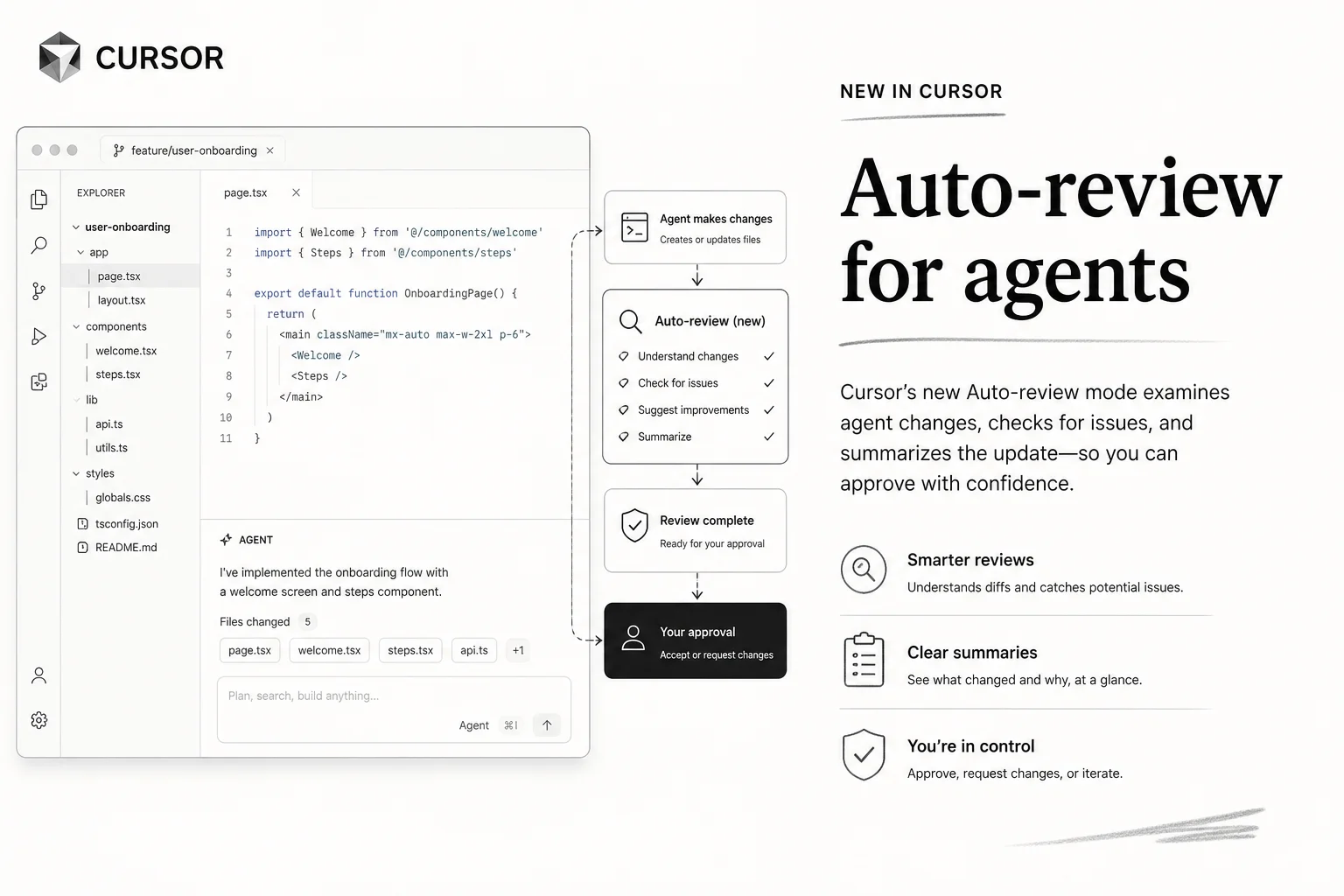
Every agent product eventually faces the same trap: ask permission on every shell command and people stop reading. Flip to full auto-approve and someone runs rm -rf on the wrong Tuesday.
Cursor 3.6 shipped Auto-review on May 29, 2026 as a third path. It treats agent autonomy like a dial, not a switch. I have been waiting for this shape of governance because I see the approval fatigue problem on every client laptop I touch.
The three-stage filter
Auto-review applies to Shell, MCP, and Fetch tool calls. Each call hits one of three gates:
| Stage | What happens | Example |
|---|---|---|
| Allowlist | Matching calls run immediately | git status, trusted MCP tools |
| Sandbox | Shell commands run with filesystem and network restrictions | npm test in an isolated environment |
| Classifier | LLM subagent reviews context and decides | Ambiguous python script.py where file contents matter |
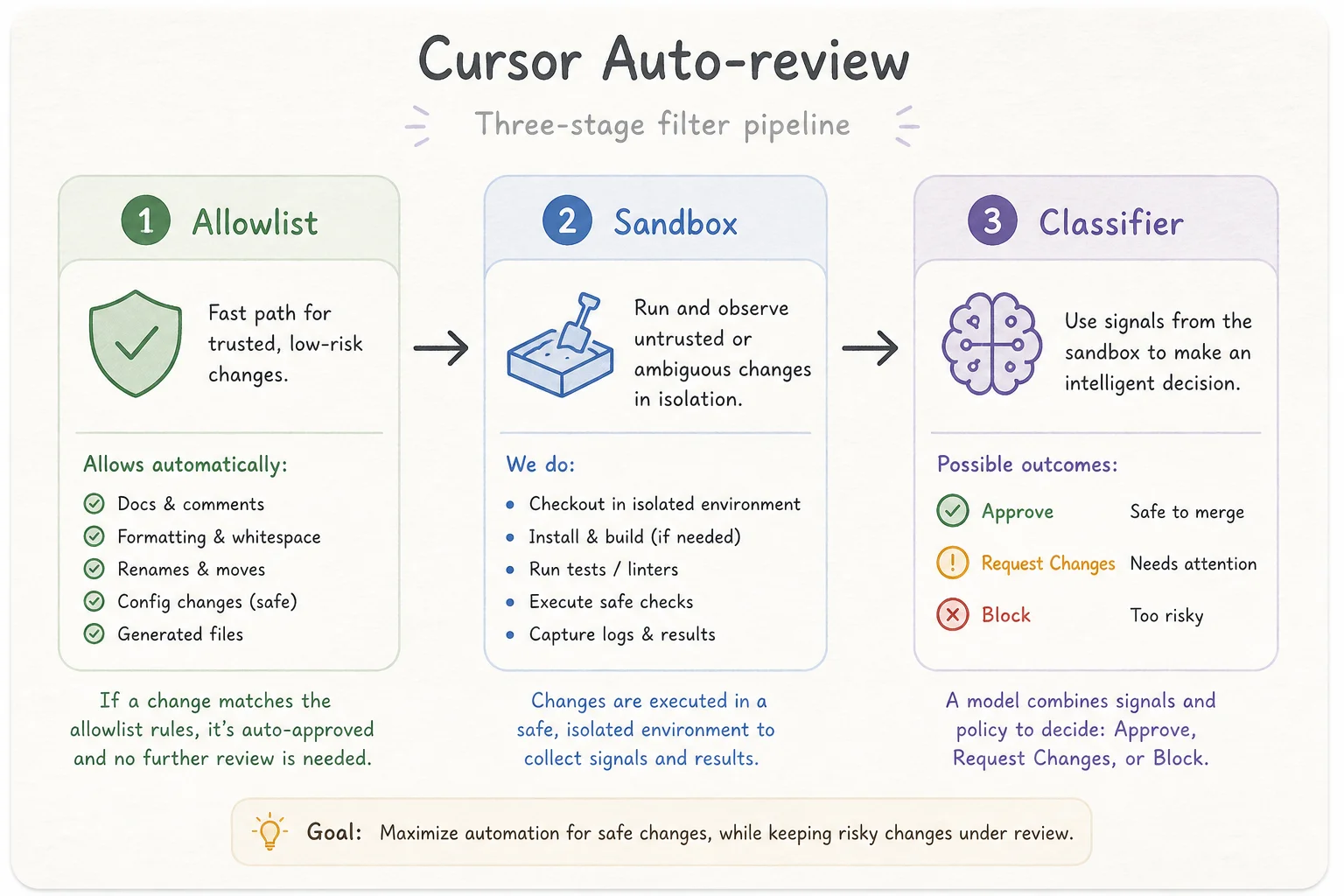
The classifier is the interesting piece. It is not a dumb regex. Cursor's engineering blog describes it as a small, fast model with enough reasoning to judge whether an action matches user intent.
When it blocks, it usually sends feedback to the parent agent instead of popping another approval dialog. The parent can narrow the command, pick a different tool, or avoid the risky step. That feedback loop is what keeps autonomy from collapsing back into prompt spam.
The numbers behind the headline
Cursor reports roughly 84% fewer terminal approval prompts with Auto-review. The deeper stats from their blog are more useful for ops planning:
- The classifier reviews only a small share of actions (most clear via allowlist or sandbox)
- When it does run, it blocks around 4% of actions
- A block does not always become a user prompt; the parent agent often recovers
- Only about 7% of chats in Auto-review lead to at least one user interruption
- Some enterprise customers previously saw 40% of actions blocked under stricter modes
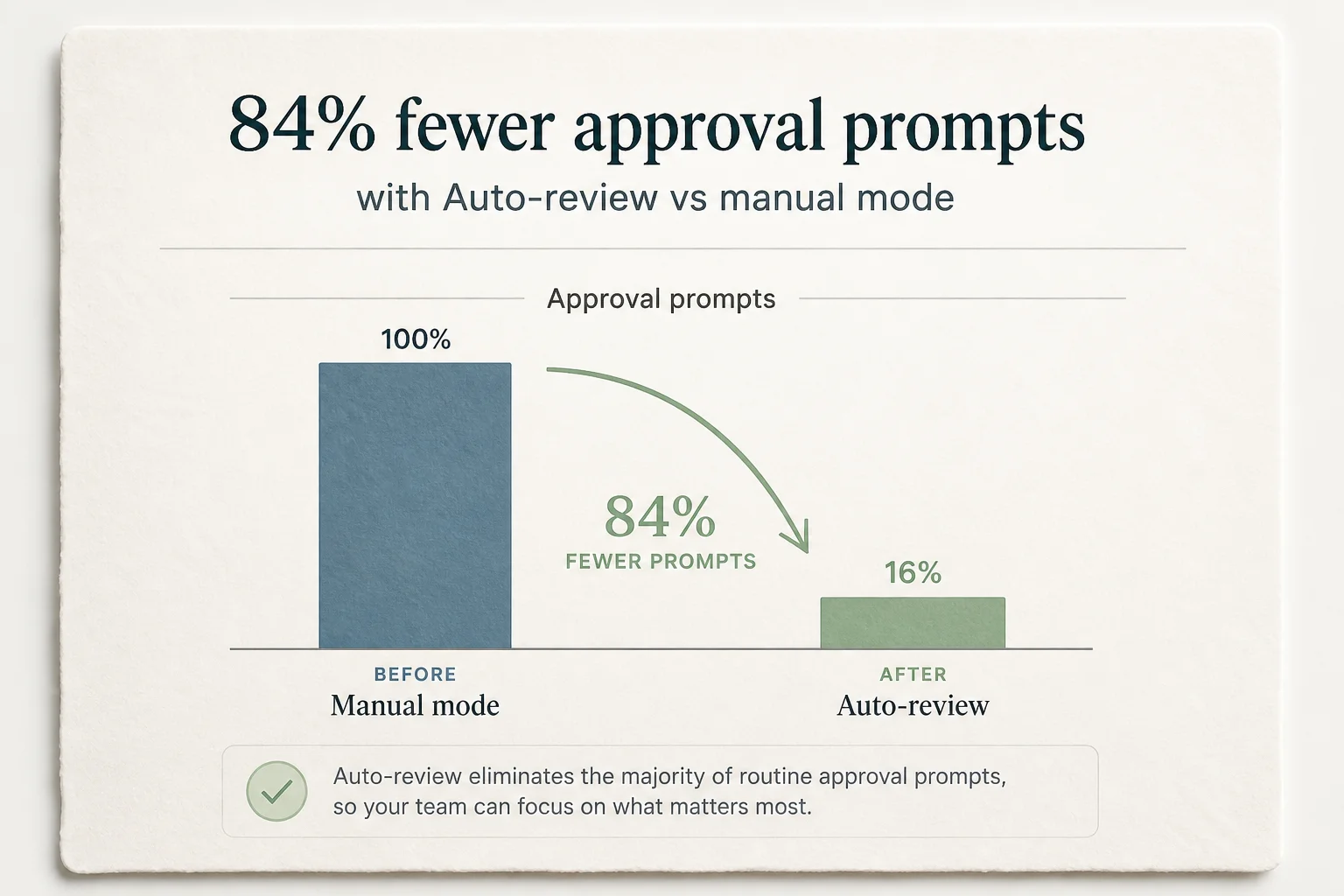
That 40% to 7% shift is the real story. Approval UIs that fire on two out of five actions train humans to click through without reading. Auto-review tries to reserve interruptions for actions that actually need eyes on them.
Why the classifier is agentic
A command like python script.py can be harmless or catastrophic depending on what is inside the file. Cursor's classifier can inspect the workspace with ReadFile, Grep, Glob, and ListDir before deciding.
That is slower than a regex. It is also why lower-reasoning models were not automatically faster in Cursor's internal tests. A confused cheap model burns tokens hunting for an answer and still gets the policy wrong.
The classifier runs in the same RPC stream as the parent agent, similar to subagents, to avoid an extra round trip before every reviewed tool call. Latency matters when you are in a fifty-step refactor.
Run modes compared
Cursor's run mode docs position Auto-review as the recommended default for most users.
| Mode | Autonomy | Safety mechanism |
|---|---|---|
| Auto-review | High on low-stakes calls | Allowlist + sandbox + classifier |
| Allowlist | Medium | Explicit trusted commands only |
| Unrestricted | Maximum | You own every consequence |
Cursor 3.5 deprecated "Ask Every Time" for new users. If you want that behavior back, use Allowlist with an empty allowlist.
Auto-review is not a paid add-on. It sits across plans and is separate from the "Cursor Auto" model-selection pricing debate. Check enterprise model access controls if your team blocks classifier models: disabling all of them turns off Auto-review even when the run mode is enabled.
How I configure it on client projects
Auto-review is the default for new Cursor users. Existing users enable it under Settings > Agents.
For client repos I also steer the classifier with project rules:
{
  "autoRun": {
    "allow_instructions": [
      "npm test and npm run lint are always safe in this repo",
      "Never run database migrations without explicit user approval"
    ],
    "block_instructions": [
      "Do not read .env files or secrets directories",
      "Do not curl external URLs with production API keys"
    ]
  }
}
The exact schema may vary by Cursor version. The intent is consistent: give the classifier domain context so it does not treat npm test and curl prod-api with the same suspicion.
Auto-review is best-effort convenience, not a security boundary. For strict control, use Allowlist and approve calls yourself. The community forum is explicit about classifier non-determinism.
CLI parity (and why it matters for CI)
Early forum posts flagged a gap: the Cursor CLI exposed only allowlist and unrestricted approval modes, not the IDE's classifier path. That hurt headless and CI workflows where you want throughput without full YOLO.
Cursor's team responded that CLI Auto-review support was in progress and later confirmed it shipped. If you run agent -p in Docker or unattended pipelines, verify your CLI version includes Auto-review before assuming IDE parity.
For CI I still prefer explicit sandboxes plus narrow allowlists. Auto-review shines on local dev machines where context is rich and a human is nearby.
What this means for agent governance
The industry keeps swinging between "approve everything" and "let it rip." Auto-review is the first mainstream productization of a middle layer I expect every serious agent IDE to copy:
- Fast path for known-safe operations
- Containment for sandboxable shell work
- Contextual review for everything else, with feedback to the parent agent instead of instant user interrupts
That maps cleanly to how I already think about production agents: classify risk, route execution, escalate on consequence.
If your team is scaling agent usage and approval fatigue is killing adoption, Auto-review is worth turning on this week. If you want help drawing allow/block instructions for a regulated repo, book a free discovery call. The classifier only works as well as the policy you give it.