
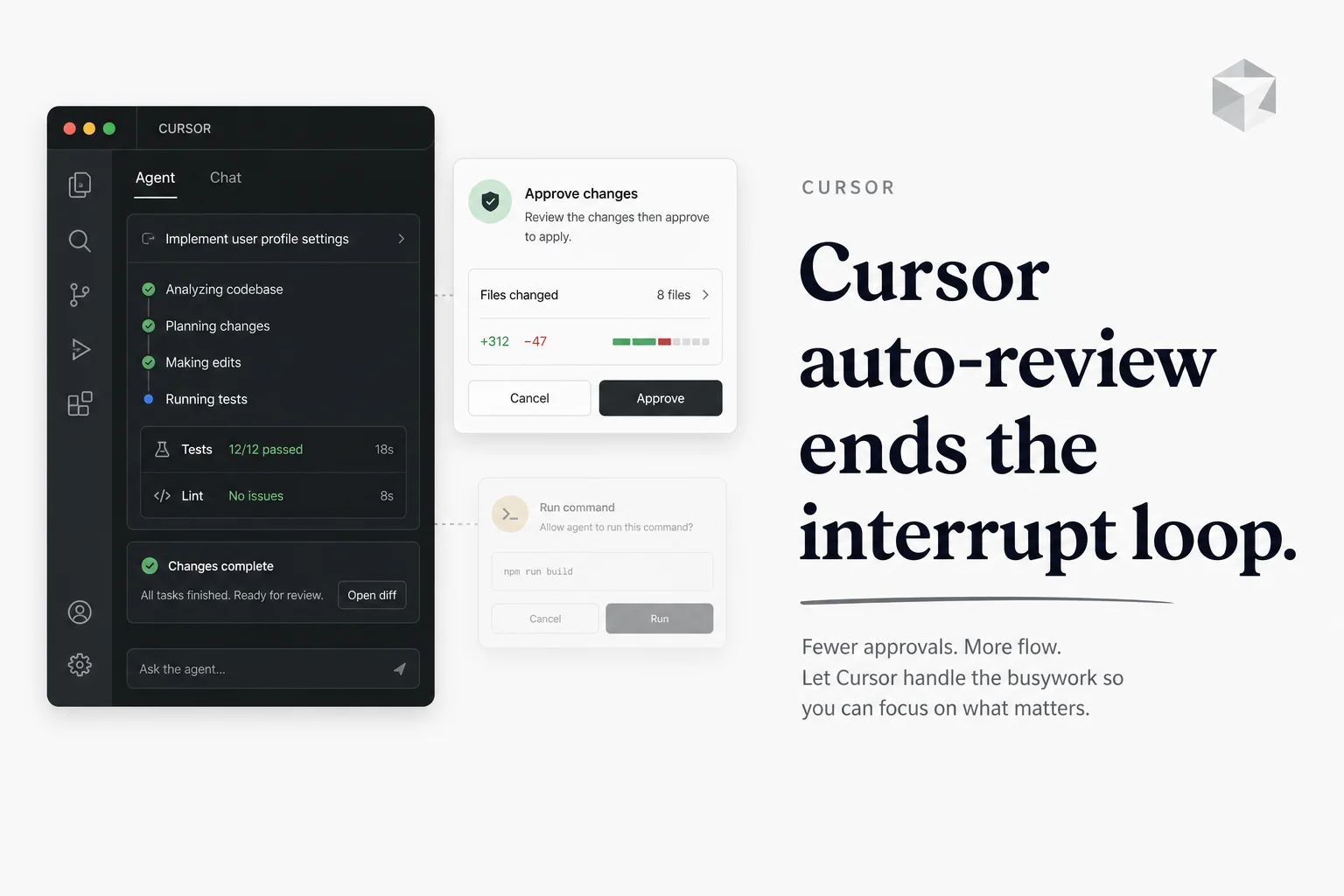
Agent sessions used to force a binary choice: approve every shell command, or flip yolo and hope.
Cursor 3.6 added a third path. Auto-review routes Shell, MCP, and Fetch calls through allowlist rules, a sandbox when possible, and a classifier subagent that decides whether to allow, redirect, or escalate to you.
Cursor's auto-review changelog shipped May 29, 2026 alongside Codex Windows Computer Use and grok-build's API launch. Three vendors pushed agent autonomy the same week. Cursor's version is explicitly about fewer interrupts without pretending risk disappeared.
The three-tier flow (in order)
Auto-review is not "AI decides everything." It is a ordered pipeline:
| Stage | What happens | Typical examples |
|---|---|---|
| 1. Allowlist | Pre-approved commands run immediately | npm test, git status, repeat dev commands |
| 2. Sandbox | Supported shell commands run with filesystem and network limits | Package installs within workspace rules |
| 3. Classifier | Remaining calls reviewed by a small Cursor-managed model | MCP tools, fetch calls, privileged shell |
Cursor run modes docs describe the classifier outcomes: allow the call, ask the agent to try a different approach, or surface a standard approval prompt to you.
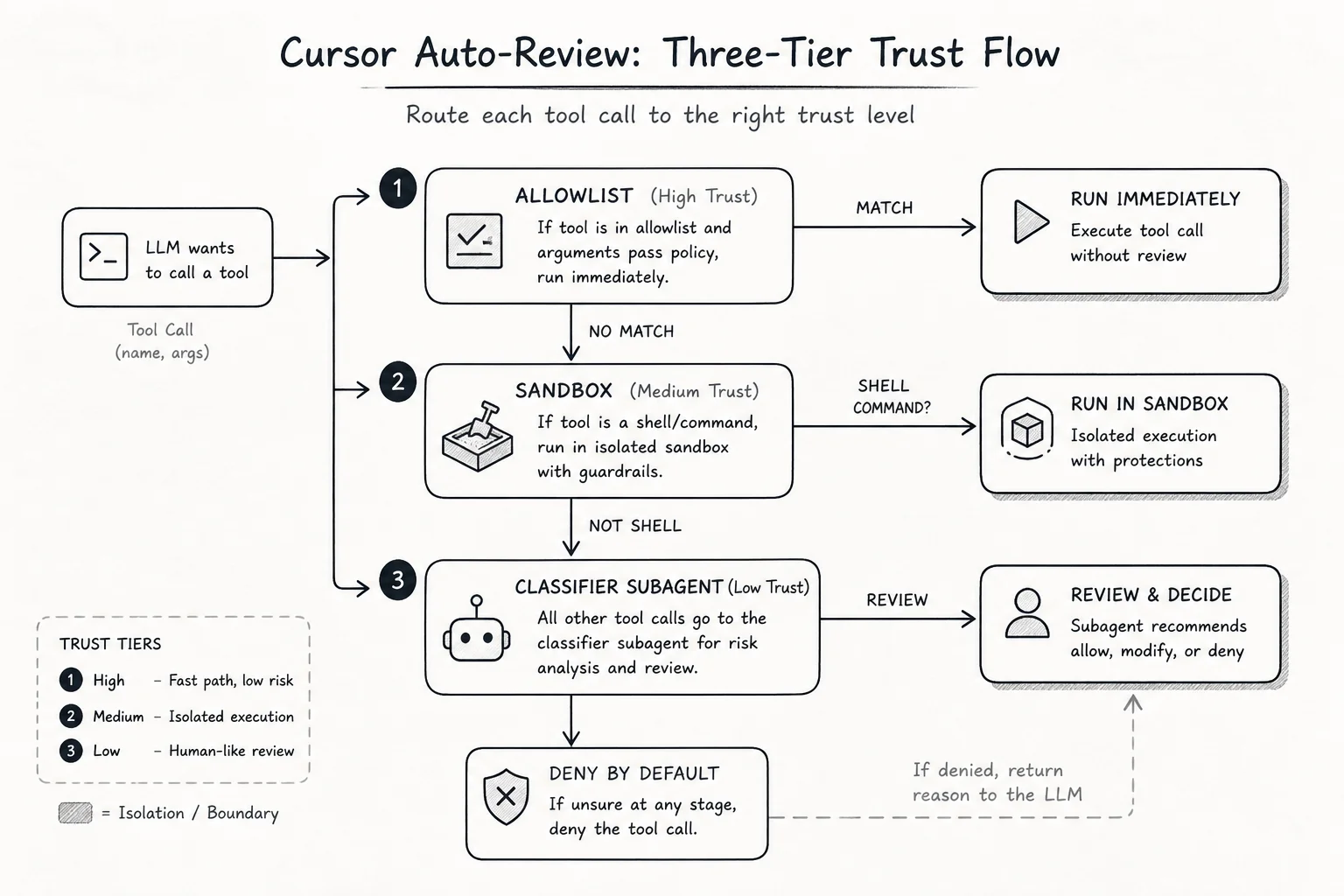
Sandboxing applies to shell commands, not as a substitute for classifier review on every tool type. MCP and Fetch calls that cannot sandbox still land in the classifier bucket.
When the classifier blocks a call, Cursor can let the agent attempt another path. If the agent still believes the action is correct, you get an approval prompt anyway. That is the safety backstop.
Why this matters for long agent sessions
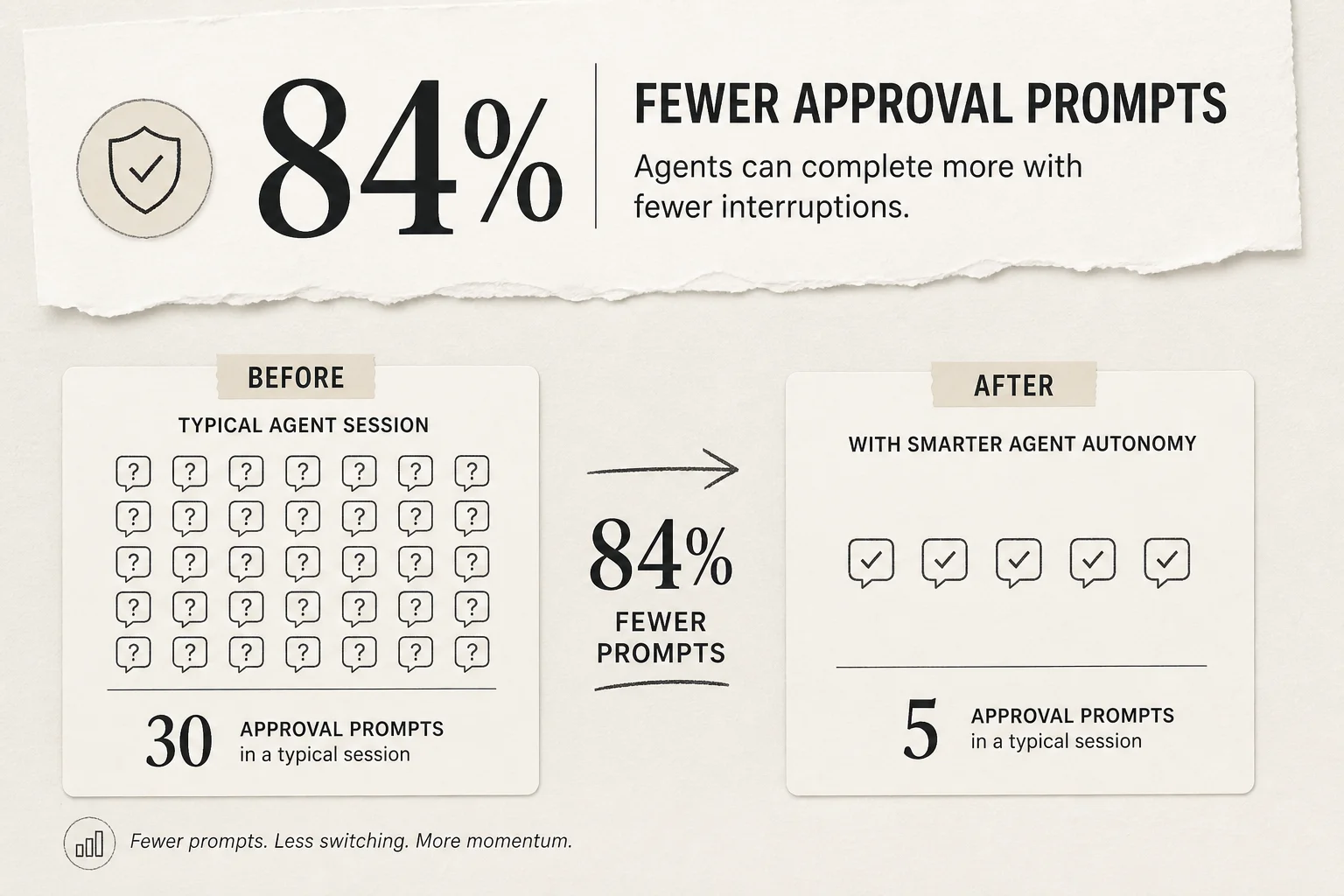
Alpha Signal and Cursor both cite roughly 84% fewer terminal approval prompts versus approving every action. The gain is not magic. It is statistics:
- Most agent turns are repetitive package commands, test runs, and file reads
- Allowlist learns those patterns across sessions
- Sandbox clears a large share of remaining shell work safely
- Only ambiguous calls reach you
Before 3.6, long refactors felt like clicker games. You either interrupted flow constantly or accepted full auto-run risk. Auto-review targets the middle: throughput with a review gate on the edge cases.
I run automations and client agent projects where session length is the product. Approval fatigue is not a UX nit. It is why operators disable safeguards and regret it later.
Auto-review is not a security boundary
Cursor states this plainly. The classifier can mistake in both directions:
| Mistake direction | Real-world consequence |
|---|---|
| Allows risky call | Credential leak, destructive command, unintended network call |
| Blocks safe call | Slower session, more manual approvals, agent workaround loops |
Treat auto-review as convenience with guardrails, not as policy enforcement. For strict environments (production credentials, customer data, financial systems), use Allowlist and approve sensitive categories yourself.
Other protections still apply even in looser modes:
| Protection | Blocks |
|---|---|
| Browser Protection | Automatic browser tool runs |
| File-Deletion Protection | rm and destructive file ops |
| External-File Protection | Writes outside workspace |
Enterprise teams can also override available modes from the dashboard. Auto-review requires at least one classifier model (today Claude 4.5 Haiku or GPT-5.4 Mini per docs) to remain allowed under model access controls.
If auto-review is grayed out in settings, check Team Settings > Models, then fully restart Cursor.
Configuring permissions.json without YAML archaeology
The fastest setup path: tell the Cursor agent what you want in plain English. Example: "Every AWS CLI command should go through approval first." It can edit permissions.json for you.
Manual structure:
{
  "autoRun": {
    "allow_instructions": [
      "Routine test commands in this repo are usually safe."
    ],
    "block_instructions": [
      "Every AWS CLI command should go through approval first.",
      "Every command that modifies Kubernetes resources should go through approval first."
    ]
  }
}
| File | Scope |
|---|---|
~/.cursor/permissions.json | All projects on your machine |
.cursor/permissions.json | One repo (commit when the team should share rules) |
Team dashboard policies override local files when defined. Plan for that if you are standardizing agent behavior across engineers.
Sandbox behavior is separate. sandbox.json controls network domains and extra readable or writable paths for sandboxed shell commands. Permissions steer who reviews; sandbox steers what a sandboxed command can reach.
Read Governing agent autonomy with Auto-review for policy design patterns Cursor published alongside the feature.
Sandbox platforms (macOS, Linux, Windows)
| Platform | Mechanism | Notes |
|---|---|---|
| macOS | Seatbelt via sandbox-exec | Cursor 2.0+, no extra setup |
| Linux | Landlock + seccomp | Kernel 6.2+ with Landlock v3 |
| Windows | WSL2 sandbox path in forum docs | Native Windows skips sandbox to classifier in some setups |
Linux sandboxes remap UID inside the namespace. Scripts that call id -u inside sandboxed commands may see 0. Cursor injects CURSOR_ORIG_UID and CURSOR_ORIG_GID for Docker and container workflows:
docker run --rm \
  --user "${CURSOR_ORIG_UID:-$(id -u)}:${CURSOR_ORIG_GID:-$(id -g)}" \
  -v "$PWD:/work" -w /work \
  my-image build
That detail matters when you wire agents into Docker-based CI locally.
CLI parity and headless agents
Forum discussions noted early gaps: the CLI exposed allowlist and unrestricted without an auto-review equivalent for agent -p headless runs. Cursor later added CLI auto-review support, but teams running agents in Docker sandboxes or CI should verify their exact CLI version exposes the mode they expect.
Cloud Agents are a separate product surface. Run modes apply to local agents. Cloud Agents run on dedicated machines and do not ask you to approve each action.
How I would roll this out on a team
- Default new developers to auto-review, not Run Everything.
- Commit a project
.cursor/permissions.jsonwith block rules for cloud CLIs, prod deploy tools, and secret stores. - Keep Browser Protection on unless you have a dedicated browser automation project.
- Log incidents when classifier mistakes happen; feed that back into block_instructions.
- Pair with model routing so long sessions do not also burn frontier tokens on every turn. See agentic coding model routing for the cost side of the same problem.
Automation projects (like email digest to blog PR pipelines) benefit disproportionately. Those agents chain shell, fetch, and MCP calls. Manual approval on every step makes 24/7 automation pointless.
Comparison to Codex auto-review (same week, different surface)
OpenAI Codex on Windows also talks about auto-review style approval for tool calls in desktop sessions. Same week, two vendors converged on classifier-gated autonomy. The implementation details differ, but the user problem is identical: agents need throughput without unconditional trust.
If you run both Cursor and Codex in one stack, do not assume one vendor's policy file applies to the other. Duplicate the intent of your block rules in both ecosystems.
Takeaway
Cursor auto-review is the run mode I would recommend for most builders: allowlist plus sandbox plus classifier beats raw yolo for day-to-day agent work. It cuts approval noise without removing your veto on ambiguous actions.
Do not confuse it with security policy. Write block_instructions for the commands that actually scare you, keep production credentials out of agent reach, and re-check classifier model availability on enterprise tenants.
If you want help designing agent approval policy for a team (permissions files, sandbox network rules, and escalation to frontier models), book a free discovery call.