
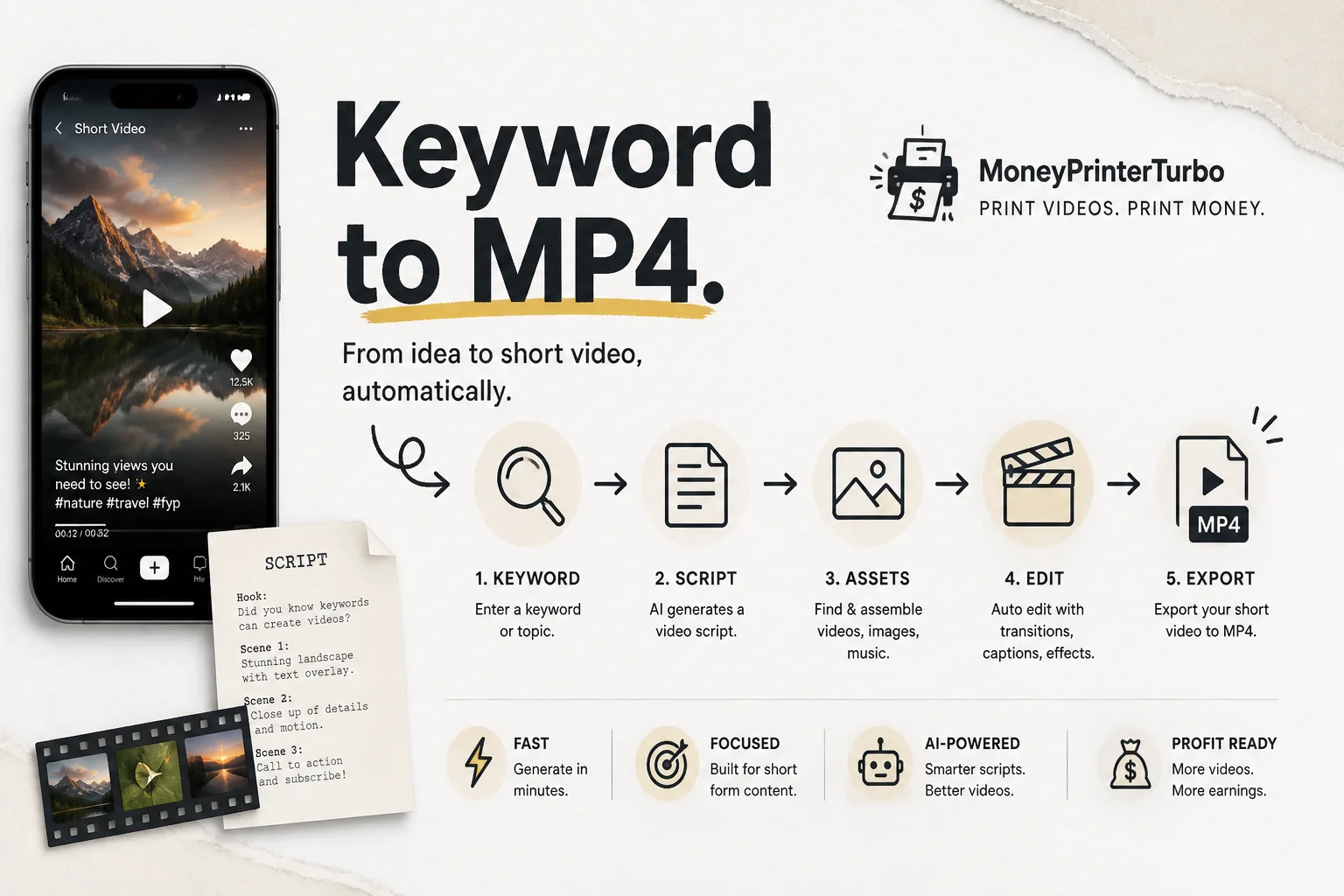
MoneyPrinterTurbo has more than 110,000 GitHub stars for a reason that is not the name. It is a self-hosted pipeline that turns a topic or keyword into a finished short video: script, voiceover, b-roll, subtitles, music, render.
No timeline editor. No subscription to five SaaS tools. One Python project you can run in Docker, Streamlit, or via REST.
I do not love the "money printer" branding. I do love clean automation graphs when clients ask how to batch marketing assets without hiring a full studio.
What one run actually does
MoneyPrinterTurbo chains discrete steps with clear handoffs:
| Step | Tooling | Cost profile |
|---|---|---|
| Script | Your choice of LLM (GPT-4o-mini, Gemini, DeepSeek, Ollama, etc.) | Cents per video at small-model rates |
| Footage | Pexels, Pixabay, Coverr, or local files | Free tiers at hobby volume |
| Voice | Edge TTS default, Azure Speech, Whisper timings | Edge TTS is free |
| Subtitles | Edge timings or local Whisper large | Whisper needs GPU/RAM |
| Compose | MoviePy + FFmpeg + ImageMagick | Infrastructure you own |
Output formats include 9:16 portrait and 16:9 landscape, up to 1080p, with configurable fonts and subtitle styling.
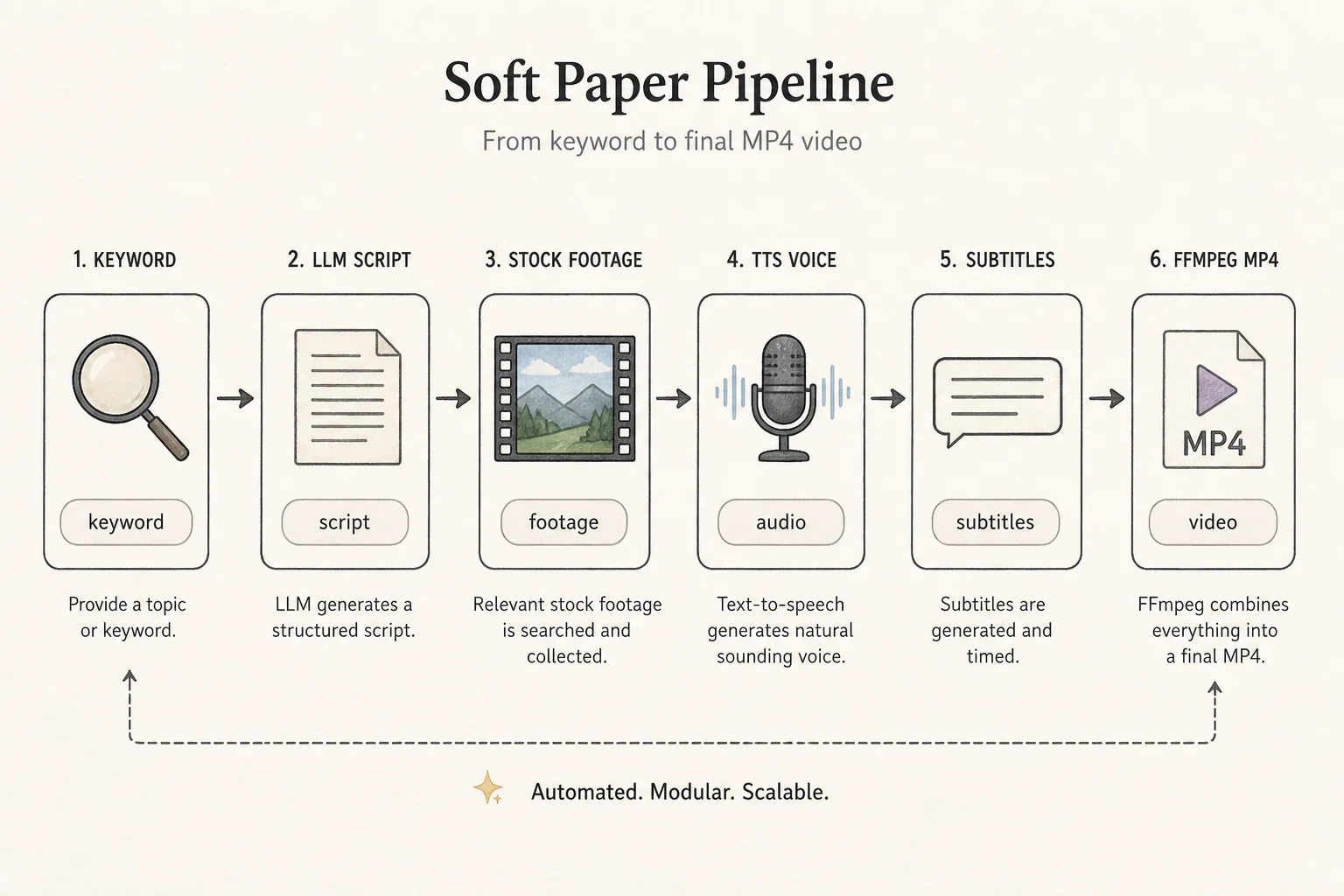
The project exposes four interfaces: Web UI, API, CLI, and an agent mode. Architecture is MVC-ish Python 3.11, which makes it easier to swap providers than monolithic notebooks.
Why 100K stars is a signal
Stars are not quality assurance. They are discovery. MoneyPrinterTurbo hit a nerve because short-form video is operationally painful:
- Writers and editors work in different tools.
- Stock licensing is a separate tab.
- Caption timing is manual tedium.
- Every platform wants a different aspect ratio.
Collapsing that into one config file is the same value prop I sell for CRM automations, just with MP4s instead of deals.
Setup paths (pick your tolerance for pain)
Docker (fastest sanity check):
git clone https://github.com/harry0703/MoneyPrinterTurbo.git
cd MoneyPrinterTurbo
cp config.example.toml config.toml
# add pexels_api_keys + llm provider keys
docker compose up
Local dev with uv:
git clone https://github.com/harry0703/MoneyPrinterTurbo.git
cd MoneyPrinterTurbo
uv python install 3.11
uv sync --frozen
cp config.example.toml config.toml
uv run streamlit run ./webui/Main.py --browser.gatherUsageStats=False
Web UI defaults to port 8501; FastAPI serves 8080 with Swagger at /docs.
Config fields that actually matter
From config.example.toml and community guides:
pexels_api_keysas a list so you can rotate when rate limitedllm_providerplus the matching API block (OpenAI, Gemini, Ollama, etc.)subtitle_provider:edgefor speed,whisperfor accuracyvoice_namefrom the bundled voice listffmpeg_path/imagemagick_pathonly when auto-detect fails (common on Windows)
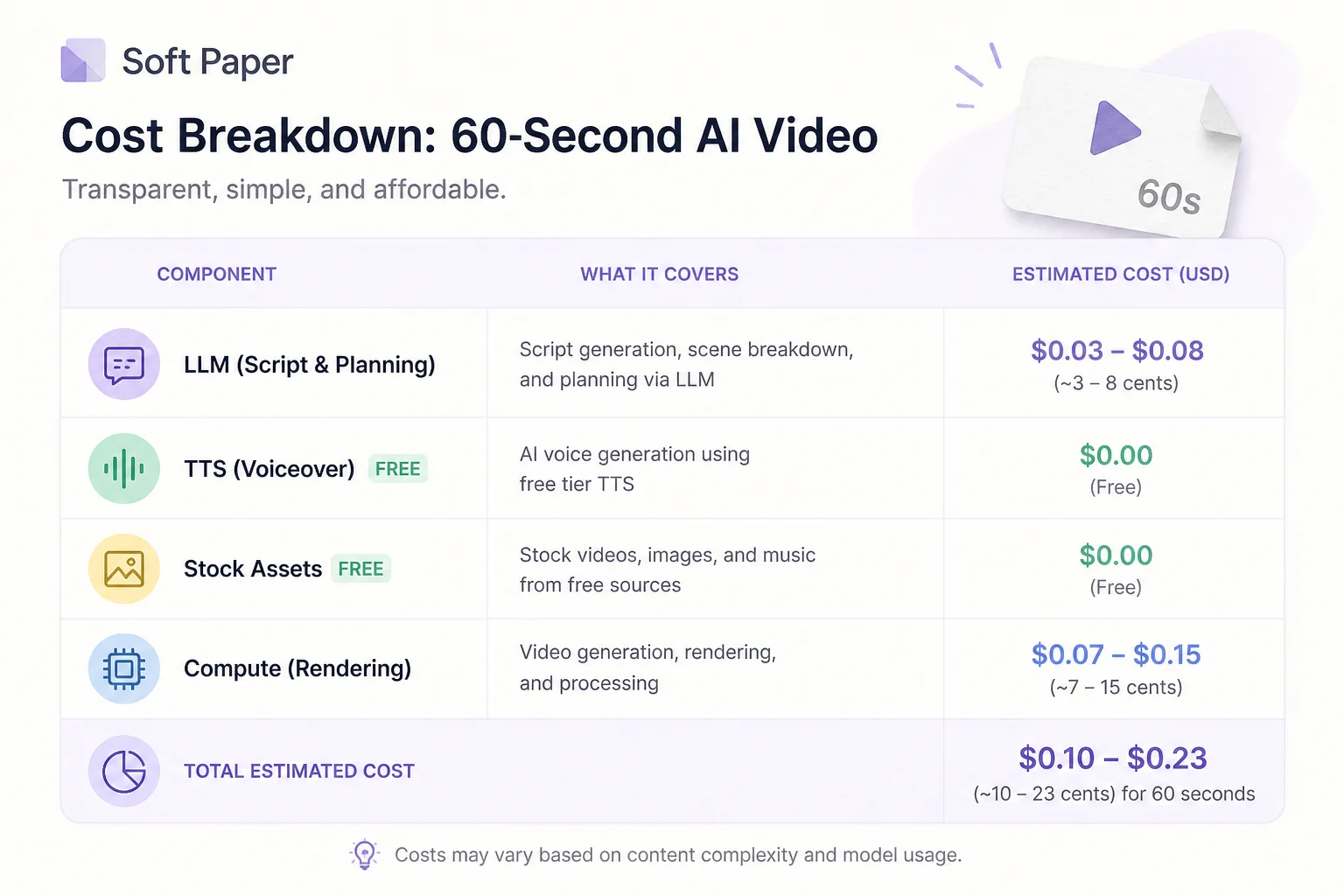
A 60-second script on GPT-4o-mini often costs under a cent for text generation. Edge TTS and Pexels stay free at normal hobby volumes. Your real bill is engineer time and compute for Whisper if you enable it.
Features beyond the MVP path
Recent README bullets worth noting for builders:
- Batch generation with multiple script variants to pick a winner
- AI-generated B-roll via WaveSpeed / Seedance when stock footage fails
- Cross-post hooks for TikTok, Instagram, YouTube Shorts (treat platform ToS carefully)
- Preset export/import for API keys and generation settings across machines
I would not turn on auto-posting without human review for regulated industries. For ecommerce or media tests, it is a legitimate time saver.
What I would copy into client systems
Even if you never run MoneyPrinterTurbo in production, steal these patterns:
- Provider abstraction per stage. Script model ≠ voice provider ≠ footage source. Swap without rewiring the graph.
- Batch + rank. Generate N scripts, score or human-pick, then render once.
- Config.toml as deployment contract. Ops teams can reason about secrets separately from code.
- Dual UI + API. Marketing uses Streamlit; your scheduler hits REST.
That is how you graduate from "cool GitHub project" to internal content factory.
Risks and quality ceilings
Short-form automation still produces generic videos if your keyword is generic. The LLM script is only as good as your prompt and brand guidelines.
Stock footage repeats across niches. Viewers recognize the same clip of a laptop on a beach. Mitigate with local B-roll, WaveSpeed-generated scenes, or tighter keyword segmentation.
Licensing: Pexels and Pixabay are permissive, but read their terms for ads and client work. When in doubt, use client-owned footage.
When not to use this
Skip MoneyPrinterTurbo if you need frame-accurate brand edits, complex motion graphics, or on-camera talent compositing. It wins on volume of acceptable shorts, not Cannes Lions craft.
Bottom line
MoneyPrinterTurbo is the clearest open-source map I have seen for LLM + media + FFmpeg orchestration. The name is cringe. The pipeline pattern is durable.
Links:
If you want a similar multi-step automation for lead follow-up, quoting, or ops dashboards (not just video), get in touch. The interesting part is always the graph, not the output format.