
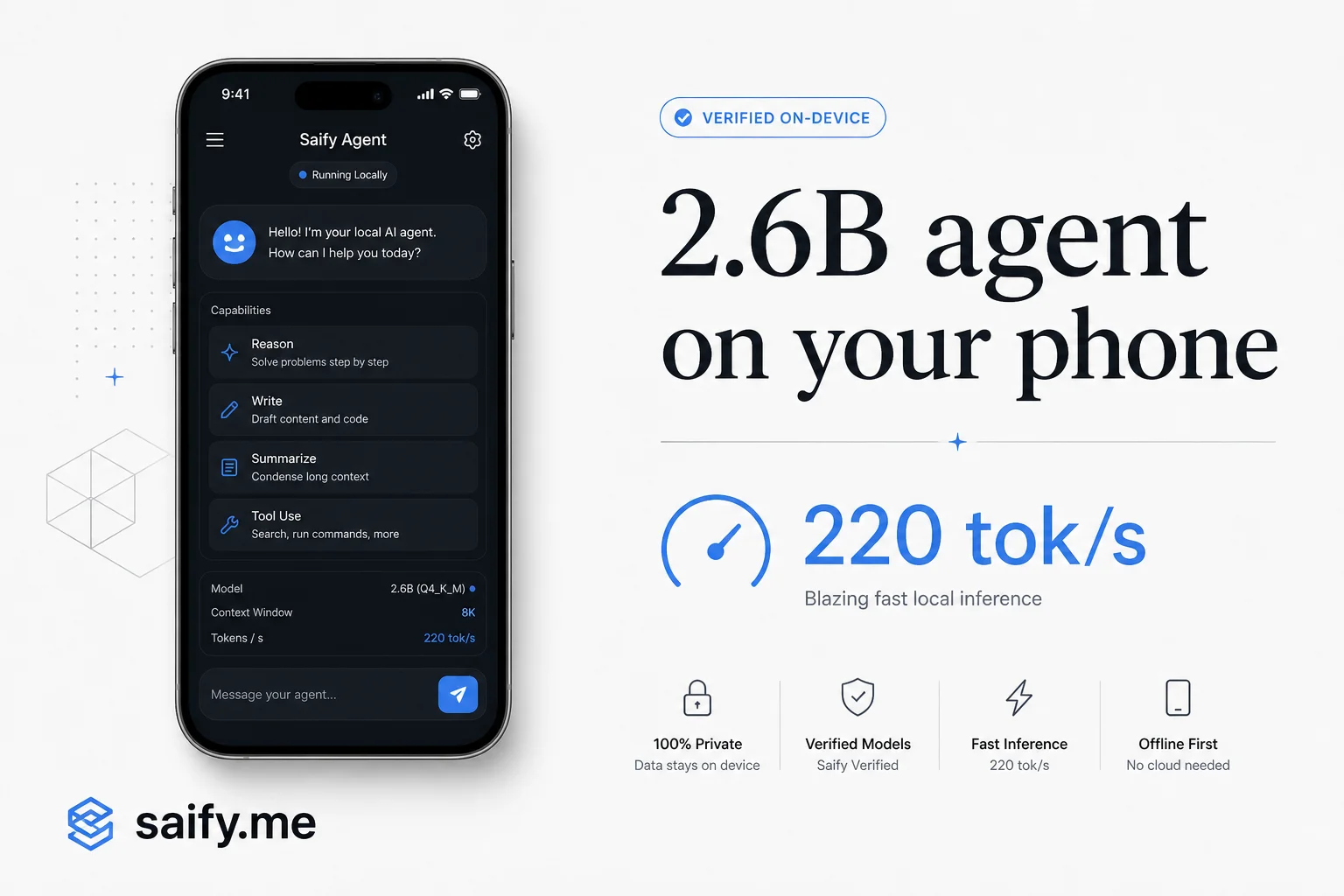
220 tokens per second on an M5 Max. 30 on a phone. Under 2.5GB of RAM.
Those are not marketing slides from a cloud API pitch. They are Liquid AI's published CPU numbers for LFM2.5-2.6B, a 2.6B open-weight model built for on-device agents: planning, tool calls, and multi-step tasks without shipping every token to a vendor.
I spend a lot of time in discovery calls on the same tradeoff. Teams want agent loops that research, call CRM tools, and draft follow-ups, but compliance or cost blocks always-on cloud inference. LFM2.5-2.6B is Liquid AI's bet that the constraint is shifting from "local models are too dumb" to "local models are finally fast and tool-aware enough to matter."
What you get in the box
LFM2.5-2.6B sits in the Models & tooling lane: a model choice post, not a product launch recap. The specs that matter for agent builders:
| Spec | Value |
|---|---|
| Parameters | 2.69B (30 layers: 22 short-conv blocks + 8 GQA) |
| Context | 131,072 tokens (128K) |
| Vocabulary | 128,000 tokens (doubled vs prior LFM2 for non-Latin scripts) |
| Pre-training | ~34T tokens |
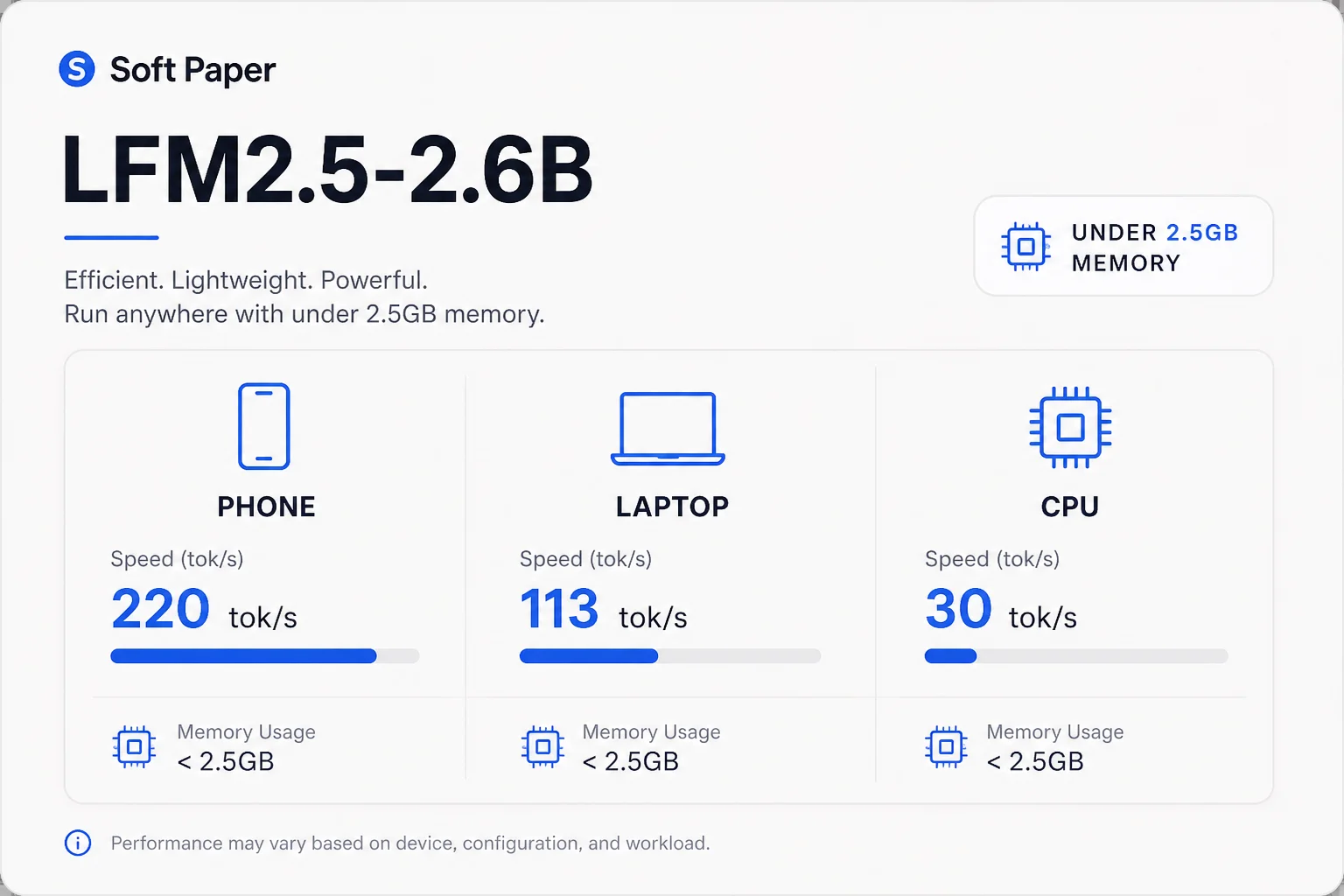
| Memory footprint | Under 2.5GB at inference |
| Formats | Native, GGUF, MLX, ONNX, plus a 328M DSpark speculative drafter |
Two checkpoints ship on Hugging Face: LFM2.5-2.6B-Base for fine-tuning and LFM2.5-2.6B for agent workloads out of the box.
Liquid AI recommends it for agentic tasks, tool use, data extraction, RAG, and long-context workflows. They are honest that agentic coding and knowledge-heavy jobs still favor larger models. That boundary is useful. It keeps you from forcing a 2.6B model into a role where LiveCodeBench gaps against Qwen3.5-9B will show up in production.
Why 128K context changes the agent math
Agent sessions eat context fast. Tool definitions, prior turns, retrieved chunks, and stderr from a failed script can blow past 32K before the model does real work.
LFM2.5-2.6B extends to 128K through a dedicated mid-training phase, not a last-minute rope stretch. For local agents that means:
- Fat system prompts with many tools do not force immediate compaction
- RAG stacks can inject longer document slices without truncating the user question
- Multi-turn harness traces from Hermes or OpenClaw stay in-window longer
Compaction incidents (where summarization drops safety rules) get worse as you cram more tool output into a small window. A model that starts with headroom is not a full fix, but it buys time before the harness has to summarize away constraints.
Benchmarks: small model, big tool-use scores
Liquid AI compares LFM2.5-2.6B against Gemma 4 E2B/E4B and Qwen3.5 4B/9B on instruction following, tool use, STEM, and agent harness evals. The headline for operators: it leads on nearly every instruction-following benchmark and most tool-use suites, trailing Qwen3.5-9B only on BFCLv4 among the tool metrics they publish.
| Benchmark | LFM2.5-2.6B | Qwen3.5-9B | Notes |
|---|---|---|---|
| IFBench | 59.17 | 56.47 | Instruction following |
| Multi-IF | 80.07 | 62.55 | Multilingual IF |
| IFStruct | 85.49 | 78.50 | Structured output |
| BFCLv4 | 56.88 | 60.13 | Function calling (9B still ahead) |
| ToolSandbox | 77.83 | 76.44 | Multi-tool scenarios |
| Claw-Eval avg (EN) | 62.85 | 66.53 | OpenClaw harness tasks |
| BrowseComp+ (OpenClaw) | 26.89 | 27.23 | Web research via OpenClaw |
| PinchBench | 68.22 | 71.45 | Agentic productivity |
| LiveCodeBench v6 | 59.41 | 69.86 | Coding still favors larger models |
On BrowseComp+ and ToolSandbox, a 2.6B model trading evenly with a 9.7B Qwen is the story. For high-volume tool routing (CRM lookups, calendar checks, structured extraction), you may not need cloud scale if latency and privacy matter more than frontier coding ability.
Speed on real hardware
Cloud APIs hide hardware. Local agents do not. Liquid AI's CPU decode numbers:
| Platform | Reported decode speed |
|---|---|
| Apple M5 Max | 220 tok/s |
| AMD Ryzen AI Max+ 395 | 113 tok/s |
| Phone (on-device demo) | ~30 tok/s |
At 30 tok/s on a phone, you are not matching GPT-class cloud streaming. You are matching "usable agent" territory for background tasks: summarize a PDF, draft a reply, run two tool calls, return. For laptops and desktops, 113 to 220 tok/s is fast enough that tool latency dominates again, which is the regime most harnesses were designed for.
GPU serving is supported day one through SGLang and vLLM in the Liquid AI docs. Their H100 benchmark hits roughly 15K output tokens per second at high concurrency (~1.3B tokens per day on one GPU). That path is for teams that want local or VPC hosting with throughput, not for the phone-in-pocket demo.
Pair LFM2.5-2.6B-DSpark, the 328M speculative drafter, for about 2.6x faster decoding with identical outputs on Apple Silicon or SGLang. Worth testing if your agent loop is decode-bound.
Tool calling: four steps, Pythonic by default
LFM2.5 uses a ChatML-like template with a reasoning step baked in (the model "thinks" before answering). Tool use follows four steps documented on the model card:
- Define tools in the system prompt as JSON, or pass
tools=intotokenizer.apply_chat_template() - Emit calls between
<|tool_call_start|>and<|tool_call_end|>tokens (Pythonic list syntax by default; JSON if you override in the system prompt) - Execute and return results with the
toolrole - Answer in plain text using the tool output
Recommended generation settings from Hugging Face: temperature: 0.1, top_k: 50, repetition_penalty: 1.1. Low temperature fits tool routing better than creative writing.
Quick inference with Transformers (transformers>=5.0.0):
from transformers import AutoModelForCausalLM, AutoTokenizer

model_id = "LiquidAI/LFM2.5-2.6B"
model = AutoModelForCausalLM.from_pretrained(
    model_id, device_map="auto", dtype="bfloat16"
)
tokenizer = AutoTokenizer.from_pretrained(model_id)

messages = [{"role": "user", "content": "Summarize our refund policy in three bullets."}]
input_ids = tokenizer.apply_chat_template(
    messages, add_generation_prompt=True, return_tensors="pt", tokenize=True
)["input_ids"].to(model.device)

output = model.generate(
    input_ids,
    do_sample=True,
    temperature=0.1,
    top_k=50,
    repetition_penalty=1.1,
    max_new_tokens=512,
)
print(tokenizer.decode(output[0], skip_special_tokens=True))
For production agents, you will rarely call generate() by hand. You serve the checkpoint and let the harness handle tool loops.
Training inside Hermes, OpenClaw, and other harnesses
The technical detail I find most credible is agentic RL through real harnesses. Liquid AI's post-training pipeline runs supervised fine-tuning, per-domain teacher models, multi-domain on-policy distillation, then reinforcement learning inside sandboxes where Hermes Agent, OpenClaw, and similar stacks execute real tasks.
That is why "point your existing harness at a local endpoint" is not an afterthought. The model saw those tool schemas, system prompts, and failure modes during training. Claw-Eval and BrowseComp+ numbers are harness-native scores, not generic JSON-only function-call trivia.
Architecture-wise they split training (FSDP), rollouts (SGLang), and environment execution (sandbox + harness proxy) so trajectories stay token-aligned for GRPO updates. You do not need to reproduce that stack to benefit from it. You need a compatible server and sane tool definitions.
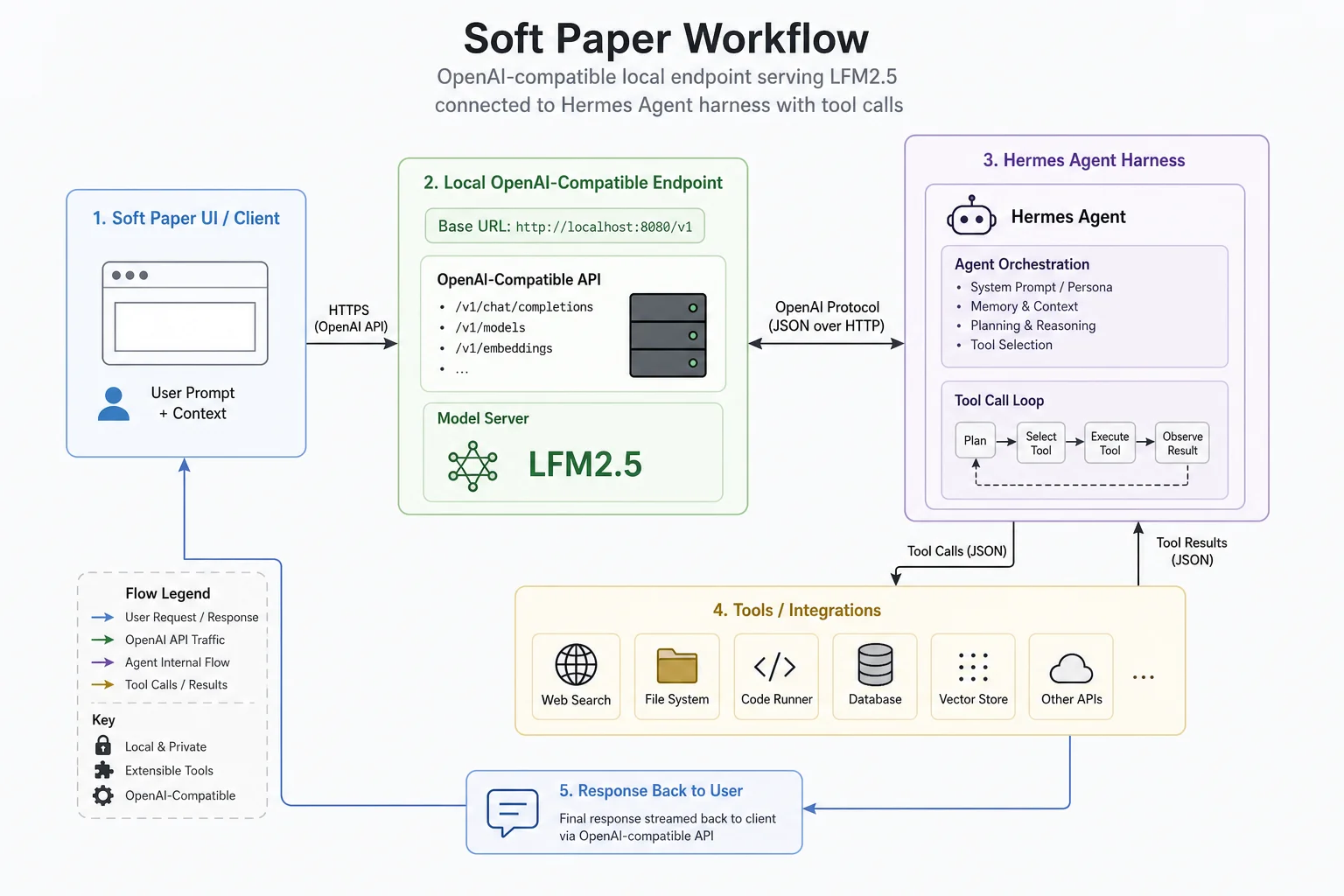
Two-step setup: serve locally, point the harness
Liquid AI's integration pattern is deliberately boring in a good way:
- Serve LFM2.5-2.6B behind an OpenAI-compatible
/v1endpoint (llama.cpp and MLX often use port 8080, vLLM 8000, SGLang 30000, LM Studio 1234). - Configure your agent harness with that
base_urland model id.
Hermes Agent:
hermes config set model.provider custom
hermes config set model.base_url http://localhost:8080/v1
hermes config set model.default LFM2.5-2.6B
hermes config set model.context_length 131072
hermes config set model.api_mode chat_completions
hermes config set agent.tool_use_enforcement true
OpenClaw (models.providers.local):
{
  "baseUrl": "http://localhost:8080/v1",
  "apiKey": "sk-local",
  "api": "openai-completions",
  "models": [{
    "id": "LFM2.5-2.6B",
    "name": "LFM2.5-2.6B",
    "contextWindow": 131072,
    "maxTokens": 8192,
    "cost": { "input": 0, "output": 0, "cacheRead": 0, "cacheWrite": 0 }
  }]
}
Pi adds a local provider in ~/.pi/agent/models.json with the same base URL pattern.
Full port matrix and MLX/GGUF launch commands live in Liquid AI's documentation. Start there if you are choosing between llama.cpp on a Ryzen laptop versus MLX on a Mac.
When I would deploy it (and when I would not)
Good fits I would pitch to clients exploring local agents:
- Parallel background research workers on a Mac Studio (no per-token bill)
- Field ops apps where customer data cannot leave the device
- Tool-heavy workflows with structured outputs (forms, CRM field updates, ticket triage)
- Prototypes before committing to a cloud agent budget
Poor fits where I would keep a larger model or cloud API:
- Agentic coding on a big monorepo (LiveCodeBench gap vs Qwen3.5-9B is real)
- Knowledge-heavy Q&A where hallucination budgets are tight on AA-Omniscience-style evals
- Tasks needing frontier multimodal inputs (this checkpoint is text-only)
The economic shift Liquid AI emphasizes is worth taking seriously. When inference is free at the margin on hardware you already own, you can run many small agents overnight instead of one cautious cloud loop. That changes product design more than benchmark leaderboard rank.
Local agents remove per-token cost and keep data on-device. They do not remove the need for tool permission gates, compaction-aware safety rules, and evals on your real schemas.
Get started
Download weights from Hugging Face (LiquidAI/LFM2.5-2.6B), pick GGUF or MLX for CPU/Apple paths, and follow the agent harness guide in docs.liquid.ai. Liquid AI also hosts a browser research-agent demo on Hugging Face Spaces if you want to poke tool use before installing anything.
If you are sketching an on-device or VPC-local agent for ops (CRM, inbox, scheduling, internal RAG) and want a second pair of eyes on harness choice and safety boundaries, book a free discovery call.