
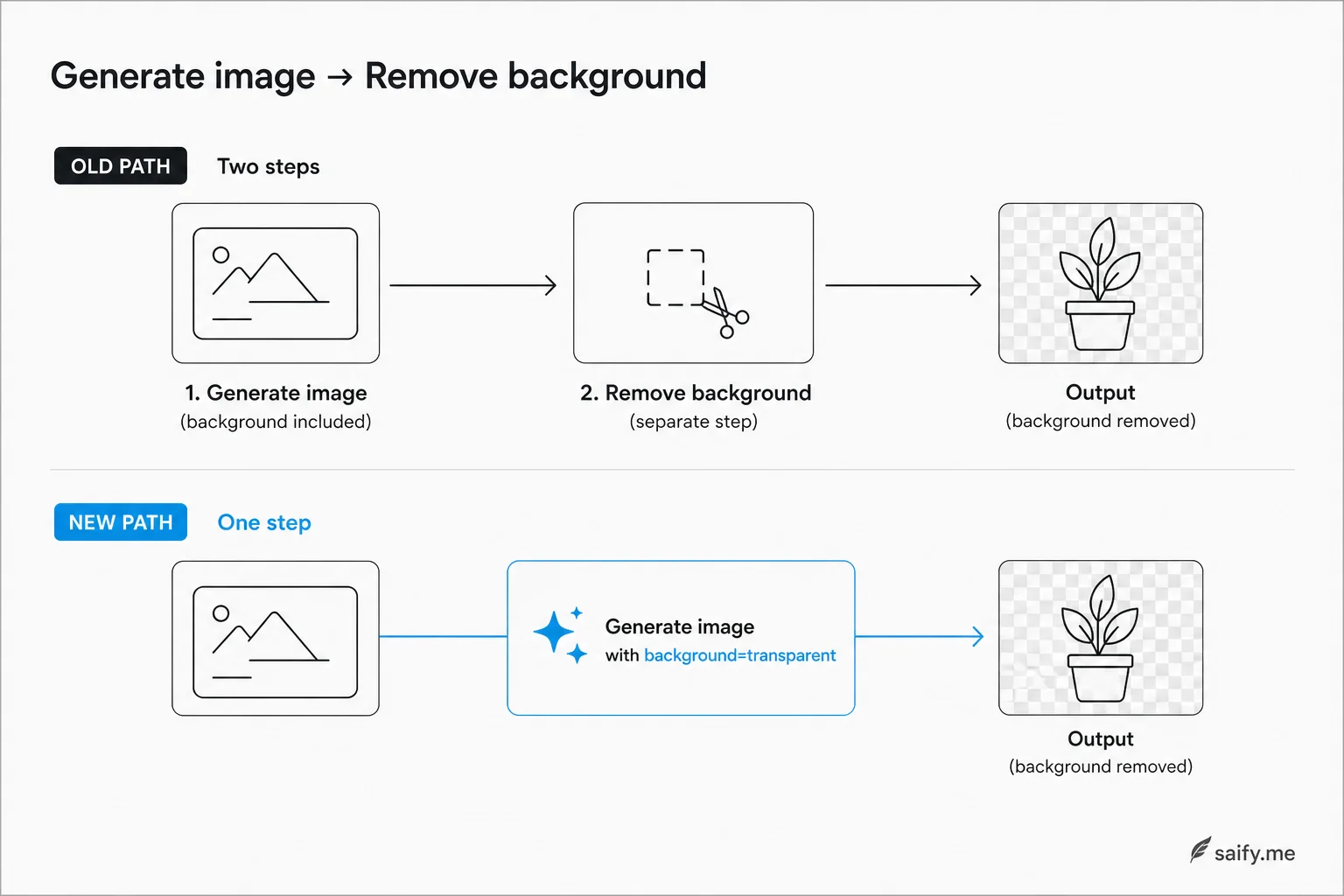
If you have shipped product imagery with generative models, you know the boring second step: generate, then run a background removal tool. Hair, glass, and thin fibers are where that pipeline usually fails.
OpenAI's August 2026 cookbook documents preview support for native transparent backgrounds on GPT-Image-2. One parameter. One API call. PNG or WebP with a real alpha channel baked in at generation time.
That is not a cosmetic tweak. It collapses a two-tool chain into a single request, which matters when you are batching hundreds of SKUs or refreshing campaign assets weekly.
What transparent background actually means here
Transparent does not mean "white background you can key out later." It means the subject exists on nothing. You can drop the asset onto any color, photo, or layout without a separate matte step.
OpenAI positions the feature for four workflows in the cookbook:
| Use case | Why alpha at generation helps |
|---|---|
| Product shots | Composite onto storefront templates without halo cleanup |
| Presentation diagrams | Drop charts onto slide masters |
| Icons and stickers | Crisp edges for UI kits |
| Merchandise artwork | Print-ready isolation without a designer cutout |
The activation is simple:
from openai import OpenAI

client = OpenAI()

result = client.images.generate(
    model="gpt-image-2",
    prompt="isolated studio product photo of a matte black wireless headphone, no background scenery",
    background="transparent",
    output_format="png",
    size="1024x1024",
    quality="high",
)

image_bytes = result.data[0].b64_json  # decode and save as PNG
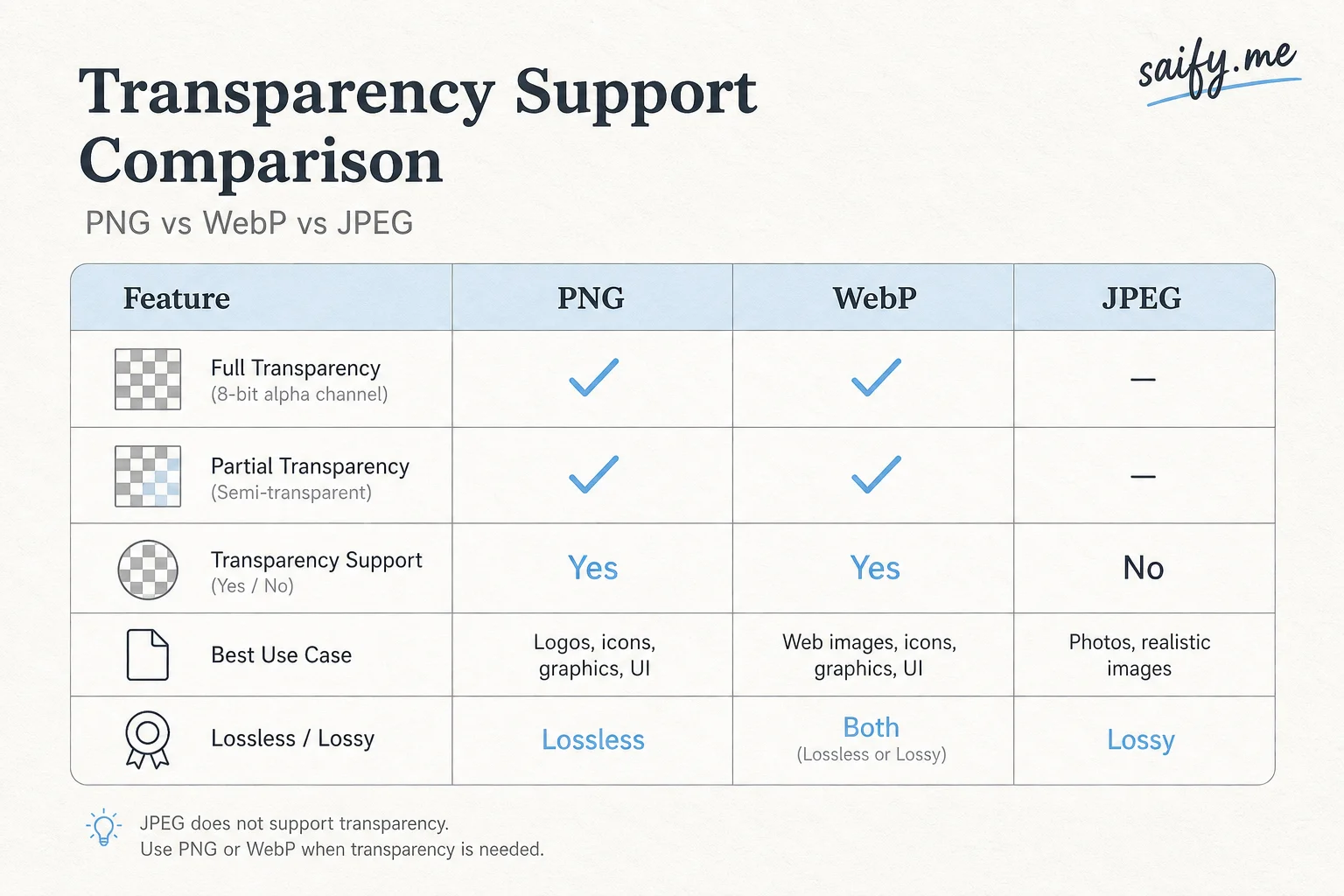
Set background="transparent". Keep output_format as png or webp. Do not use JPEG if you need transparency.
Prompting rules that actually matter
OpenAI's guidance is blunt: do not describe backgrounds in the prompt when you request transparency. If you ask for "on a marble counter," the model may still paint scenery even with background="transparent".
What works better:
- Lead with isolated subject language ("studio product photo," "floating cutout," "no backdrop").
- For edits that must preserve transparency, explicitly ask to preserve see-through regions when you send RGBA inputs.
- For charts with exact numbers, treat output as raster art: verify labels manually. GPT-Image-2 is not a spreadsheet.
If you are iterating on the same asset (color swap, angle tweak), mention that the alpha mask should survive edits. Community testers found that masks do not always persist across edit passes without that instruction.
Preview quality: halos, alpha, and compositing
The feature ships as preview, and the developer forum thread is worth reading before you promise pixel-perfect storefront assets.
Reported issues from early API users:
| Symptom | Practical impact |
|---|---|
| Alpha around 252-254 instead of 255 | Slight bleed on pure white or black backgrounds |
| Gray halos on edges | Visible on high-contrast compositing |
| Mask loss on edit passes | Re-cut or re-prompt after iterative edits |
OpenAI argues that baking alpha during generation beats conventional removal on tricky subjects like glass and hair. That can be true on individual frames. It is not automatically true on every export without post-processing.
My production pattern would wrap two isolated helpers:
- Alpha normalize clip near-opaque pixels to 255.
- De-halo expand existing transparency slightly at edges (different from color-key removal).
Keep those functions separate so you can delete them when preview quality improves.
When one call is enough vs when you still chain tools
| Scenario | One-call transparent GPT-Image-2 | Still add cutout or manual QA |
|---|---|---|
| Social mockups and pitch decks | Usually yes | Light halo fix optional |
| Internal marketing drafts | Yes | Brand review still required |
| E-commerce hero images | Maybe | Halo check on white and dark themes |
| Print or packaging | Cautious | Manual edge QA |
| Iterative edit loops | Risky | Mask preservation not guaranteed |
The Alpha Signal framing matches what I see in client work: efficiency hiding in plain sight. Labs are quietly removing steps we used to accept as fixed cost. This one removes an entire microservice from a common pipeline.
It does not remove judgment. A draft that skips background removal is not the same as an asset that clears brand review.
Pricing and integration notes
Transparent backgrounds do not add a separate fee. GPT-Image-2 bills on tokens, not a flat per-image price:
| Token type | Standard rate (indicative) |
|---|---|
| Image output | ~$30 / 1M tokens |
| Image input | ~$8 / 1M tokens |
| Text input | ~$5 / 1M tokens |
Larger sizes and higher quality settings consume more output tokens. If you are cost-sensitive, benchmark quality="medium" on catalog batches before defaulting to high for everything.
For teams already on OpenAI's image stack, migration is a parameter change plus compositing QA. For teams on Stability, Midjourney, or internal diffusion, the interesting question is whether native alpha is worth switching vendors for asset pipelines alone.
What I would ship this week
If I were wiring this into a lead-site or commerce automation client:
- Prototype ten product prompts with
background="transparent"and composite onto real site backgrounds (white,#FAFAFA, and a busy photo). - Measure halo rate on edges programmatically (variance in alpha channel near subject boundary).
- Gate production on normalized alpha passing a threshold, with fallback to the old removal tool only when needed.
- Log edit-pass failures separately. That is where mask drift shows up.
OpenAI teased more transparency-related features coming. Treat background="transparent" as a preview contract: parameters and output quality can shift.
If you are building asset pipelines that mix generative images with Next.js storefronts or campaign ops, book a free discovery call. I help teams wire image APIs, QA gates, and deploy paths that do not break when a preview feature changes.