
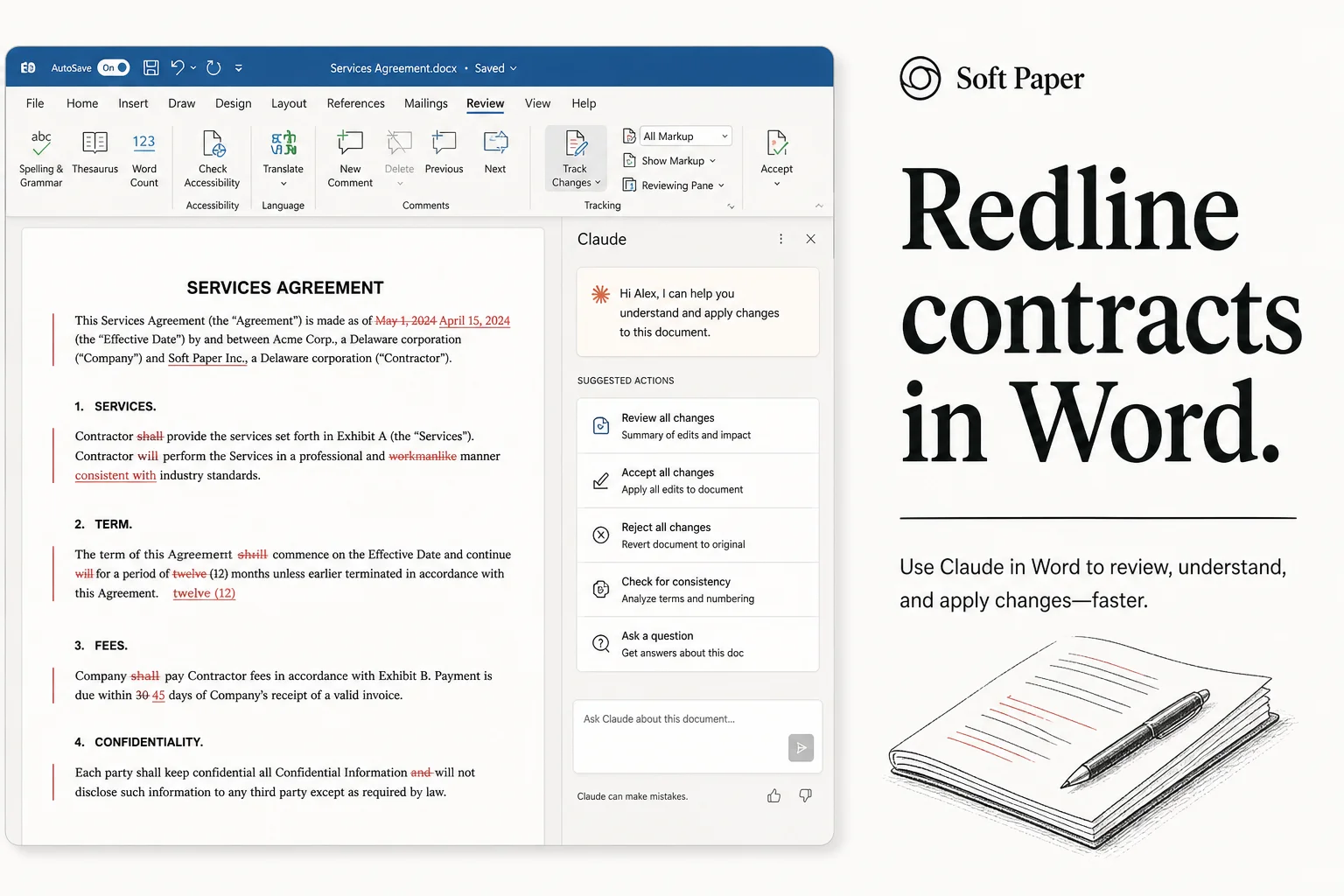
Legal review is a bottleneck for small teams. You get a 40-page SaaS agreement, the counterparty wants it back Friday, and nobody internally wants to read clause 14.3 twice.
The Rundown AI newsletter highlighted a workflow I had been meaning to write up: Claude inside Microsoft Word, redlining contracts with native tracked changes instead of copy-pasting into a chat tab.
This is not magic compliance. It is a structured first pass that saves hours if you keep humans in the loop.
What you need installed
| Piece | Where to get it |
|---|---|
| Microsoft Word (desktop or supported M365 build) | Your existing license |
| Claude for Microsoft 365 | Microsoft Marketplace |
| Signed-in Anthropic / M365 account | Org admin may need to approve the add-in |
Install the add-in, sign in, and open the .docx you want reviewed. Claude runs in the Word sidebar like Copilot-style assistants, but with Claude's model behavior.
Anthropic's enterprise docs and Microsoft's marketplace listing change names occasionally. Search Claude for Microsoft 365 if the exact tile moves.
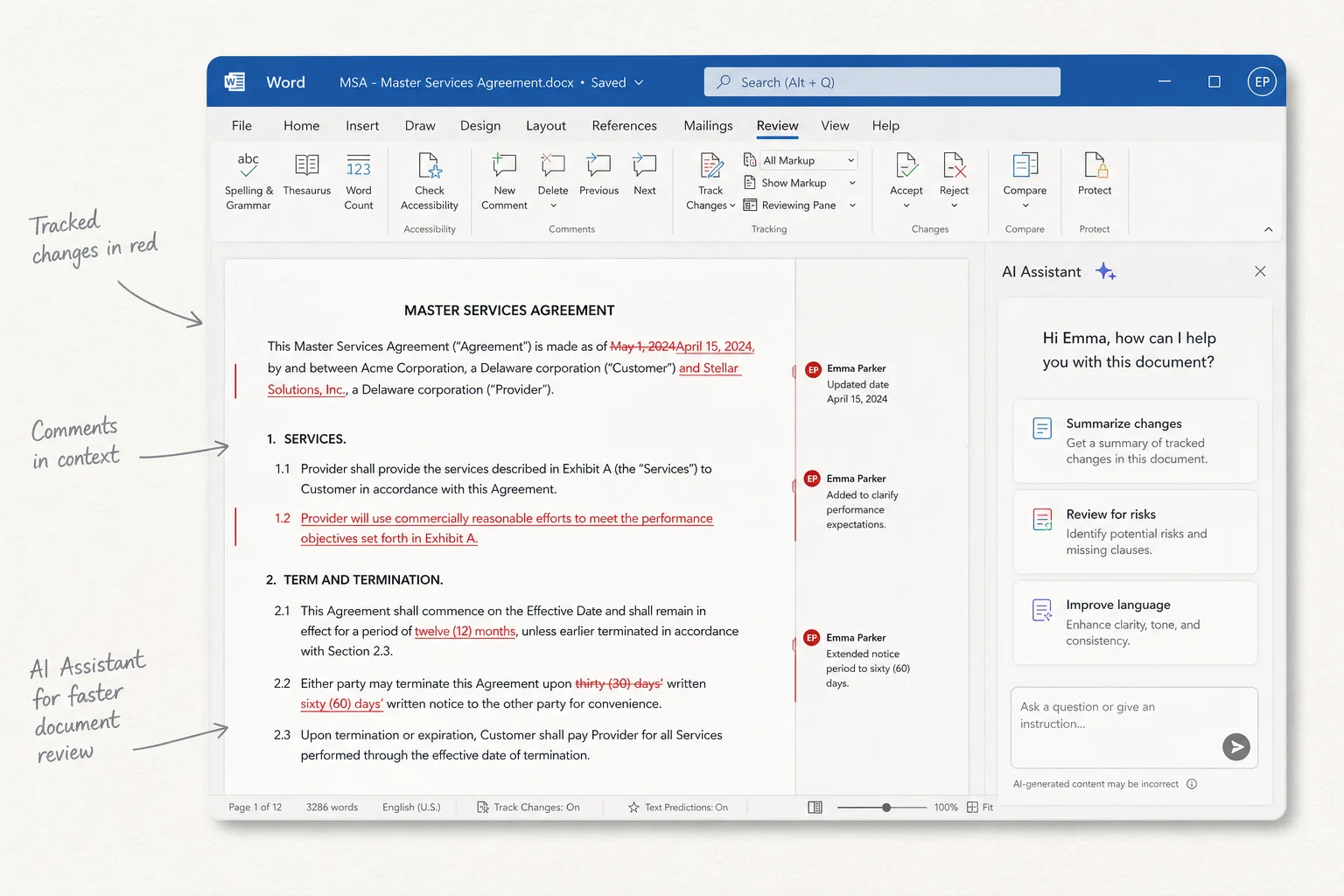
Step 1: Turn on tracked changes before you prompt
Word only shows redlines if Track Changes is enabled before edits land.
- Open the contract
.docx - Review tab → Track Changes → On
- Pick All Markup so you see insertions and deletions
Then prompt Claude with scope, not vibes. Example prompt I would use:
Review this Master Services Agreement as my vendor-side counsel.
Redline with tracked changes only. Flag:
- Uncapped liability or one-sided indemnities
- Auto-renewal without notice window
- Vague SLA credits
- Missing data processing terms if personal data is processed
- Governing law or venue that is not [your state/country]
Add brief comments on each redline explaining the business risk.
Do not accept your own changes.
The last line matters. You want suggestions, not silent commits.
Step 2: Review like a human editor
Claude's suggestions show up as Word revisions. Walk them the same way you would a counterparty's markup:
- Accept when the fix matches your policy
- Reject when Claude misunderstood industry norms
- Comment for your lawyer on ambiguous clauses
Send the doc to a teammate with Reviewing permissions if you need a second pair of eyes. Tracked changes preserve audit history, which chat-only tools do not.
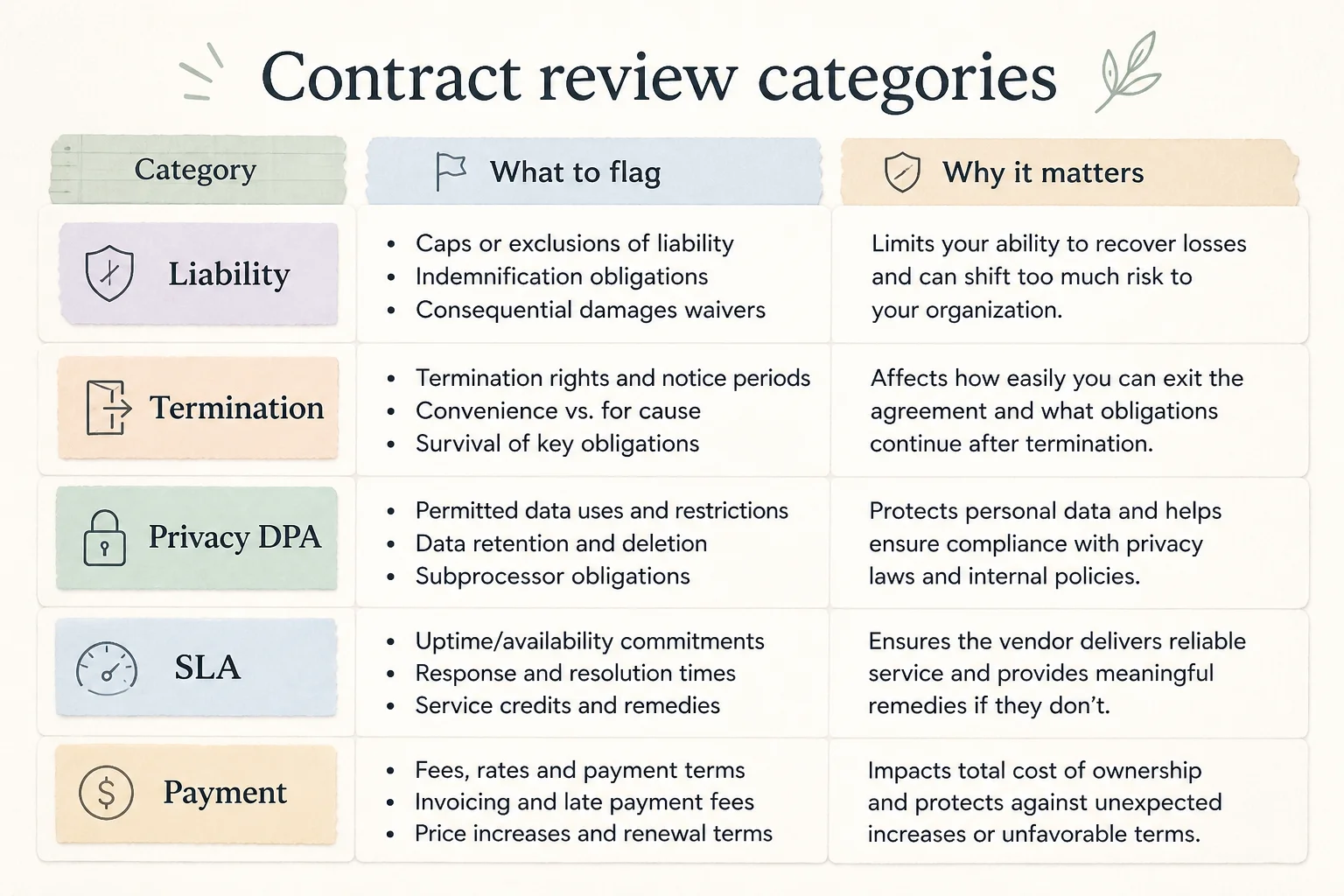
Common places Claude catches issues on SaaS deals:
| Clause family | What a good first pass catches |
|---|---|
| Limitation of liability | Caps that exclude data breach or IP infringement |
| Termination | Lock-in without exit for convenience |
| DPA / privacy | Missing subprocessors list or breach notice timing |
| Support / SLA | Best-effort language disguised as a guarantee |
| Payment | Net-60 when your AP policy is Net-30 |
It will miss context only your business knows ("we already agreed verbally to X"). That is fine. The goal is to remove dumb surprises before counsel bills the first hour.
Step 3: Run Doc Check before you sign or send
When you think the doc is ready, The Rundown's guide recommends Claude's Doc Check skill inside Word:
- Type
/in the Claude sidebar - Select Doc Check (or the closest named skill in your build)
- Let it scan for inconsistencies: defined terms used before definition, cross-reference errors, tense mismatches, orphan exhibits
Doc Check is a lint pass, not legal advice. It catches "Agreement" vs "Contract" drift and broken section numbers that humans skim past at 11pm.
Step 4: Turn repeats into a Project skill
After two or three reviews, export chat transcripts from Claude and drop them into a Claude Project with your standard playbook:
- Preferred governing law
- Liability cap formula (e.g., 12 months fees)
- Required DPA language for GDPR or UK GDPR clients
- List of banned clauses (unilateral assignment, exclusive venue overseas)
Turn that into a reusable skill so teammates prompt consistently. Ops teams live or die on repeatable prompts, not one hero lawyer who remembers every footnote.
When reviewing vendor MSAs for [Company]:
- Default cap: fees paid in prior 12 months
- Require 30-day termination for convenience after initial term
- Reject unlimited indemnity for our IP infringement
- Insert Exhibit B DPA if Schedule lists personal data categories
Always use tracked changes. Never accept changes automatically.
Where this fits my Applied AI shipping pillar
I spend most of my time on voice agents, CRM automation, and lead sites. Contracts show up constantly:
- SaaS vendors for telephony and STT
- Client MSAs for AI implementation work
- DPAs when we touch call recordings or CRM exports
Word-native redlining keeps version control where legal already lives. Pasting PDF text into a browser breaks formatting, kills defined-term links, and makes it easy to sign the wrong file.
Claude in Word is the middle path: model-assisted, document-faithful, reviewable.
Guardrails I would enforce in a team
If you roll this out beyond solo use, write policy once:
- No final signature without licensed review on deals above your dollar threshold
- Disable auto-accept of Claude changes in shared templates
- Store executed PDFs separately from working redline docs
- Log which model version reviewed which draft (Claude model names change)
- Never upload highly regulated secrets to a consumer account; use enterprise tenants with approved add-ins
Anthropic's enterprise offerings and Microsoft's admin controls are the right layer for client data, not a personal Claude login on a random laptop.
When I would still skip Word and use something else
Claude in Word is wrong for every doc type:
- Heavily negotiated redlines in PDF where Word conversion mangled numbering
- Complex cap tables or finance schedules better handled in Excel with audit formulas
- Cross-border deals needing local counsel in multiple jurisdictions in parallel
For those, pair specialized tools with human firms. AI assists; it does not replace jurisdiction-specific duty of care.
Soft CTA
If you want help wiring AI into ops beyond contract review (voice intake, CRM follow-up, private RAG over your SOPs), I take free discovery calls at cal.com/saifyxpro . Bring one painful agreement and one painful workflow. We can prioritize which one actually blocks revenue this month.