
You can turn a spoken status update into a finished PDF and a team handoff message without typing. That is the workflow The Rundown walked through in August 2026, and it maps cleanly to how I think about voice for ops: not flashy demos, but repeatable document pipelines.
I already covered the architecture shift in GPT-Live and full-duplex voice. This post is the operator layer: Projects, folders, and prompts that survive Monday morning.
Why voice wins for status reports
Status reports fail for boring reasons. People skip them when typing feels like homework. They paste stale numbers because pulling KPIs is fiddly. They send half-finished Google Docs because formatting ate the afternoon.
Voice fixes the activation energy problem. You talk through what changed. The model structures it. You review instead of authoring from a blank page.
That only works if the downstream path is deterministic:
- Approved sources only (no mystery web pulls for regulated numbers)
- Markdown draft you can diff
- PDF export with a stable filename pattern
- Handoff message drafted in the same session
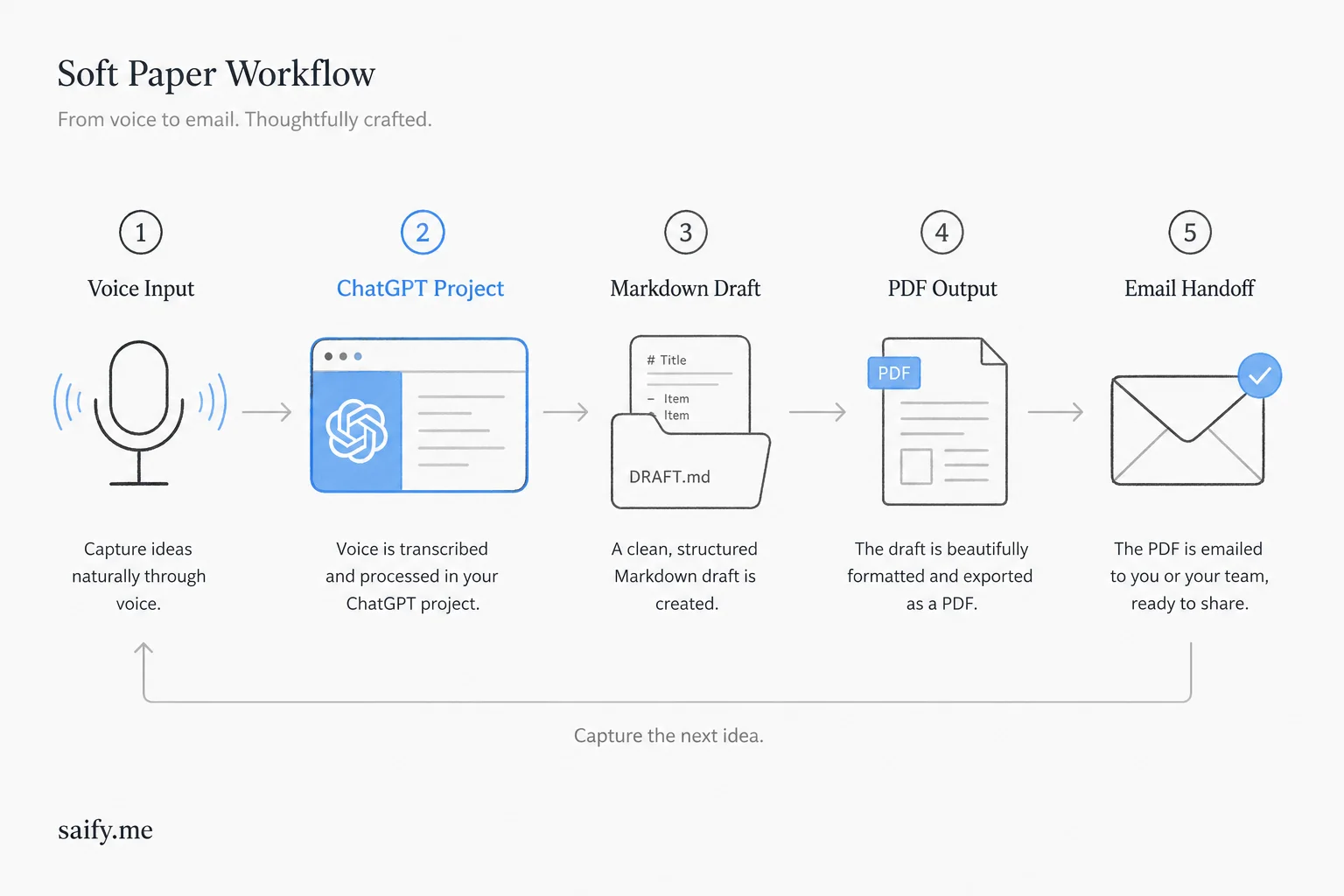
Step 1: Project + connections
Open the ChatGPT app, create a Project for the report type (weekly ops, client delivery, sprint summary), and start Voice.
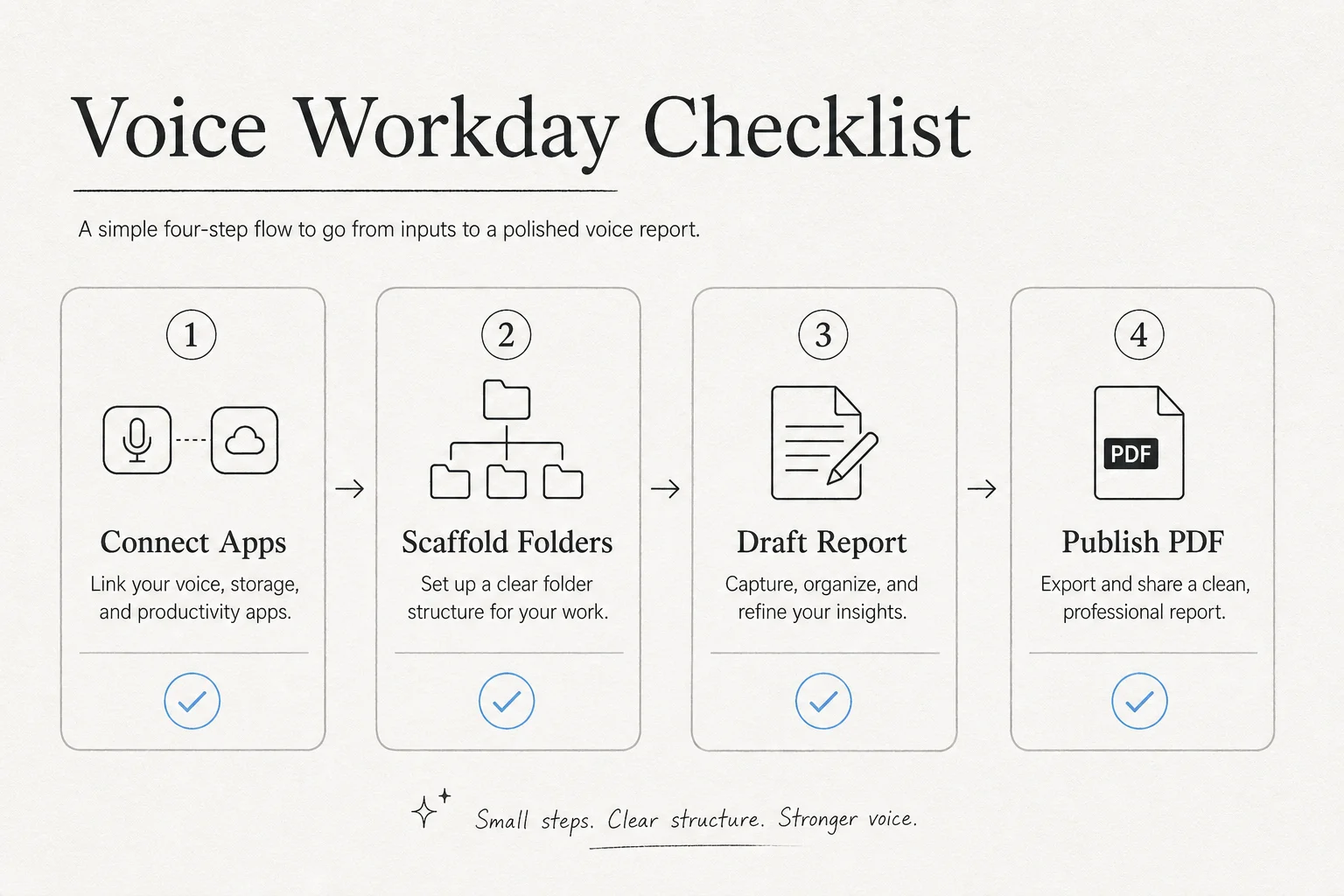
Connect the parts of your stack the report needs:
- Data source (spreadsheet export, CRM snapshot, analytics CSV)
- Storage (Drive, Dropbox, or local sync folder if your plan supports it)
- Comms (email draft or Slack message, depending on your connector setup)
The Rundown's guide lives at Run your workday by voice with ChatGPT. Treat it as a checklist, not gospel. Your connectors will differ.
Step 2: Scaffold folders once
Ask ChatGPT to scaffold a folder layout before you dictate content. Example structure:
reports/
  drafts/          # Markdown working copies
  deliverables/    # Final PDFs
  templates/       # Reusable section outlines
Tell the model explicitly:
Create Markdown drafts in
drafts/and export finished PDFs todeliverables/with filenames likeweekly-ops-YYYY-MM-DD.pdf.
Scaffolding once beats re-explaining paths every Friday.
Step 3: Dictate with guardrails
When you speak the update, constrain sources and fields up front. A prompt shape that survives review:
Build a Markdown draft of the weekly ops report using only the attached CRM export and analytics CSV. Include: new leads, booked calls, pipeline value, blockers, and next-week priorities. Write to
drafts/weekly-ops-2026-08-04.md.
Voice is great for narrative. Numbers should come from attached files, not memory.
| Field | Source | Voice-friendly? |
|---|---|---|
| Pipeline value | CRM export | Read summary aloud after attach |
| Blockers | Your spoken update | Yes |
| KPI deltas | Analytics CSV | Ask model to compute, you verify |
| Next-week priorities | Your spoken update | Yes |
Step 4: Review, cut, publish
After the draft lands, stay in voice:
- "Remove the paragraph about last month's launch. It is stale."
- "Move blockers above KPIs."
- "Export PDF to deliverables and draft a three-sentence Slack update for #ops."
The review step is non-negotiable. Voice accelerates input; it does not remove accountability for wrong numbers.
Turn it into a reusable skill
Once a report type works, ask ChatGPT to save it as a reusable skill or pinned instruction inside the Project. Next week you say "run the weekly ops report" and it reuses the same folder rules, filename pattern, and section outline.
That is the difference between a party trick and ops infrastructure.
What I steal for client voice systems
I build voice for clinics, trades, and service businesses, not only ChatGPT power users. The same patterns apply:
Separate capture from formatting. Callers speak naturally; the backend maps to structured fields.
Never trust spoken numbers without a source. Voice is input. Spreadsheets, CRMs, and databases are truth.
Make the happy path one sentence. "Book Friday at 2pm" beats a five-step IVR tree.
Log everything reviewable. Markdown drafts are audit trails. PDFs are deliverables. Keep both.
Useful references:
The takeaway
Voice mode is not just for brainstorming. With Projects, folder scaffolding, and tight source guardrails, it becomes a report factory you can run while walking the dog. The scarce skill is designing the pipeline once so every Friday is a review session, not a formatting marathon.
If you want help wiring voice capture into CRM, PDF, or team notification flows for your business, book a free discovery call.