
Last month I fixed a garage door keypad with both hands on the latch and my phone on the workbench. I talked through the wiring diagram out loud. The AI walked me through it without me typing once.
That sounds like a small story. It is also the moment voice stopped being a party trick for me.
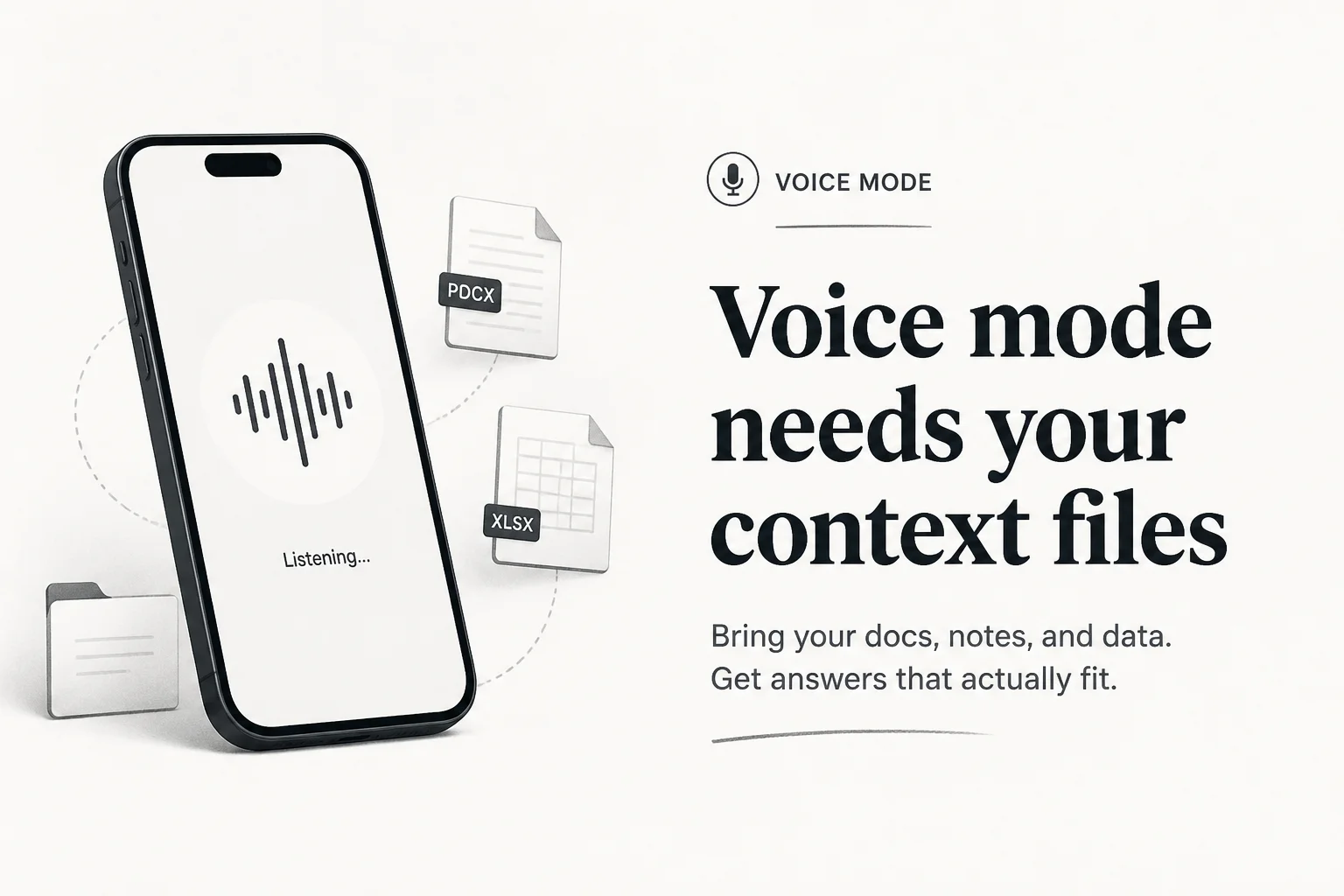
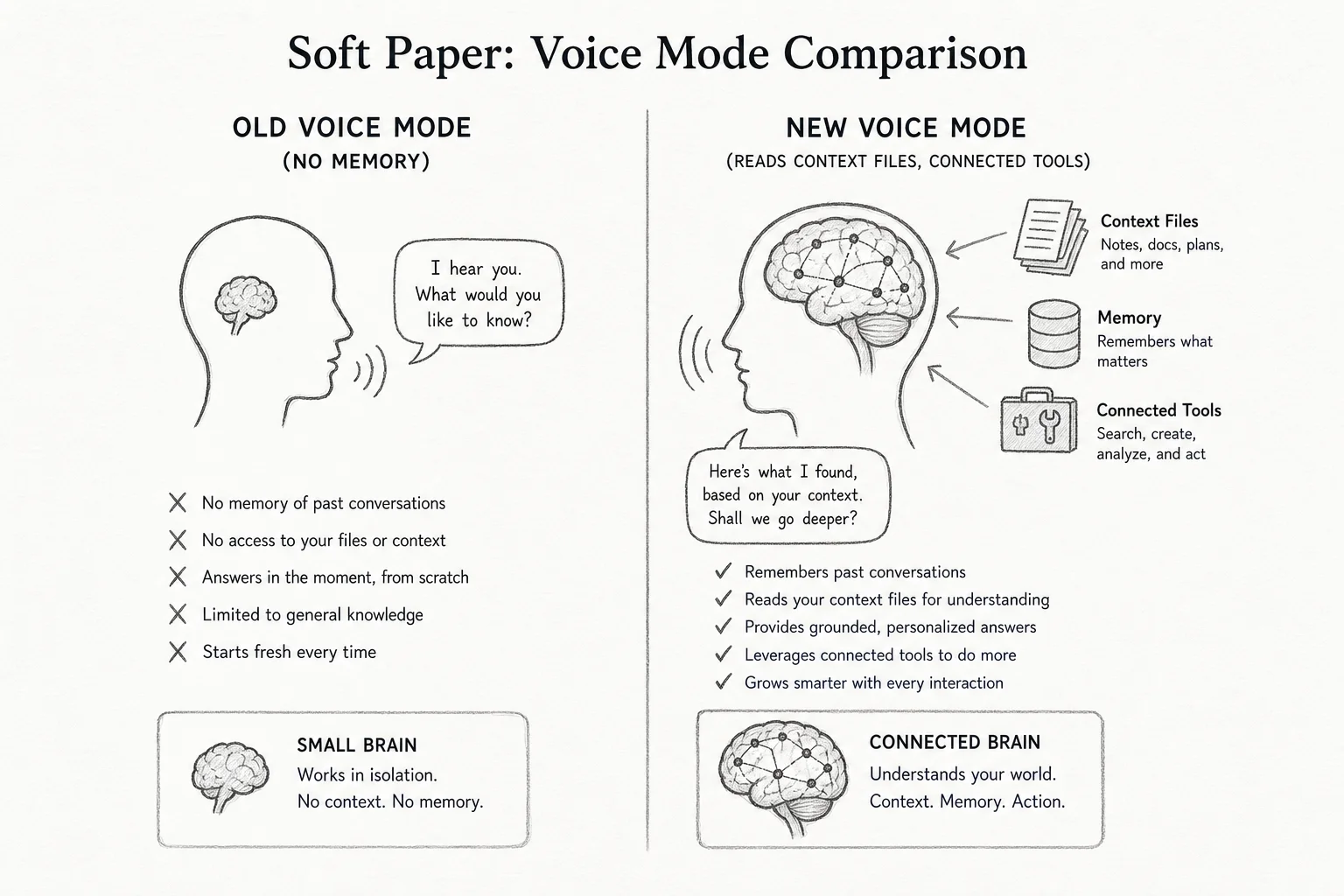
For years, voice mode meant a small model, no memory, and zero idea who you were. Coverage focused on how natural the voices sounded. I care about something else: can it read your context files and argue with you like a real thought partner?
OpenAI and Anthropic both shipped major voice upgrades in 2026. The product shift underneath is context, not cadence.
Old voice vs new voice
| Old pattern (2023-2024) | Current pattern (2026) | |
|---|---|---|
| Model depth | Fast, shallow (e.g. Haiku-only) | Opus, Sonnet, Haiku selectable |
| Memory | Session-only, no files | Reads uploaded docs + connected tools |
| Use case | Timers, trivia, quick questions | Business problems, debugging, planning |
| Output | Agreeable summaries | Follow-up questions, pushback |
Anthropic's voice upgrade post said users moved from quick questions to "working through real business problems across longer sessions." That matches what I see in client pilots for voice receptionists and internal ops agents.
The failure mode is still the same: voice without context is a consultant who never read your P&L.
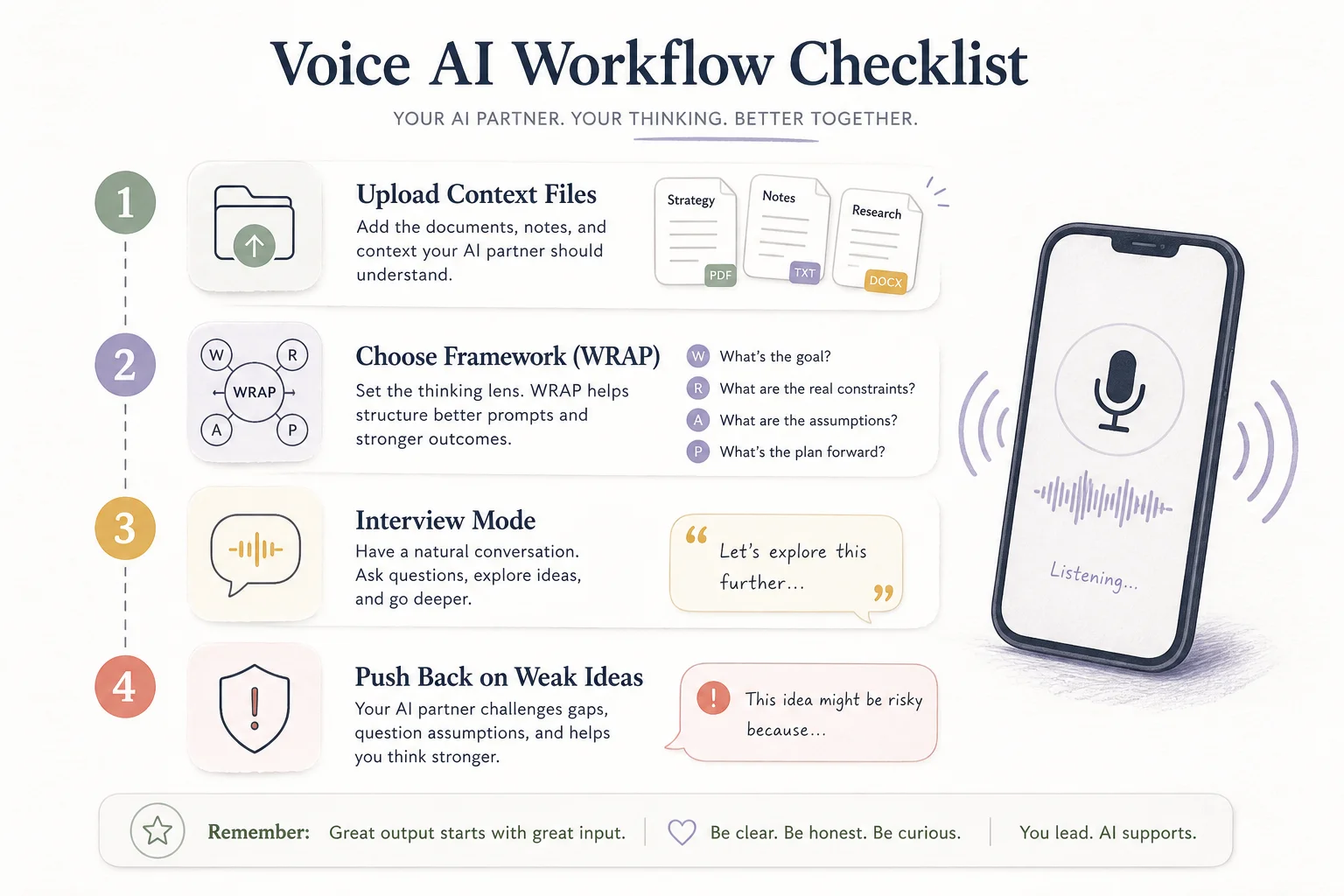
My four-step voice checklist
This is the workflow I stole from educators teaching teams to use AI, then adapted for ops and product work.
1. Upload as much context as you can
Before you speak, give the model something to ground on:
- Project briefs and PRDs
- CRM pipeline exports (redacted)
- SOP docs for how your team actually works
- Past email threads or Slack summaries
CLAUDE.mdor equivalent repo context for technical work
In app voice mode, connected tools extend that surface. Claude voice mode can pull from Gmail, Google Calendar, Google Docs, and Slack on paid plans. You can start in text, upload files, then switch to voice without losing the thread.
For coding, Claude Code /voice is dictation into the terminal, not spoken replies. Still useful when your hands are busy, but a different product shape.
2. Pick a framework you already trust
Do not ask "what should I do?" Ask the model to run a process you would use with a human advisor.
I like WRAP from the book Decisive by Chip and Dan Heath:

- Widen your options
- Reality-test your assumptions
- Attain distance before deciding
- Prepare to be wrong
Tell voice mode: "Walk me through WRAP for this pricing decision. Stop me if I skip a step."
Frameworks beat open-ended prompts because they force structure into a medium that rewards rambling.
3. Make it interview you
Voice shines when the model asks questions back. Prompt explicitly:
"Interview me until you understand our ICP, current funnel, and constraints. Do not recommend anything until you have asked at least five questions."
This is how you avoid generic strategy slop. The model fills gaps you forgot to upload.
4. Demand pushback
The most important step. Say:
"Challenge my weakest assumption. If my plan is bad, tell me why before we continue."
Agreeable AI is useless for decisions. You want a partner that coaches, not one that applauds.
Where this maps to client work
I build voice agents for clinics, contractors, and service businesses. The same checklist applies whether the interface is a phone line or a mobile app.
Front desk voice agents need CRM context, booking rules, and escalation policies loaded before the first call. Otherwise you get a polite bot that double-books appointments.
Internal ops voice needs SOPs and tool connections (calendar, ticket queue, inventory). The 2026 upgrades make that feasible on consumer apps before you custom-build anything.
Hands-free technical work (garage doors, server racks, job sites) benefits from phone voice with uploaded diagrams or photos, then follow-up in text for URLs and code snippets.
The pattern is always: context first, framework second, conversation third.
Claude app voice vs Claude Code /voice
Do not confuse the two Anthropic voice features:
| Feature | Claude app voice mode | Claude Code /voice |
|---|---|---|
| Interface | Mobile, desktop, web | Terminal CLI |
| Spoken replies | Yes | No (transcription only) |
| Best for | Thinking, planning, tool use | Coding prompts while hands are busy |
| Context | Files + connected apps | Project files, CLAUDE.md, session |
For a website prototype workflow, a strong pattern is: voice interview in the Claude app to draft the plan, then switch to text (or Claude Code) to build from that plan. The Rundown's hands-free website guide follows that exact split.
What still breaks
Voice prompts run longer than typed prompts. You speak naturally, so context windows fill faster. Keep sessions focused. Use persistent context files instead of repeating yourself.
Transcription still trips on niche jargon, though coding dictation has improved on terms like OAuth, regex, and JSON. Hybrid input helps: type the file path, speak the instruction.
And privacy: if you upload client data into consumer voice apps, check retention policies and team plan settings before you process regulated information.
The takeaway
Natural voices were the 2024 headline. Context-aware voice is the 2026 product.
If you would not hire a consultant who never read your business, do not accept voice mode without files, frameworks, and permission to disagree. The hardware finally caught up. The workflow is on you.
Building voice into ops (reception, qualification, handoffs to CRM)? Book a free discovery call. I help teams wire context before they wire telephony.