
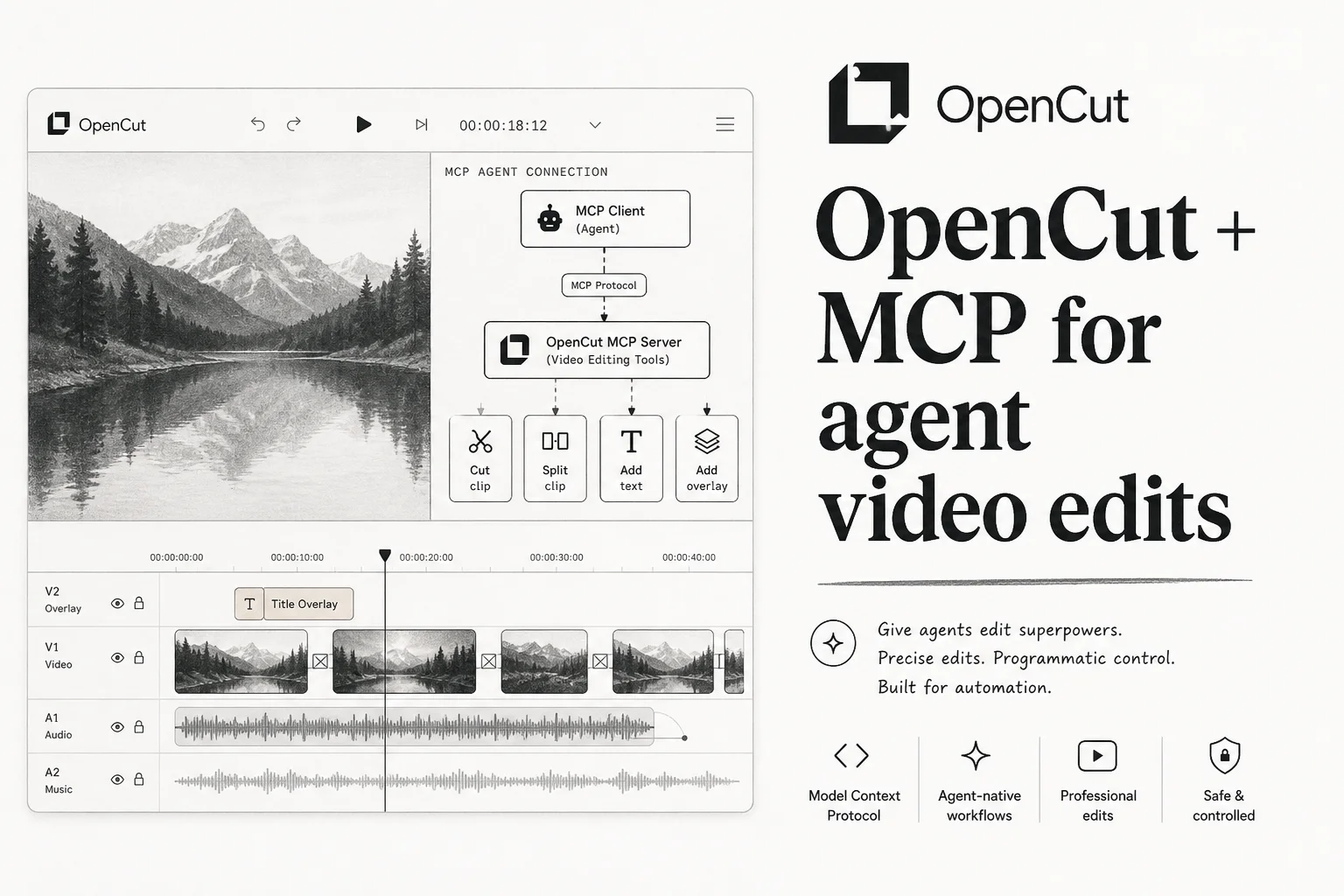
CapCut locks basic exports behind paywalls, slaps watermarks on free tiers, and routes your footage through someone else's cloud. A group of developers got tired of that tradeoff and built OpenCut , an MIT-licensed video editor that runs in the browser, on desktop, and on mobile from one codebase.
By mid-2026 it had blown past 55,000 GitHub stars. The part I care about as an applied AI engineer is not the star count. It is the MCP server that turns the editor into a tool agents can call.
What you get today vs what is coming
OpenCut is in the middle of a ground-up rewrite. The classic version still powers opencut.app and lives in the archived opencut-classic repo.
The rewrite on main targets:
| Feature | Status |
|---|---|
| Multi-track timeline, masks, keyframes | Live in classic |
| Local-first storage (no cloud upload) | Live in classic |
| No watermarks, no subscription | Live in classic |
| Rust core, single codebase | In progress |
| Plugin-first architecture | In progress |
| MCP server for AI agents | In progress (first-class in rewrite) |
| Headless batch rendering | Planned |
If you want to try editing today, clone classic and run bun install then bun run dev. The rewrite preview will live at
new.opencut.app
when it is ready to replace production.
Why MCP matters for video
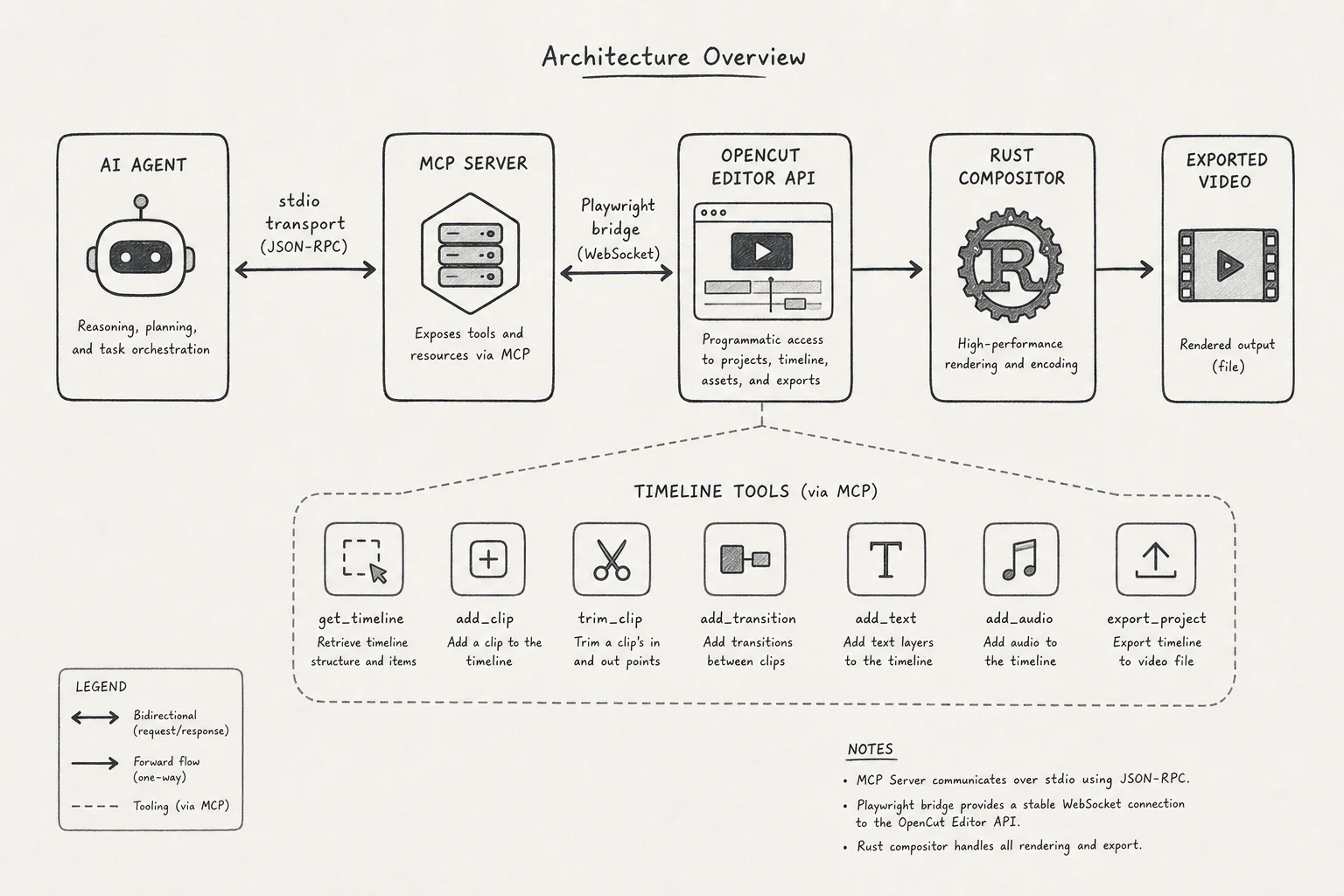
The Model Context Protocol gives agents a standard way to call external tools. OpenCut's architecture doc describes a convergence point: the same Editor API serves human UI clicks and agent automation calls.
Human UI  ──┐
            ├──> Editor API ──> Rust compositor ──> export
AI Agent  ──┘      ▲
                   │
              MCP Server
That is the pattern I want more of in client work. Not a separate "agent mode" that produces a different file format. One timeline, two controllers.
Community MCP implementations already exist for the classic app:
- OpenCut-MCP (161 tools, Playwright bridge)
- opencut-controller (stdio and HTTP transport)
Both launch headless Chromium, connect to the running OpenCut web app, and call JavaScript inside the page to read Zustand store state and invoke editor methods.
What 161 tools actually means
The MCP servers expose granular timeline operations: split clips, adjust keyframes, manage assets, run exports, inspect project state. Because OpenCut stores projects in browser IndexedDB/OPFS (no server-side project DB), the MCP layer bridges the gap between ephemeral browser state and agent orchestration.
Typical workflow:
- Start OpenCut classic locally (
localhost:3000). - Run the MCP server (
bun startin the MCP repo). - Connect from Claude Desktop, Cursor, or n8n via stdio or HTTP.
- Agent receives a brief ("cut this to 30s, add lower third, export MP4") and issues tool calls.
I have wired similar Playwright bridges for internal dashboards. It is brittle if the DOM changes, but workable when the project exposes window.__opencut and window.__stores hooks like OpenCut does.
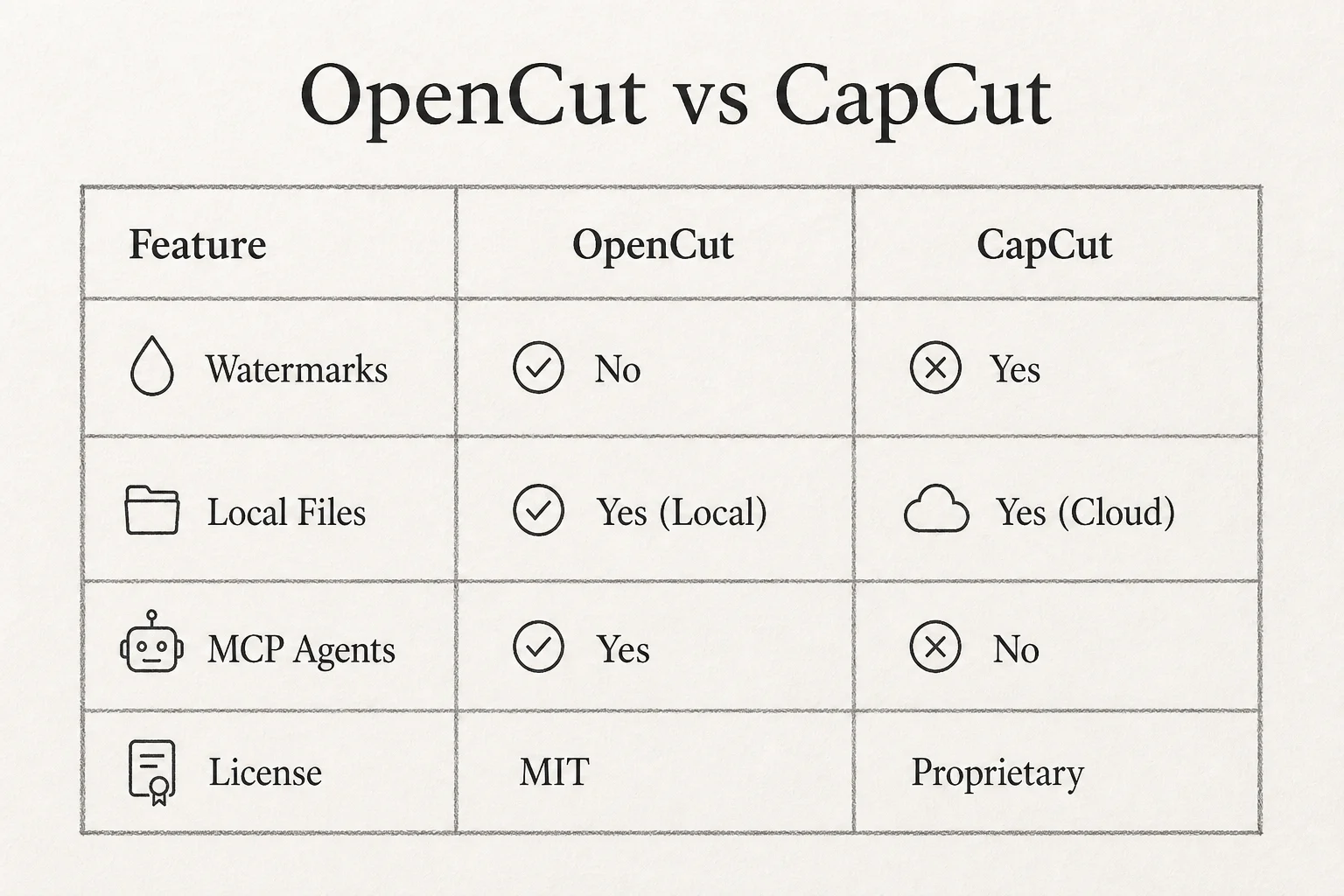
OpenCut vs CapCut for builders
| OpenCut | CapCut | |
|---|---|---|
| License | MIT | Proprietary |
| Watermarks | None | On free tier |
| File storage | Local device | Cloud-centric |
| Agent automation | MCP (classic + rewrite) | None public |
| Cost | Free | Freemium / subscription |
For creators, the value prop is obvious. For agencies building content pipelines, the value is programmatic editing without ffmpeg shell scripts duct-taped to a SaaS API.
Quick start (classic + MCP)
Editor:
git clone https://github.com/OpenCut-app/opencut-classic.git
cd opencut-classic
bun install
bun run dev
MCP server (example with OpenCut-MCP):
git clone https://github.com/RavenMeld/OpenCut-MCP.git
cd OpenCut-MCP
bun install
bunx playwright install chromium
bun start
Point your MCP client at the server config. With OpenCut running, you should see browser automation connect and project_list return available projects.
Read the PyShine architecture walkthrough for a longer breakdown of plugins, headless mode, and the Rust rewrite goals.
Where I would use this in production
Good fits:
- Batch social clips from long-form podcast footage
- Template-driven client deliverables (intro/outro, brand lower thirds)
- Internal marketing teams that need CapCut-like UX without vendor lock-in
- Agent experiments where video is the output artifact, not just text
Friction points:
- Classic vs rewrite split means pick your target and pin versions
- Playwright MCP bridges need maintenance when UI changes
- Heavy exports still depend on client hardware unless headless mode matures
The takeaway
OpenCut is not just "free CapCut." It is an automatable editor with a path to first-class agent control. As the Rust rewrite lands MCP in core instead of community add-ons, expect more n8n and Claude workflows that treat video edits like API calls.
If you are building content ops with agents, this repo belongs in your eval stack next to ffmpeg scripts and Remotion.
Want help wiring MCP tools into a real content or ops pipeline? Book a free discovery call.