
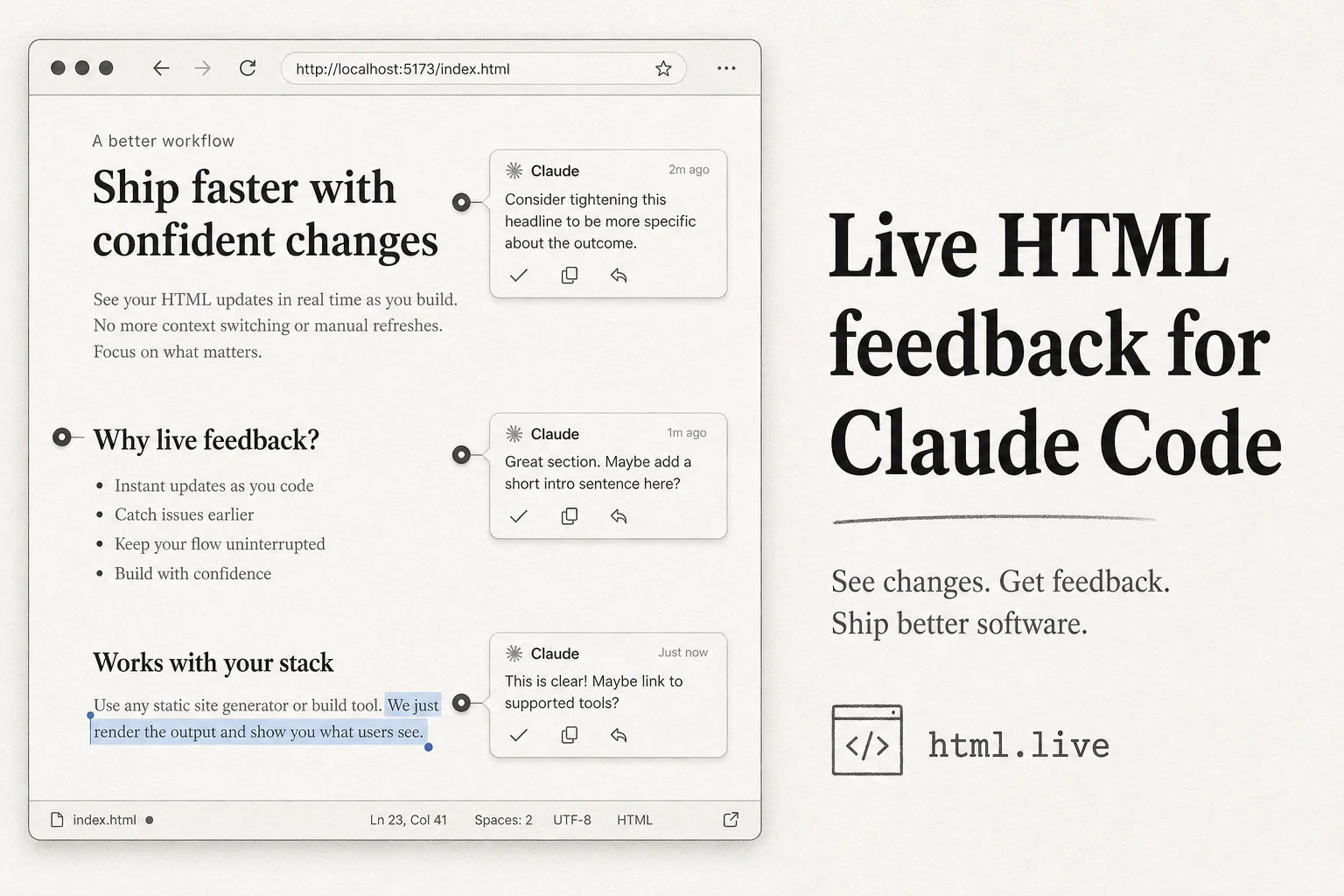
Claude Code is very good at generating a polished HTML report in one shot. It is awkward at the second, third, and tenth revision when you are describing layout changes in chat instead of pointing at the page.
I hit this constantly on client deliverables: landing page mockups, audit summaries, proposal decks exported as static HTML. The model builds something you can open in a browser, then you fall back to "move the hero headline up" in a text box. That loop is slower than it looks.
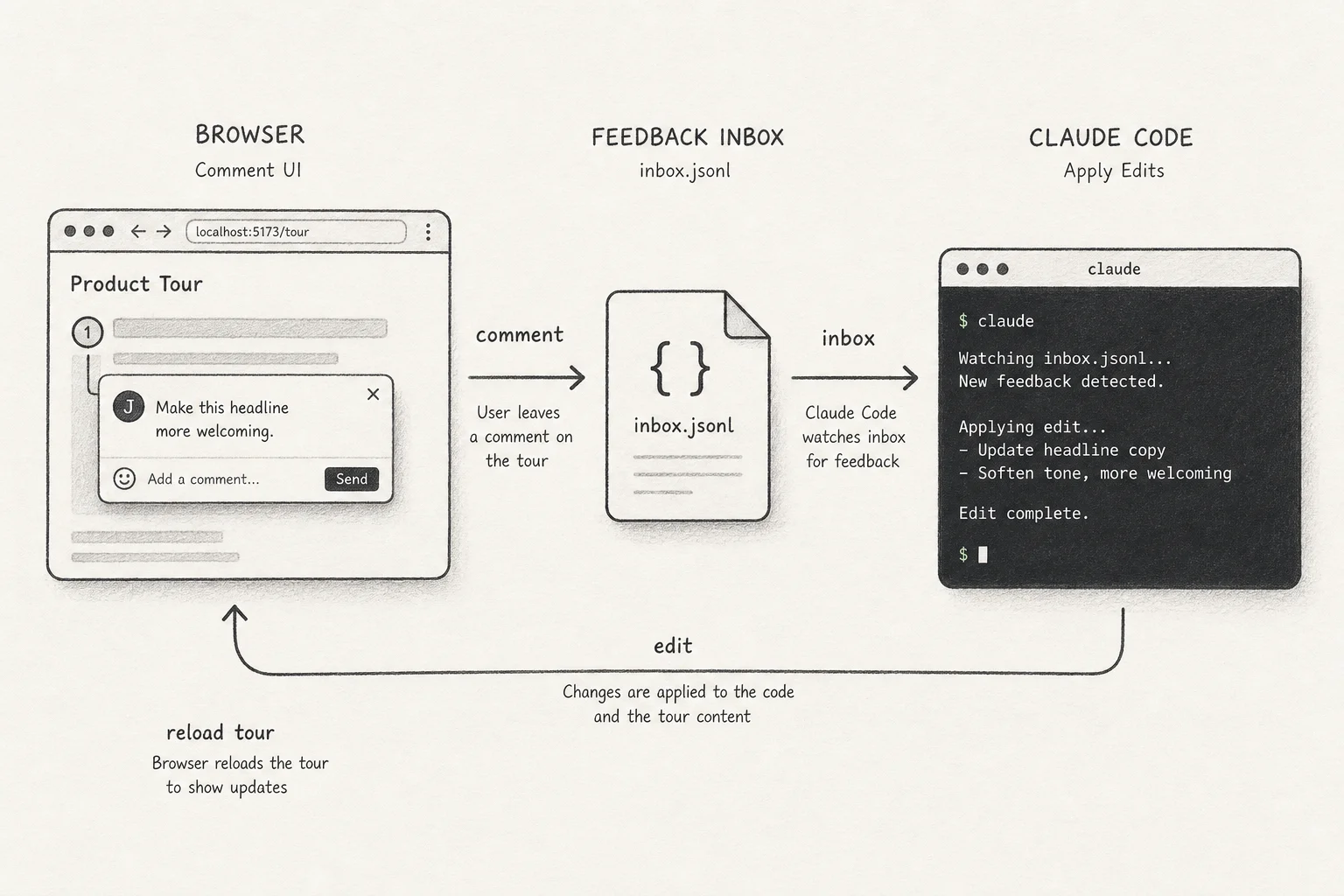
The make-pages-interactive skill fixes the handoff. It turns a folder of HTML files into a live commenting surface. You highlight text, click an element, drop a note, and Claude reads a local inbox and edits the files. The page reloads with a walkthrough of what changed.
The pain it solves
Typical Claude Code HTML workflow today:
- Ask for a report or mockup.
- Open
report.htmlin the browser. - Copy feedback back into chat.
- Wait for a full rewrite.
- Repeat until you hate the project.
The skill inserts a browser UI between steps 2 and 4. Comments are structured (selector, anchor, timestamp) instead of vibes in prose.
What is inside the repo
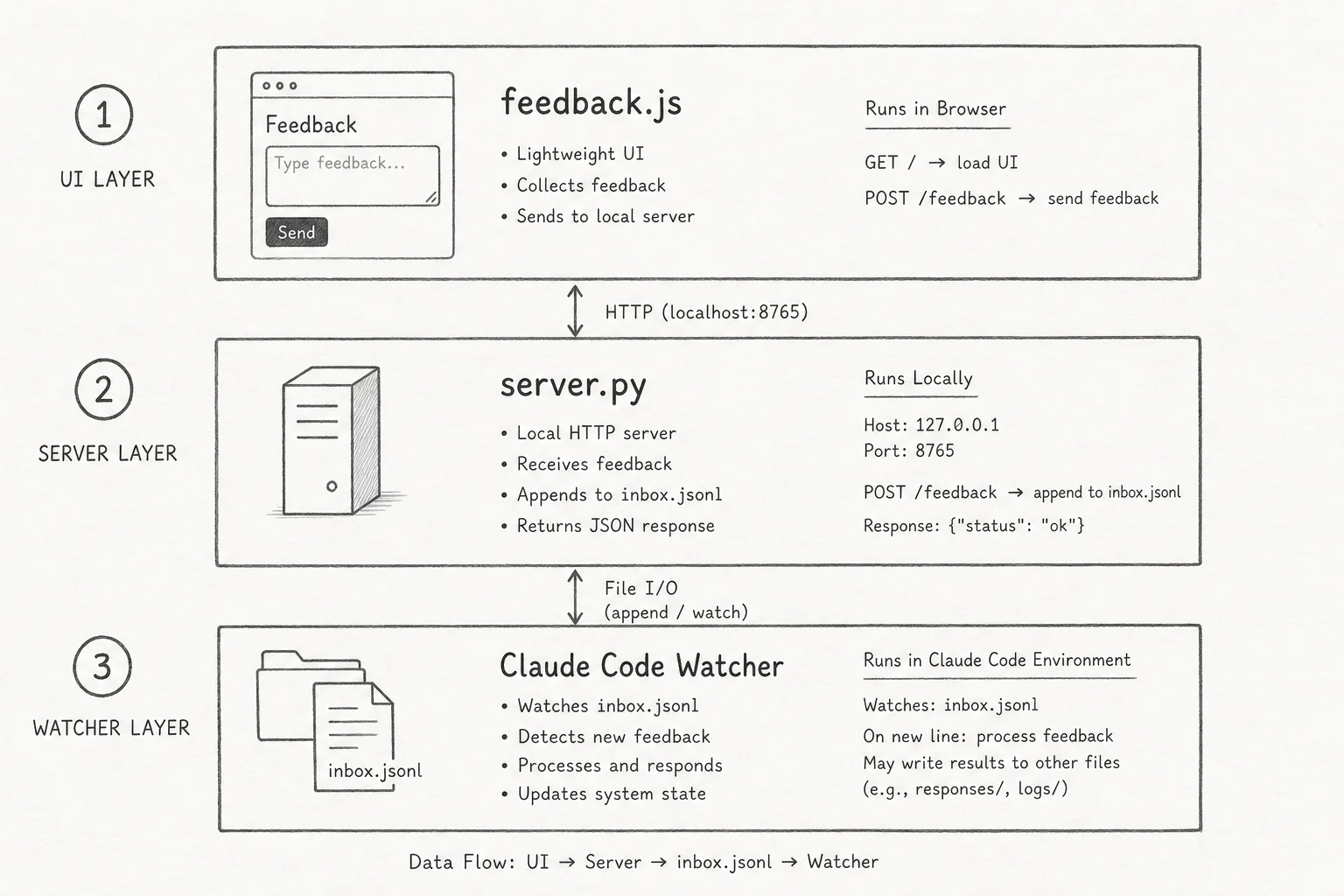
Paras Chopra's implementation is small on purpose. Three files do the work:
| File | Role |
|---|---|
lib/feedback.js | Selection UI, element picker, comment editor, reload walkthrough |
lib/feedback.css | Styles for the overlay |
lib/server.py | ~250-line stdlib HTTP server; serves pages, accepts POSTs, auto-idles out |
Install:
git clone https://github.com/paraschopra/make-pages-interactive \
  ~/.claude/skills/make-pages-interactive
For Cursor or other agents that read ~/.agents/skills/:
git clone https://github.com/paraschopra/make-pages-interactive \
  ~/.agents/skills/make-pages-interactive
ln -s ~/.agents/skills/make-pages-interactive ~/.claude/skills/make-pages-interactive
Then say "make this page interactive" in a session that already has HTML in the tree.
What Claude does when you invoke it
The skill workflow (from the repo README):
- Inject
<script>and<link>tags into every*.htmlin the target directory. - Create
feedback/inbox.jsonlandfeedback/history.json. - Pick a free port (5050 default).
- Start
server.pyin the background. - Give you a
http://127.0.0.1:5050/...URL to open. - Watch
feedback/inbox.jsonland apply edits when comments arrive.
Comment types:
- Text selection: highlight copy, click comment.
- Element selection: pin feedback to a block (image, table, section) via a stable selector.
- Page-level: floating "+ general" for notes not tied to a region.
Comments batch client-side into one POST so Claude responds to a coherent set, not every keystroke.
Safety details that matter on a laptop
Two lines in the digest sold me:
- The server binds to loopback by default.
- It auto-shuts down after 10 minutes idle or when the parent process dies.
I have seen too many "helpful" dev servers linger after a demo. A skill that cleans up after itself is table stakes for anything you install into ~/.claude/skills/.
Alternatives if you want a different UX
| Project | Best for |
|---|---|
| paraschopra/make-pages-interactive | Default skill; inbox JSONL; Claude Code native |
| machbuilds/interactive-html | Cross-agent .ih/comments.jsonl protocol; can generate pages then comment |
| arturnbull/designer-notes | Figma-style pins; /designer-notes and /submit-feedback slash commands |
| aasimsani/html-artifact | RFCs and specs with review checkboxes and decision queues |
I reach for make-pages-interactive when the deliverable is already a folder of HTML Claude produced. I reach for designer-notes when a designer on the team wants pin-and-submit batch review. I reach for html-artifact when the doc is a long spec with explicit sign-off sections.
How I would use this on a client project
Proposal and audit HTML: Claude generates a single-file or multi-page summary from repo analysis. Interactive comments let the stakeholder mark what is wrong on the actual layout, not in email.
Landing page iterations: Early copy and hierarchy passes happen in the browser. You avoid rewriting the entire Tailwind bundle because someone hated one headline.
Training handoffs: Junior devs leave structured feedback on generated docs. Seniors approve in git with smaller diffs.
Workflow tips from shipping similar loops:
- One folder per deliverable so injected scripts do not leak across projects.
- Commit before you invoke the skill so you can diff what Claude changed from comments alone.
- Keep comments atomic ("CTA button contrast fails WCAG on mobile") beats one paragraph of mixed issues.
- Close the server when done; do not rely on idle shutdown if you are on a shared machine.
Limits to know upfront
- This is for local HTML, not your production Next.js app. You are reviewing artifacts, not hot-reloading a dev server with API routes.
- Selectors can break if Claude restructures the DOM aggressively. Page-level comments still work when anchors drift.
- The agent must keep watching the inbox. In Claude Code,
Monitor on path: feedback/inbox.jsonlis the documented pattern.
Why this fits the Applied AI shipping pillar
The bottleneck in agentic delivery is rarely first draft quality. It is iteration bandwidth between the person who knows what "right" looks like and the agent doing edits.
A commenting surface shrinks that gap without building a full CMS. It is a protocol (inbox file in, HTML diff out) you can swap agents on top of.
If you want help wiring Claude Code skills into a real client delivery pipeline (HTML, MDX, or full Next.js), get in touch.