
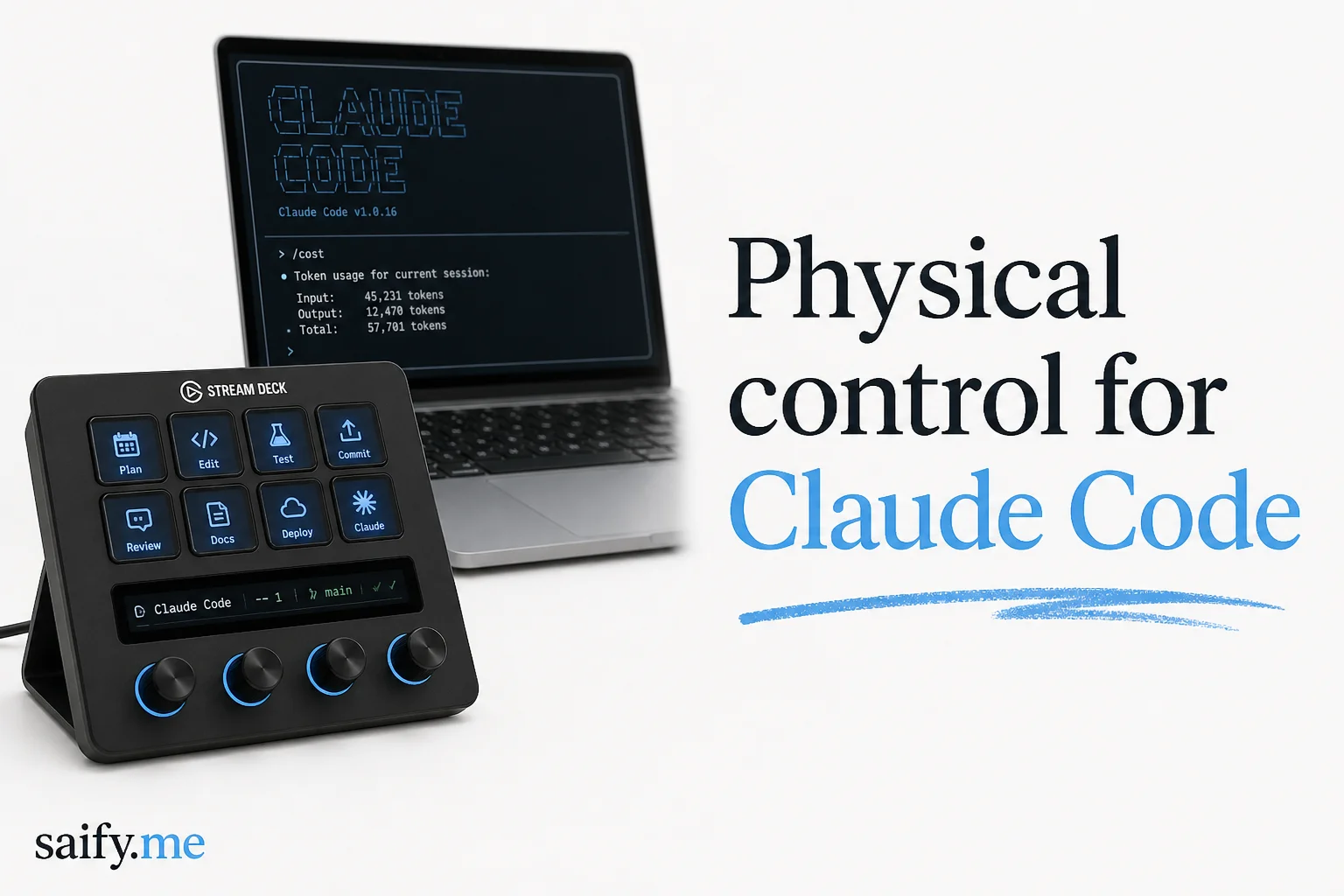
Claude Code permission prompts are a context switch tax. You alt-tab, read the dialog, click Allow, alt-tab back, lose the thread.
AgentDeck solves that with hardware: a Stream Deck+ (or other supported surfaces) becomes a live dashboard for agent sessions. AlphaSignal's June digest highlighted it after thousands of developers liked the demo. I tried the architecture story because I run multiple Claude Code sessions daily for client repos.
What you can do on the desk
The Elgato Marketplace plugin (v1.0.2 live, 1.0.3 prepared) pairs with a local AgentDeck daemon:
| Control | Action |
|---|---|
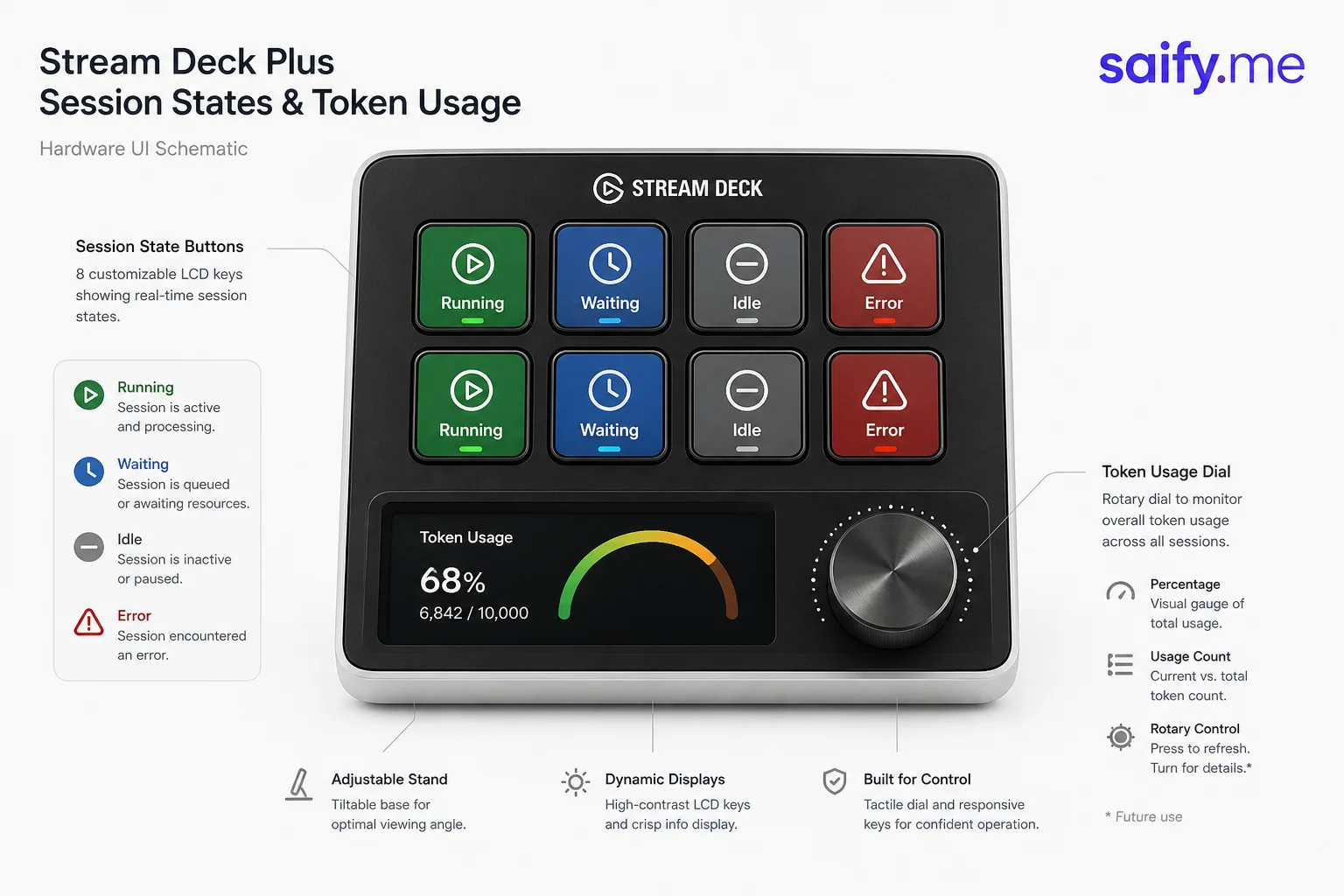
| Session buttons | See running, waiting, idle, or errored sessions |
| Permission prompts | Approve or deny without keyboard |
| Token dial | Monitor usage and session cost per button |
| Multi-session | Manage several Claude Code sessions from one surface |
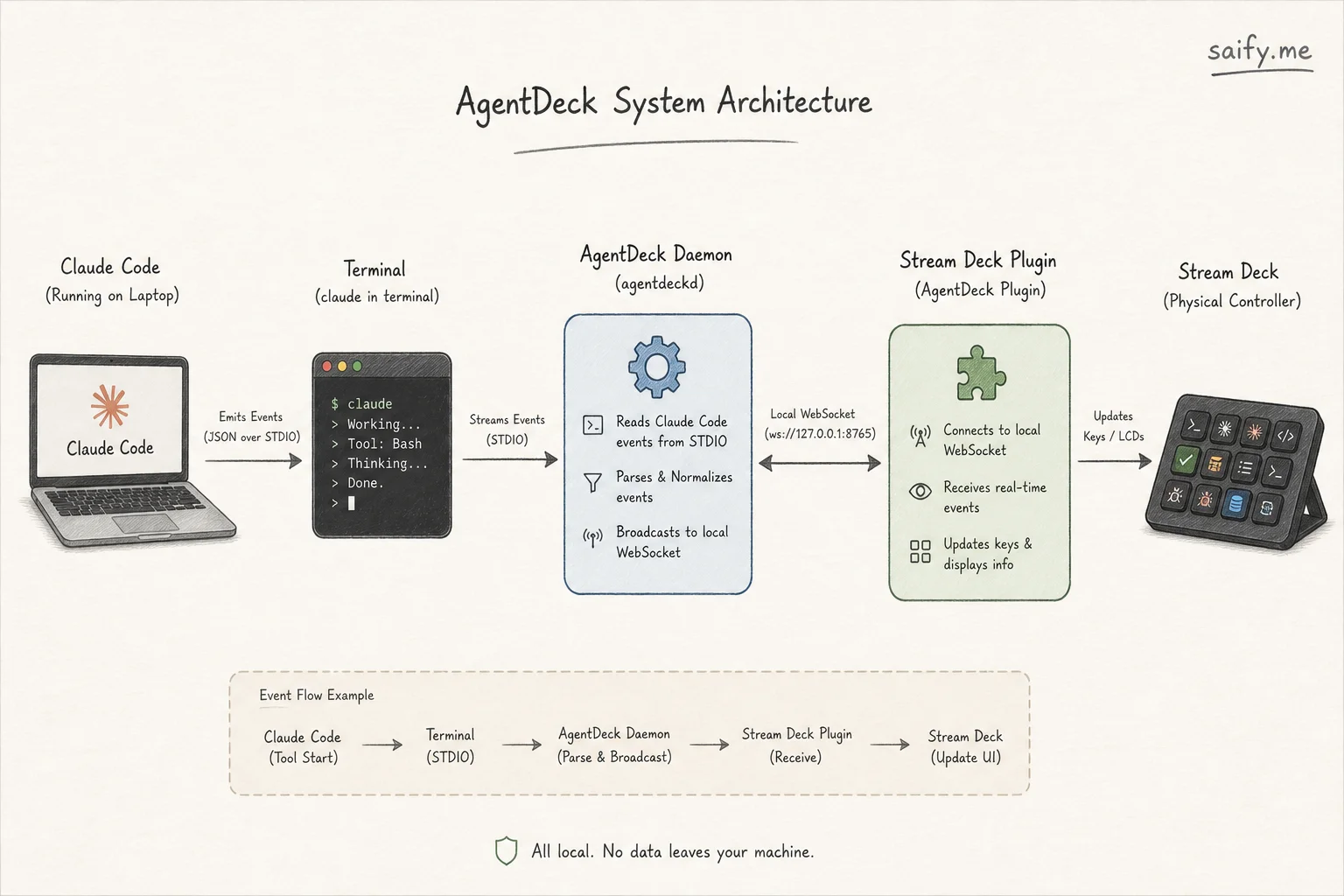
Claude Code fires events when sessions change state. AgentDeck listens and maps those events to Stream Deck keys and encoder dials.
Supported agents
AgentDeck is agent-native, not Claude-only:
| Agent | Status |
|---|---|
| Claude Code | Primary, full lifecycle |
| Codex CLI | Supported |
| OpenCode | Supported |
| OpenClaw | Experimental |
If you already standardize on one harness, AgentDeck still helps. If you run a fleet across tools, one physical surface beats five terminal tabs.
Install path (Stream Deck)
Requirements from the project docs:
- macOS 15+ or Windows 11 for the bridge daemon
- Stream Deck app 6.7+ (6.9+ for latest plugin builds)
- iTerm2 for PTY session management on macOS
- Claude Code CLI installed
Marketplace install (recommended):
- Install AgentDeck from Elgato Marketplace.
- Start the AgentDeck daemon (
npx @agentdeck/setupor the Mac App Store app). - Launch Claude Code sessions. They appear on the deck automatically.
Development checkout users can streamdeck link the plugin from the repo, but unlink before installing the Marketplace build (duplicate UUIDs conflict).
Not the same as agent-deck TUI
AlphaSignal linked github.com/asheshgoplani/agent-deck, which is a terminal session manager (TUI mission control for many agents). Useful, but a different product.
| Project | Problem |
|---|---|
| puritysb/AgentDeck | Physical and multi-surface control (Stream Deck, tablets, ESP32) |
| asheshgoplani/agent-deck | Terminal UI for organizing Claude, Codex, OpenCode sessions |
Pick hardware control when permission latency and session visibility are your bottleneck. Pick the TUI when you need fork, search, and cost tracking inside one terminal window.
When this is worth the setup
Worth it:
- You run 3+ concurrent agent sessions
- Permission prompts interrupt deep work
- You demo agent workflows live and want a tactile story
Skip it:
- Single-session, low-permission workflows
- Linux-only dev environments (bridge is macOS / Windows 11 today)
- Teams without Stream Deck hardware (cost of knobs versus software shortcuts)
Security note
A daemon that can approve agent permissions is powerful. Run it only on machines you trust, keep the bridge local, and treat physical approve buttons like clicking Allow in the UI. Do not expose the daemon to your network without authentication.
Physical controls do not replace policy. They reduce friction for humans who already know what should be allowed.
If you want agent fleet UX across Claude Code, Codex, and custom MCP tools (with sane permission boundaries), book a free discovery call.