
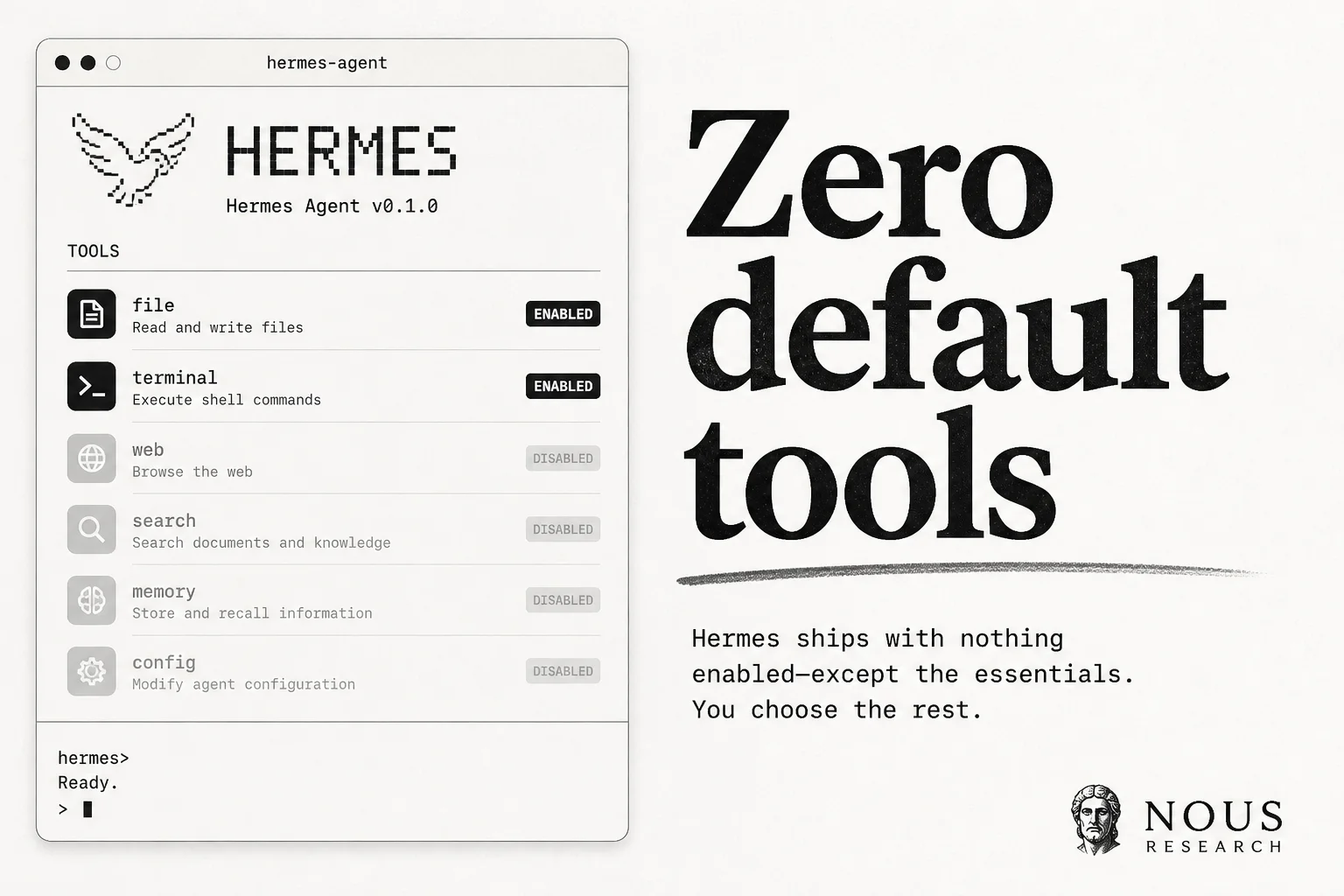
Most agent frameworks ship with the kitchen sink enabled on day one. Web search, browser control, MCP servers, memory, delegation. Then you spend your first week turning half of it off and hoping the next hermes update does not quietly turn it back on.
Hermes Agent from Nous Research just shipped a third setup path called Blank Slate that flips that default. You boot with provider and model, file operations, and a terminal. Nothing else loads unless you explicitly add it. And the choice is pinned to disk so upgrades cannot drift your surface area.
If you deploy agents for clients, security reviews, or regulated environments, this is the setup mode I would reach for first.
What blank slate actually enables
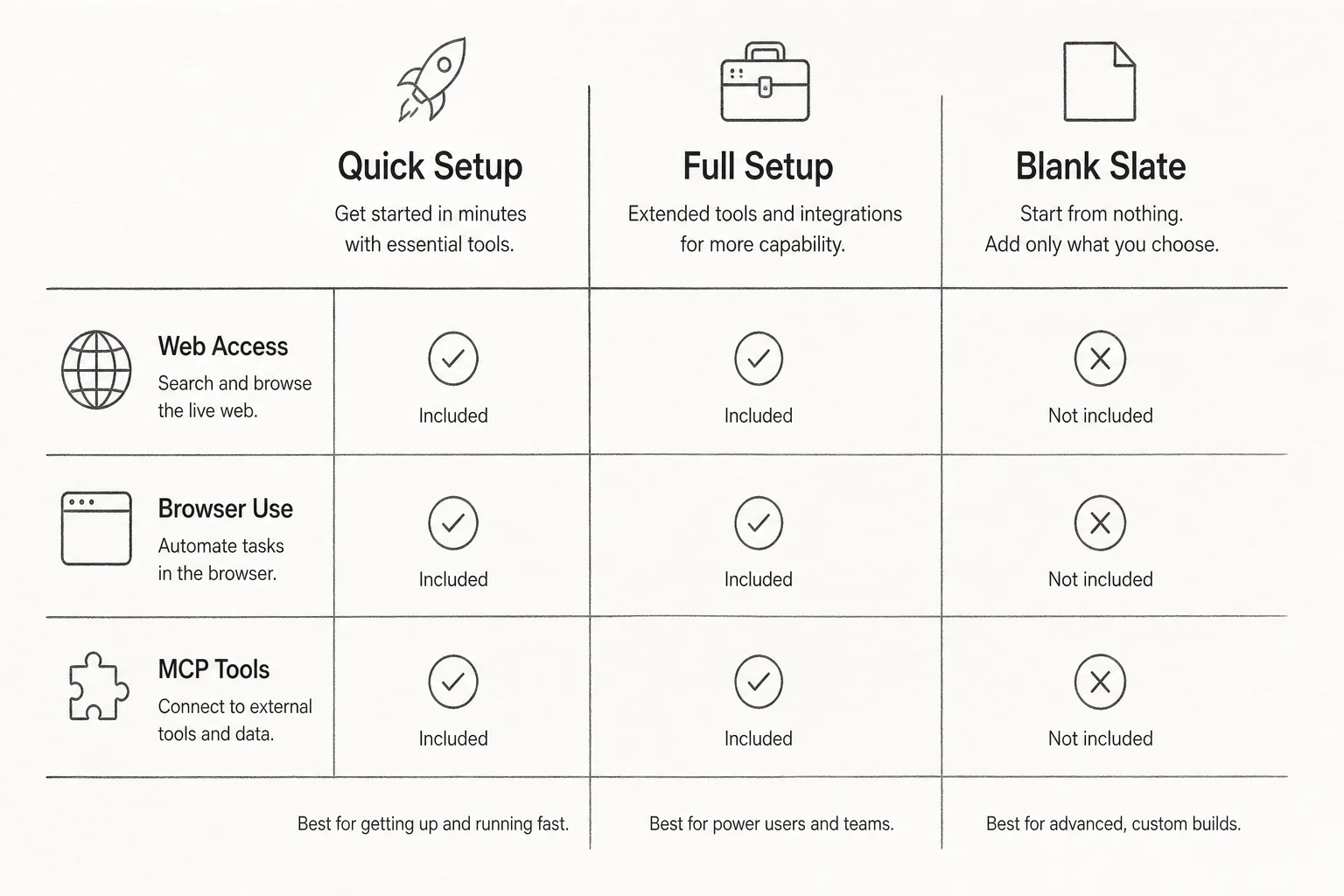
Hermes already offered Quick Setup (Nous Portal OAuth, fastest path) and Full Setup (walk every provider and toolset yourself). Blank Slate is the minimal third option.
On first run:
hermes setup
# Choose Blank Slate, then "finish now" or walk through opt-ins
What stays on:
| Capability | Why it stays |
|---|---|
| Provider and model | You need an LLM to think |
| File operations | Read, write, patch local files |
| Terminal | Run commands and processes |
What starts off until you opt in:
| Disabled by default | Category |
|---|---|
| Web search | Network egress |
| Browser control | Network + UI automation |
| Code execution sandbox | Arbitrary compute |
| Vision and image gen | Extra modalities |
| Memory and user profiles | Persistent state |
| Delegation and cron | Background autonomy |
| Skills, plugins, MCP | Third-party surface |
| Compression, checkpoints, smart routing | Optional config knobs |
The docs list 12+ capabilities that stay disabled. You either finish immediately with files and terminal only, or walk through each opt-in one at a time.
Why the config survives updates
This is the part that matters for production. Blank Slate does not just toggle flags in memory. It writes an explicit platform_toolsets.cli list and agent.disabled_toolsets into ~/.hermes/config.yaml. Secrets still live in ~/.hermes/.env.
The resolver treats platform_toolsets.cli as authoritative. Disabled toolsets are applied last in the resolution chain, which blocks recovery paths that would otherwise re-add toolsets like kanban after a minimal install.
Practical outcome: nothing you skipped loads later. Not after hermes update. Not after a dependency bump. Your agent's tool surface on Monday matches Friday unless you changed it on purpose.
For teams that run the same agent config across laptops, a $5 VPS, and a staging server, that durability beats "we documented the disable list in Notion."
When I would use blank slate vs full setup
| Scenario | Setup mode |
|---|---|
| Personal experimentation on a trusted machine | Quick or Full |
| Client inbox agent with no web unless approved | Blank Slate |
| Reproducible CI agent for code review | Blank Slate |
| Security-sensitive deployment with change control | Blank Slate |
| You want every Hermes tool on day one | Full Setup |
Blank Slate also cuts prompt bloat. Fewer tool definitions in context means fewer tokens burned on capabilities you never invoke. On long-running sessions that adds up.
How to add capabilities back
You are not locked into minimal forever. Re-enable deliberately:
hermes tools                    # opt into toolsets
hermes skills opt-in --sync     # pull skills from catalog
hermes mcp add <server>         # attach MCP servers
hermes setup agent              # re-run messaging and gateway config
The Hermes quickstart docs document all three setup paths side by side. Blank Slate is listed as the choice when you want a minimal, fully controlled agent and intend to enable only what you need.
What this signals for agent security
The industry default for agent frameworks is still permissive: enable everything, let users disable later. Blank Slate makes least privilege the onboarding default instead of a hardening checklist you run after the fact.
That aligns with how I think about client deployments:
- Start with the smallest tool surface that completes the job.
- Pin the config so upgrades cannot expand scope silently.
- Add network, memory, and delegation only when there is a written reason.
Hermes is not the only agent stack moving this direction, but pinning disabled toolsets in config (not just runtime flags) is a concrete pattern worth copying in your own agent wrappers.
Bottom line
Blank Slate mode landed in Hermes Agent v0.17.0 alongside the broader "Reach" release. If you have been avoiding self-hosted agents because the default tool dump felt risky, this is a credible answer: run hermes setup, pick Blank Slate, and build up from files and terminal only.
If you are wiring agents into ops workflows and want a second pair of eyes on tool scoping before production, book a free discovery call. I help teams ship agent automation without surprise network access.