
Most browser agents feel like remote control with extra steps. Screenshot, click, wait, repeat until the DOM cooperates.
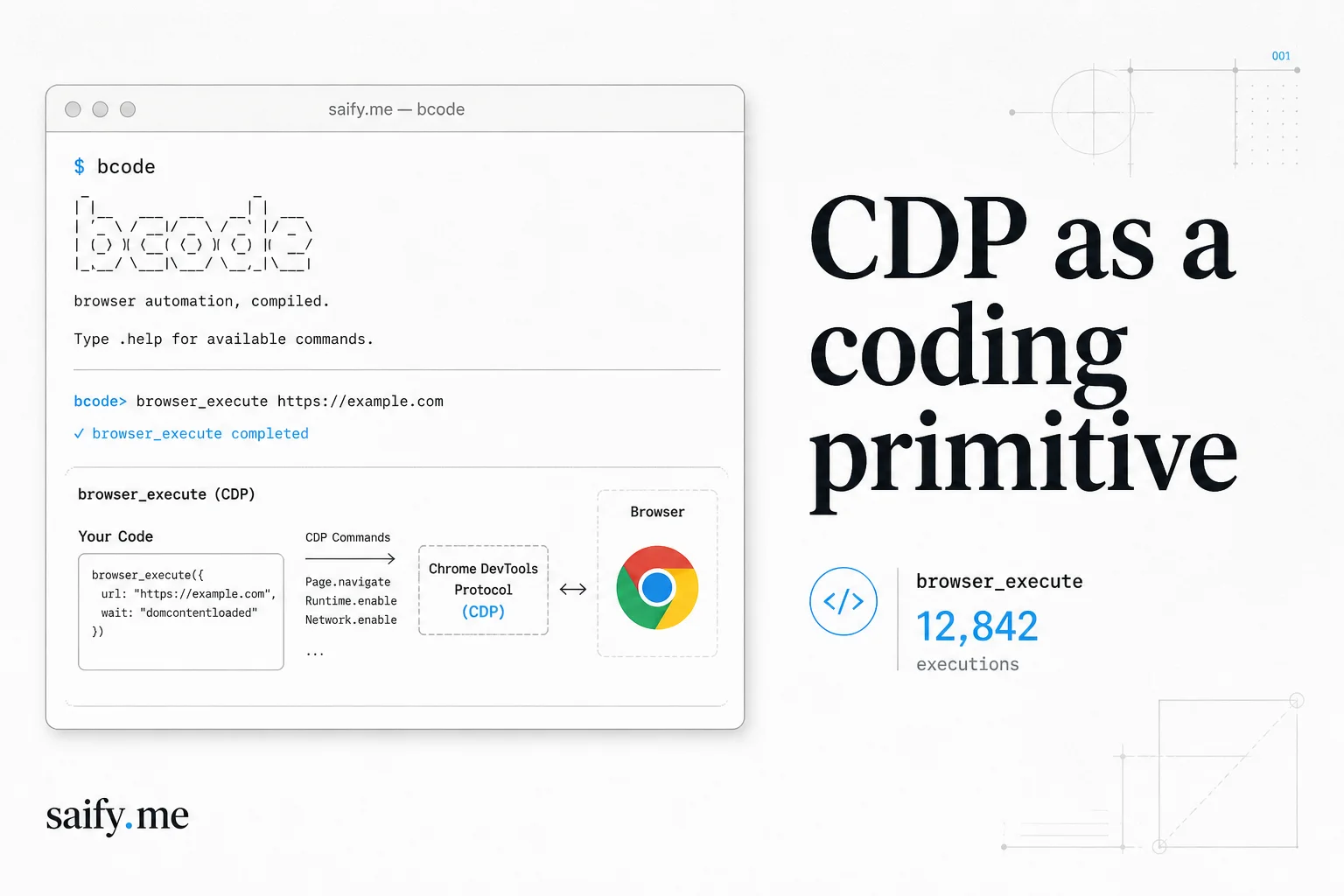
BrowserCode flips the model. The agent writes JavaScript that drives Chrome through the DevTools Protocol (CDP), keeps the session warm, and saves what worked under .bcode/agent-workspace/ for the next run. It is an OpenCode fork from the browser-use team, not a thin wrapper around Playwright macros.
I ship browse-capable agents for client ops workflows. BrowserCode is the first harness I have seen that treats the browser like a REPL instead of a pixel board. That power is exactly why I would not point it at a production CRM without a separate trust boundary first.
What BrowserCode actually is
Direct answer: a terminal coding agent (bcode) built on OpenCode with one new primitive, browser_execute(code), backed by a vendored TypeScript port of Browser Harness.
| Layer | What you get |
|---|---|
| Harness | OpenCode fork (75+ model providers, MIT license) |
| Browser tool | browser_execute over CDP, session persists across calls |
| Script cache | .bcode/agent-workspace/ for reusable flows |
| Install | curl -fsSL https://bcode.sh/install | bash → $HOME/.bcode/bin/bcode |
| UI | TUI via bcode, headless via bcode run "..." |
The README is blunt about philosophy: browser ability and code-writing ability are the same muscle. Minimal abstractions, maximal agent freedom. That is a feature for research. It is a liability for anything touching customer data.
browser_execute in practice
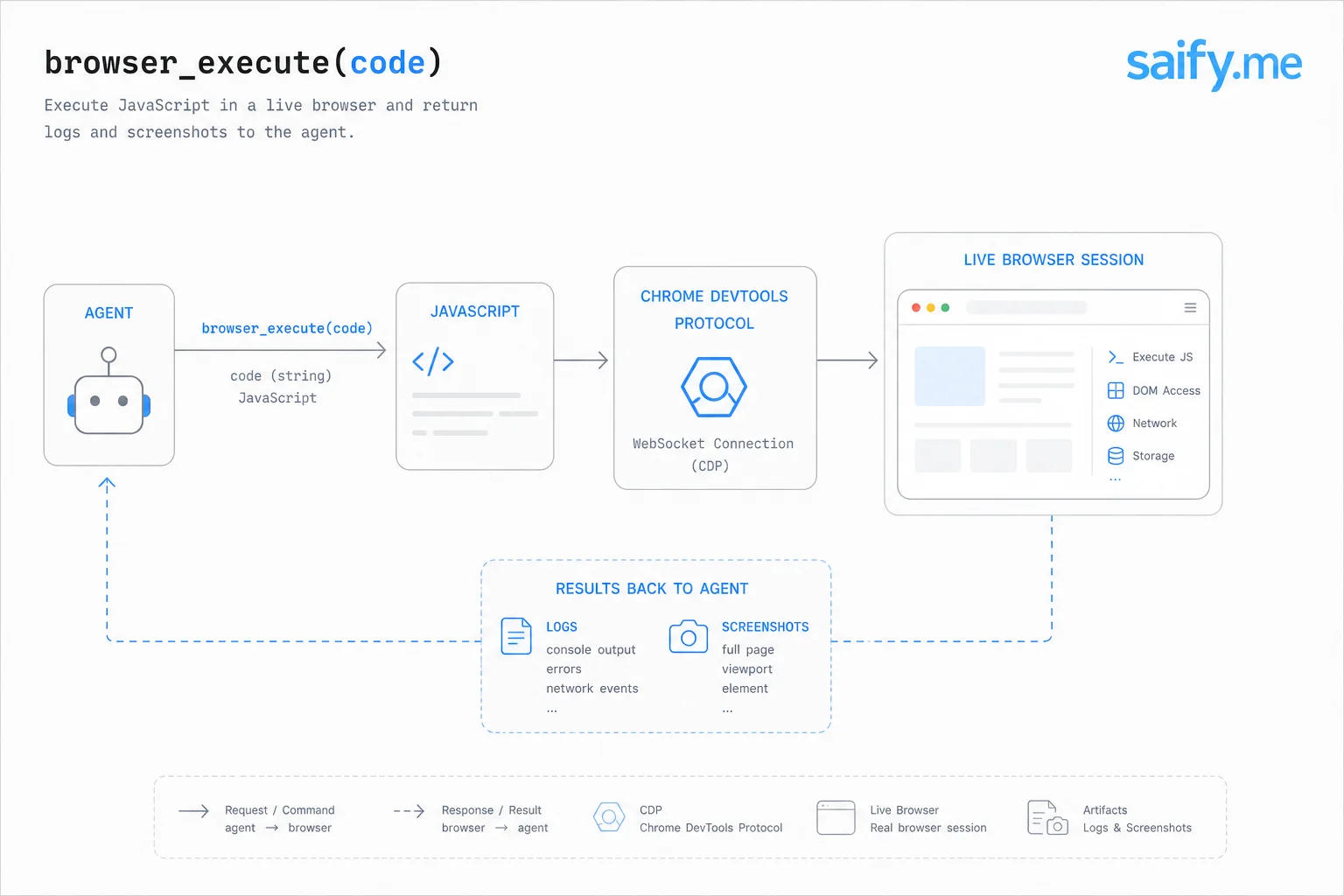
Classic browser agents expose high-level tools: navigate, click, type, screenshot. BrowserCode exposes one low-level tool and lets the model compose.
browser_execute(code)
  -> runs JavaScript in-process
  -> talks to Chrome through DevTools Protocol
  -> keeps the browser session alive across calls
  -> returns logs, values, and screenshots to the agent
That design matters for two reasons I care about in client work:
- Adaptive sites. SPAs that rewrite selectors every deploy break rigid click maps. CDP scripts query live DOM state and branch.
- Script amortization. Working flows persist under
.bcode/agent-workspace/instead of rediscovering the same XPath dance tomorrow.
The install script warns if uv is missing. browser_execute needs it at runtime.
Install and first run
One-liner from the docs:
curl -fsSL https://bcode.sh/install | bash
Then connect a model (/connect in the TUI or provider env vars) and open the agent:
bcode
Headless task example from the README:
bcode run "On Google flights return all flight details from New York to SF tomorrow"
Browser connection is prompt-driven, which is both convenient and scary. The agent can attach to your real logged-in tab, spin a local profile, or route through Browser Use Cloud when BROWSER_USE_API_KEY is set. Free cloud browsers (three concurrent) help prototyping. They are also a wide egress surface if guardrails are weak.
Recommended models on current BU Bench evals (from the repo):
| Goal | Model hint |
|---|---|
| Best performance | claude-opus-4-8 |
| Best open-weight | kimi-k3 |
| Best value | gpt-5.6-luna at xhigh reasoning |
Those are benchmark picks, not security picks. See the next section.
The uncensored Qwen pairing I would not ship
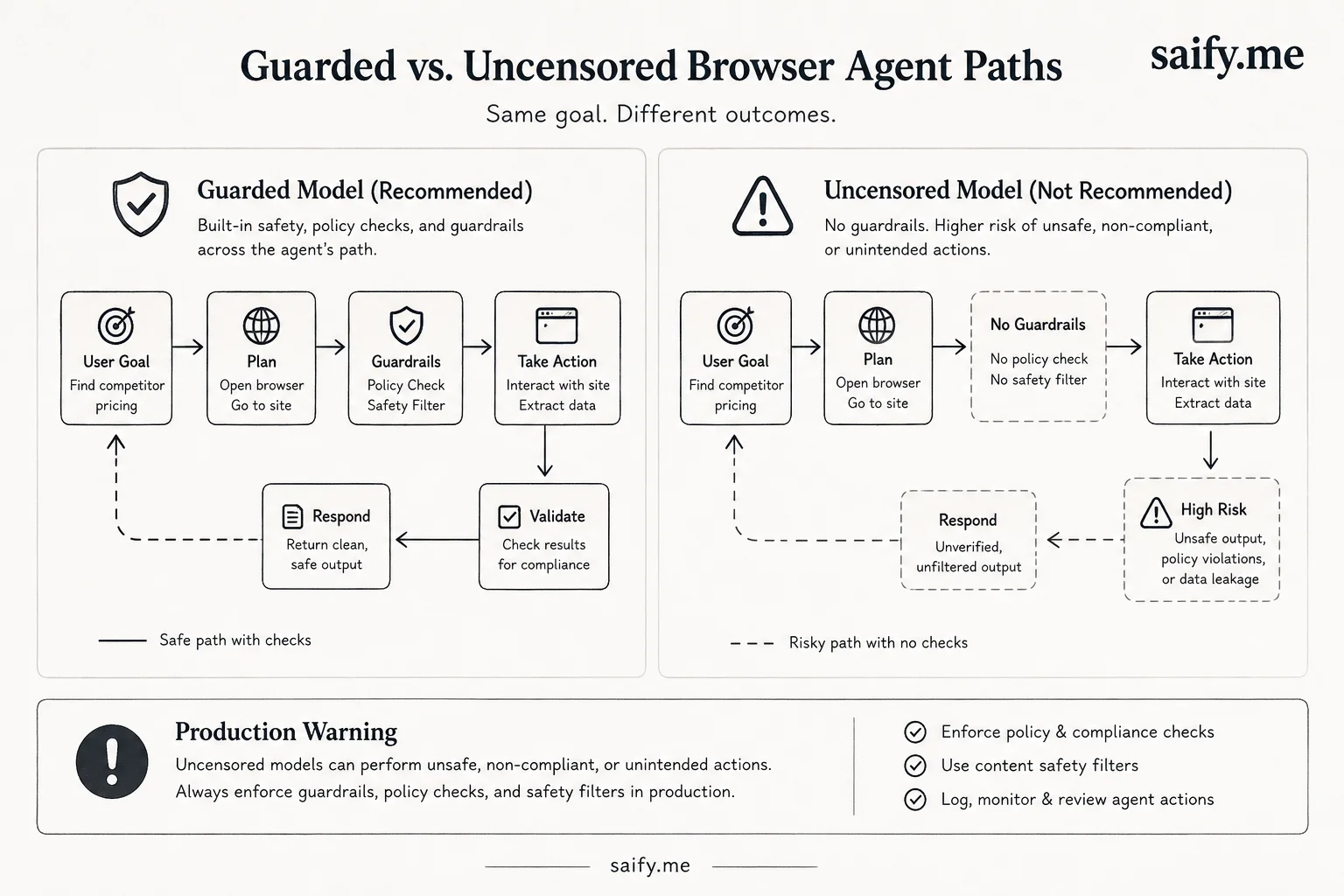
Open-weight routes are tempting when API spend adds up. BrowserCode inherits OpenCode's provider list, so nothing stops you from wiring a local Qwen checkpoint that refuses less and browses more.
That is where I draw a hard line. I wrote about
OrcaRouter's abliterated Qwen3 build
as a red-team baseline, not a customer chatbot. Pairing uncensored Qwen with browser_execute on a real browser profile is how you turn "helpful assistant" into "helpful attacker with cookies."
The failure mode is not theoretical. Browse-capable agents already inherit prompt injection from every page they fetch. Remove upstream refusals and you lose the last cheap safety net before your app-level filters kick in. BrowserCode does not ship enterprise guardrails. OpenCode's permission model is config-driven, not kernel-sandboxed like Codex.
If you need to test whether your filters catch harmful browser actions, use abliterated weights in an isolated VPC with no production cookies. Do not attach them to
.bcode/agent-workspace/scripts that run on your daily Chrome profile.
Guardrails I use before any browse agent ships
BrowserCode is Applied AI shipping tooling. The security work is yours. This is the checklist I run on client projects before enabling CDP access:
1. Split browse from act
Let browser_execute read and extract in a low-privilege profile. CRM updates, refunds, and outbound email live in a different tool profile with human approval. Same lesson as my
browse-capable agents prompt injection
post: one session that browses, writes files, and sends messages is an endpoint-security problem.
2. Never share the daily driver profile
Dedicated browser profile or cloud session only. No attaching to the tab where you are logged into billing, Slack, and Gmail unless you accept full account takeover risk from one malicious page.
3. Treat .bcode/agent-workspace/ as code
Saved scripts are executable policy. Review them like pull requests. A poisoned script that runs on schedule is just prompt injection with extra steps.
4. Log side effects, not chat
CDP can exfiltrate via network requests inside the page context. Set DO_NOT_TRACK=1 if anonymous telemetry from dev machines is a compliance issue.
| Control | Effort | Impact |
|---|---|---|
| Dedicated browser profile | Low | High |
| Browse/act tool split | Medium | High |
| Human approval on writes | Low | High |
| Red-team with abliterated models in VPC | Medium | High for filter testing |
Bottom line
BrowserCode makes CDP a coding primitive inside an OpenCode fork. That is real Applied AI shipping leverage for teams who live in the terminal. It is also privileged code with network access. Pair the harness with guardrails, not uncensored Qwen, before it touches production sessions.
If you are scoping a browse-capable agent and want the first version gated, logged, and split across trust boundaries, book a free discovery call. Bring your tool list and one workflow you are afraid to automate.